
Batch Photo Cleanup
The best 50 Batch Photo Cleanup AI tools - Free & Paid
Explore 50 AI for Batch Photo Cleanup
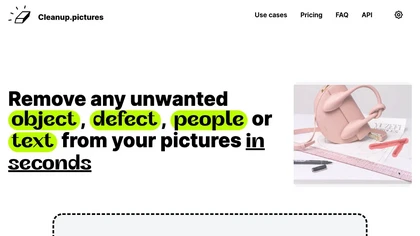
Cleanup.pictures is an AI-powered photo editing tool that allows users to remove objects, people, text, and defects from any picture with ease, highly valued by photographers, creative agencies, real estate professionals, and e-commerce businesses.
Free trail

AI Background Remover deletes backgrounds from JPG, PNG, WebP images while preserving resolution, handling up to 500 at once. Users can replace with color, gallery, or upload; ideal for designers, marketers, and e‑commerce workflows.
Freemium
- $9

Photoroom is an AI-powered tool for creating professional product visuals at scale, featuring automatic background removal, image generation, virtual staging, and batch editing capabilities for efficient high-quality output.
Free trial
- $5.99/mo

PhotoGrid is a browser‑based AI photo editor that offers one‑click enhancement, background removal, and upscaling. It lets users build collages from 20,000 templates, add stickers, text, custom backgrounds, and convert images into short video clips.
Subscription
- $2.83/mo
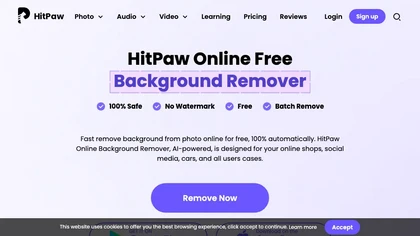
HitPaw Online Background Remover uses AI to delete backgrounds in seconds, supporting single or up to 50‑image batch uploads. It offers transparent, black, or template backgrounds, realistic shadows, and works on Windows, macOS, iOS, Android, and browsers.
Freemium

Removal.AI instantly isolates foreground subjects from .jpg and .jpeg images, offering preview, high‑resolution downloads, background replacement, manual eraser, API integration, batch processing, and professional editing support. Ideal for photographers, designers, marketers, and e‑commerce sites n
Free
- $0.13
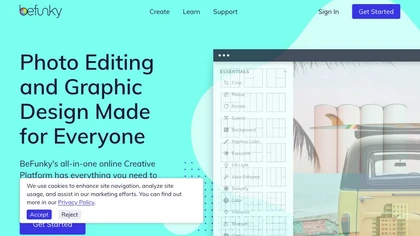
BeFunky is an online editor for photos, collages, and graphics. It offers crop, resize, blur, exposure, batch edits, AI background removal, object erasing, upscale, artistic filters, and drag‑and‑drop templates for banners, flyers, and social‑media posts.
Free
Face Photo Restorer uses AI to enhance and restore old or blurry face photos, supporting batch uploads. It outputs high‑resolution images with corrected color, reduced noise, and sharpened detail, and offers real‑time previews for comparison.
Freemium
FixBlur restores photos by removing blur and enhancing details. It accepts standard image formats up to 2 MB, processes five images at once, and returns results in 5–10 seconds, with automatic deletion after an hour for privacy.
Free
Erase.bg uses AI to remove backgrounds from PNG, JPG, JPEG, WEBP, and HEIC files. It supports batch processing, lets users replace backgrounds with colors or images, works on browser, iOS, Android, outputs PNG/JPEG, and clears data after use.
Freemium
Aftershoot is an AI‑powered photo workflow tool that streamlines culling, editing, and retouching. It ranks images with over 30 technical factors, offers custom AI profiles, Lightroom preset integration, masking, cropping, object removal, and preserves local, non‑destructive workflows.
Paid

AI-driven image upscaler that enlarges photos to 7680 × 7680 px, supporting JPEG, PNG, WebP and up to 500 images per batch. It offers an API for sharpening, noise reduction, and a Mac app with background removal, photographers, designers, marketers, and social media managers.
Subscription
- $19.99/mo
BgEraser is a web‑based AI that removes photo backgrounds in seconds, supporting JPEG, PNG, and WebP. It handles up to 20 images at once, preserves fine detail, offers drag‑and‑drop uploads, and provides commercial‑ready, watermark‑free downloads.
Free
Bulk Image Generation quickly produces up to 100 images in 15 seconds with the Flux 1.1 model, needs only a simple description, and offers bulk editing, resizing, aspect‑ratio calculations, and prompt conversion for diverse projects.
Subscription
- $15/mo
ObjectRemover uses AI to erase unwanted people, stickers, logos, text, and clutter from images. Drag‑and‑drop JPG, PNG, or WebP files up to 10 MB, preview edits, and download watermark‑free results in seconds with high‑quality output.
Free

PicWish AI Photo Editor automates image enhancement, background removal, and watermark deletion. It processes batches of up to 30 files, offering resizing, lighting, upscaling, AI Designer prompts, Face Cutout, and single‑click unblur/sharpen. Available on Windows, macOS, iOS, Android, and browser.
Subscription
- $9.99/mo
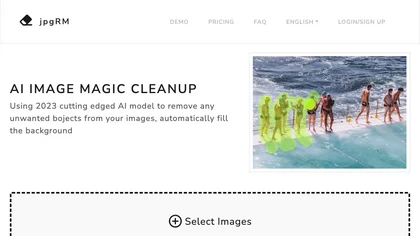
AI Image Magic Cleanup uses a 2026 GAN to automatically erase backgrounds or unwanted objects from photos. Users mark areas with a brush, then the tool refines and fills the space with matching background detail, delivering quick results on mobile.
Paid
Retoucher Online is an AI background remover handling batch uploads via drag‑and‑drop, camera, or file selection. It isolates foregrounds, lets users keep transparent backgrounds, replace with white or custom images, add shadows, fine‑tune edges, and download PNG/JPG at various resolutions.
Freemium
- $659/mo

Clipdrop uses deep learning to remove backgrounds, objects, and text, upscale images, adjust lighting, uncrop, and resize. It also offers text‑to‑image generation and an API for developers, supporting design, marketing, and app workflows.
Subscription

PixPretty AI Photo Editor is a free tool that uses AI to remove or replace backgrounds in seconds. It also supports batch editing for bulk transformations, retouching, and format conversion.
Freemium
- $12.99/mo

SnapEdit is an AI‑driven photo editor that removes objects, backgrounds, and text, provides 100+ background templates, upsamples images to HD/4K, and offers skin retouching, all accessible via web, iOS, and Android.
Freemium

Snapclear is a cross‑platform desktop app that removes backgrounds and upsizes images up to 4× offline, preserving privacy for photographers, designers, and e‑commerce merchants. It supports bulk processing and smart cropping across Windows, macOS, and Linux.
Freemium
- $2.99/mo
Odyssey is an AI platform that automates image processing tasks for photographers and designers. It supports local execution for privacy, offers features like background removal, and allows customizable workflows, facilitating efficient asset production and collaboration.
Free trial

Clipdrop is an AI image editor that adjusts aspect ratios, extends boundaries, and adds background space while preserving detail. It offers background removal, object cleanup, relighting, universal resizing, upscale, and text‑to‑image generation for photographers and designers.
Freemium
- $15/mo
DeWatermark uses AI to remove watermarks, logos, text, emojis, and timestamps from photos, videos, PDFs, and images. It applies inpainting, offers a manual brush for edits, and batch processes up to 50 files on mobile and desktop.
Free
- $10/mo
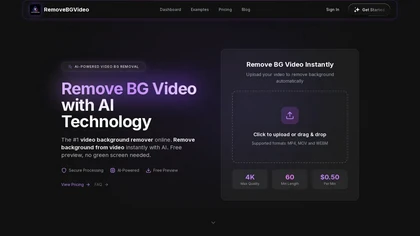
RemoveBGVideo is an AI tool that automatically removes backgrounds from videos, supporting HD/4K footage up to 60 minutes. It offers batch processing, green-screen support, and exports with transparent or custom backgrounds for content creators and e-commerce.
Freemium
- $6
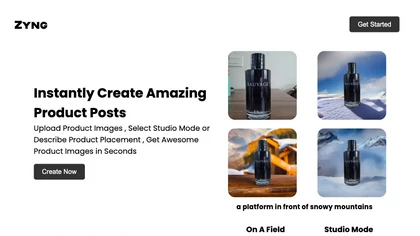
Zyng AI automates bulk image editing for e‑commerce and photography, offering background removal, face/body‑aware cropping, model swapping, outpainting, custom backgrounds, 8K quality retention, and outputs in JPEG, PNG, TIFF, PSD, AI with adjustable DPI.
Freemium
- $20/mo

backgroundremove.io is a tool that quickly erases image backgrounds using AI. It automatically creates clean, high-resolution cutouts, ready for e-commerce, social media, and design projects.
Free

EzMaker AI is an AI-powered photo editor that automates image enhancement, background removal, and retouching for scalable, consistent edits. It offers fast batch processing and workflow presets tailored for photographers, e-commerce sellers, and social media managers.
Free
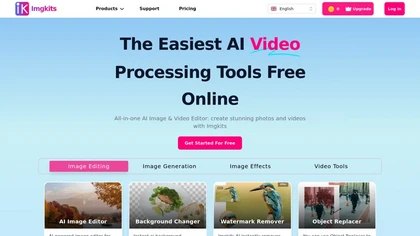
ImgKits is an AI-powered image and video processing tool that enables background removal, object replacement, and photo enhancement while preserving quality. It supports batch processing for JPG, PNG, and WEBP formats, offering features like watermark removal, upscaling, and unblurring.
Free trial

AI Photo Studio automates e‑commerce image editing: background removal, resolution enhancement, lossless compression, profile passport creation, hairstyle preview, object cleanup, old‑photo restoration, colorization, AI fashion model generation, clothing recolor, background changes, and file convers
Free
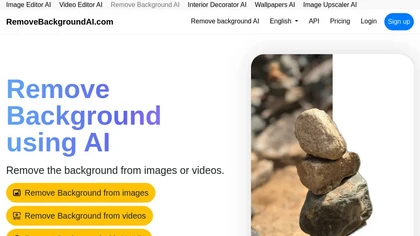
RemoveBackgroundAI.com is a web‑based AI that deletes image and video backgrounds from JPEG, PNG, GIF, MP4, MOV files up to 234 MB, offering transparent or solid colors. It supports batch processing, multiple output formats (PNG, WebP, MP4), and a multilingual interface.
Paid
- $70/mo
Deep‑Image.ai offers photo upscaling, denoising, sharpening, color and lighting adjustments. It removes backgrounds, adds virtual staging, creates business headshots, and delivers batch product‑photo presets, inpainting, and high‑resolution generative upscaling up to 300 MP.
Freemium

VSCO is a cross-platform photo and video editor combining 200+ presets, analog-style Film FX and precision exposure/color controls with AI-powered Remove and retouching, live in-app capture, clip-level video edits, and portfolio/workspace tools for creators.
Freemium
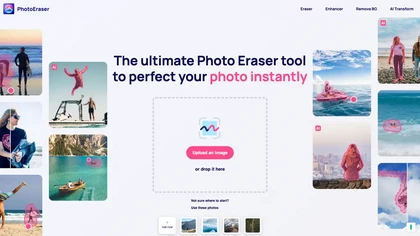
Photo Eraser uses AI to delete objects, people, backgrounds, or blemishes, replace skies, and swap faces. It supports HEIC, PNG, JPG, and offers automatic context‑aware erasing, cropping, and photo enhancement via a drag‑and‑drop interface.
Free
FilterPixel uses AI to evaluate, curate, and edit large photo sets for events, weddings, sports, and corporate work. It scores each image for editorial relevance, groups duplicates, and applies consistent style via one‑click editing from Lightroom or preset profiles.
Paid
- $599
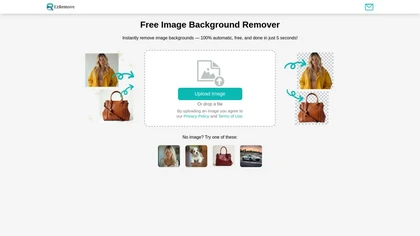
EzRemove.ai is an AI-powered tool that instantly removes image backgrounds in 5 seconds, delivering high-quality transparent PNGs with precision. It offers batch processing, customizable backgrounds, and basic editing features, ideal for ecommerce, design, and social media.
Free

ProShot converts everyday photos into professional headshots for LinkedIn, resumes and corporate profiles, offering batch generation, style presets, lighting and background editing, retouching, and HD outputs with preview and downloadable formats.
Subscription

Studioshot is an AI tool that transforms uploaded photos into professional headshots with customizable styles, lighting, and backgrounds. It delivers high-quality, retouched results quickly, including outfit and background adjustments.
Freemium
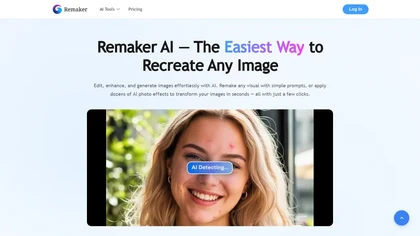
remaker ai offers web and mobile AI image and video editing for creators and teams, including upscaling, background removal, object erasing, face swap, text-to-image, lip-sync, batch processing and templates for short-form social content.
Free trial
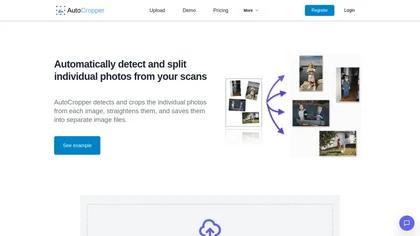
AutoCropper uses AI to detect, crop, and straighten photos from scans, handling JPEG, PNG, TIFF, and PDF in batches. It splits images into full‑quality files, lets you resize or tag crops, all in the browser with full privacy.
Freemium
- $18

Retouch4me is an AI retouching suite that functions as Photoshop plugins or standalone apps. It automates skin, eyes, hair, clothing, and background edits in real‑time, supports RAW and batch workflows, and offers video color grading with offline processing.
Paid

BeautyPlus - Versatile AI tool for effortless photo & video editing; offers face reshaping, filter & sticker additions; perfect for enhancing selfies & videos.
Free trial

AutoBG automatically removes vehicle backgrounds, blurs license plates, and adds realistic shadows. Users select premium studio backdrops, receive manual QC, and export via web, mobile, or API, with options for upscaling and background replacement for consistent, error‑free imagery.
Freemium
- $0.13
PhotoRestore uses AI to repair scratches, fading, and stains in legacy photos, auto‑colorizes black‑and‑white images, sharpens and denoises for clarity, upscales 2‑4×, and removes backgrounds for clean cutouts, supporting common formats and album sharing.
Free

PxBee is an AI-powered photo editor that offers tools like background removal, blur fixing, noise reduction, and resolution upscaling. It also generates realistic backgrounds and works entirely in your browser with an intuitive interface.
Free
Sweep Phone is a photo cleaning tool that helps users efficiently manage their photo libraries by allowing easy deletion of unwanted images. It streamlines photo organization, enabling users to retain cherished memories while freeing up device storage.
Free

Colorcinch is an AI photo editor that instantly cartoonizes or sketches images and offers background removal, cropping, resizing, exposure and detail controls, file compression, and 400 DPI print‑ready export. Mobile app adds cartoonizing, background removal, and upscaling on the go.
Paid