
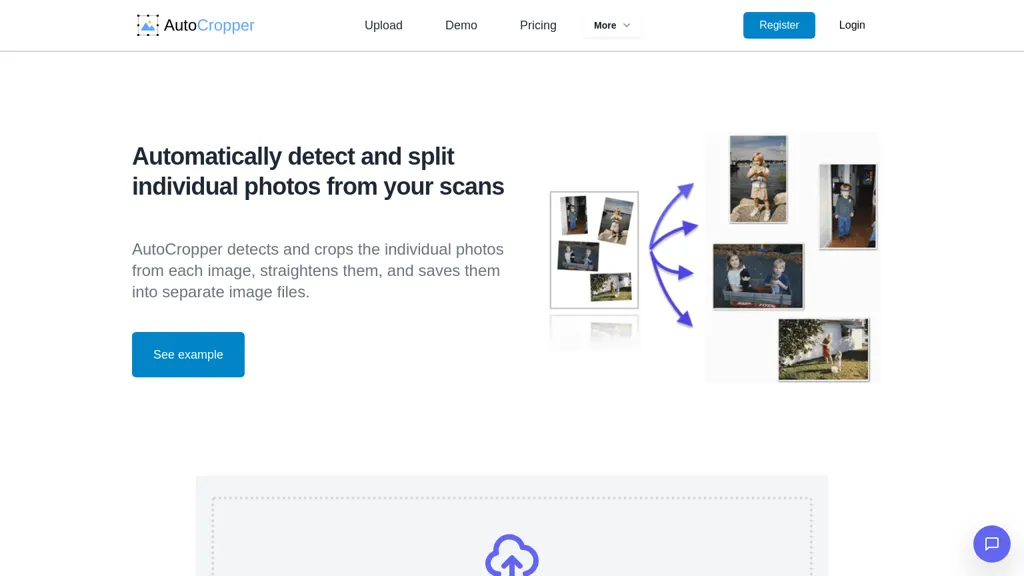
What is AutoCropper?
AutoCropper is an AI‑powered batch scan cropping tool that automatically detects, crops, and straightens individual photos from scanned images. It supports JPEG, PNG, TIFF, and PDF uploads, and can handle multiple files with drag‑and‑drop or file selection.
The software identifies each photo in a scan, corrects rotations, and splits them into separate full‑quality files without compression. Users can extract multiple areas from a single image, resize or rotate crops, and encode EXIF metadata such as titles, dates, and tags through an advanced editor.
The tool operates entirely in the browser, offers 100 % data privacy, and processes scans over ten times faster than manual methods. It is suitable for digital archivists, card collectors, photo enthusiasts, and anyone needing efficient digitization of large photo collections.
AutoCropper details
- Jurisdiction
- Hong Kong SAR
- Built for
- Individuals
AutoCropper pricing
Freemium- Refund window
- 14 days
- Auto-renewal
- Yes
Verify on the official pricing page.
View plansAutoCropper's key features
-
AI detection and cropping
-
Batch crop multiple scans
-
Auto rotation detection & correction
-
Lossless full-quality upload/download
-
Browser-based, no registration
-
Drag-and-drop multi-file upload
-
Encode EXIF data support
AutoCropper use cases
-
Organize a batch of scanned receipts by auto‑cropping, auto‑rotating, and tagging each by expense category for quick expense tracking
-
Create a professional portfolio of product images by batch‑cropping, resizing, and editing EXIF metadata directly in the browser—preserving privacy and delivering high‑quality JPEGs
-
Prepare scanned comic strips by auto‑splitting panels into individual pages, straightening them, and exporting high‑resolution files for digital publishing
AutoCropper user reviews
Based on 1 review, 0% of users recommend AutoCropper.
Disliked for
Would you recommend AutoCropper?
Who is AutoCropper for?
-
Image processors
-
Data analysts
-
Software developers
-
Digital editors
-
Automation engineers
AutoCropper FAQ
Is AutoCropper free?
Partly. AutoCropper has a free plan with usage limits, and paid plans unlock the full feature set. Plans include Most popular pro at $18 and Pro (commercial) at $39.
What are the best alternatives to AutoCropper?
The closest alternatives to AutoCropper are 123RF, Background Remover, PicWish, PhotoGrid and Removal.ai. You can compare them side by side in the alternatives section further down this page.
What does AutoCropper do with my data?
Its privacy policy states that personal data is sold or shared for marketing purposes. Data may be shared with third-party service providers that help run the product.
Does AutoCropper auto-renew or offer refunds?
AutoCropper subscriptions renew automatically until you cancel. It states a 14-day refund window.
Compliance, privacy and billing terms are as stated in each product's own published documentation and have not been independently verified by TopAI.tools.


