
What is Befunky?
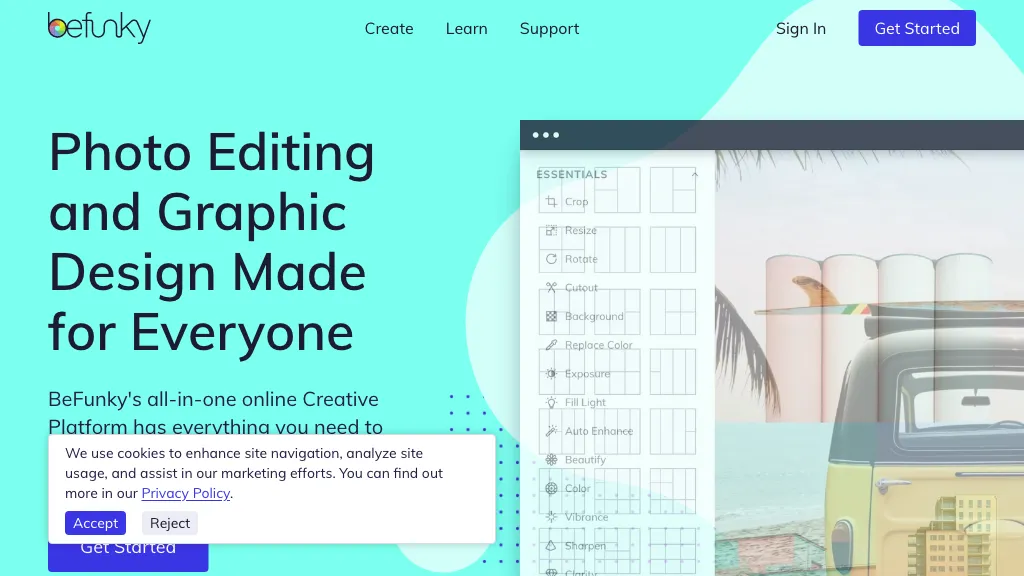
BeFunky is an online platform that combines photo editing, collage creation, and graphic design tools. The photo editor includes crop, resize, blur, exposure adjustments, and batch processing for simultaneous edits. AI‑powered features remove backgrounds, erase objects, enhance detail, upscale images, and apply artistic filters that turn photos into paintings, cartoons, or sketches.
The Collage Maker automatically assembles uploads into ready‑made or customizable grids, with templates optimized for Instagram, Facebook, Pinterest, and other social‑media formats. Graphic Designer offers drag‑and‑drop templates for banners, flyers, cards, and other marketing assets, plus a library of free stock images, vector graphics, and icons.
Befunky details
- Company
- BeFunky, Inc
- Built for
- Individuals
- Data residency
- Your information, including Personal Data, may be transferred to — and maintained on — computers located outside of your state, province, country or other governmental jurisdiction where the data protection laws may differ than those from your jurisdiction.
Befunky pricing
FreeVerify on the official pricing page.
Get started freeBefunky's key features
-
AI background remover
-
AI image upscaler
-
AI object eraser
-
Batch photo editing
-
Collage wizard automation
-
Graphic designer templates
-
Text editor with fonts
Befunky use cases
-
Create eye‑catching social media banners in minutes using BeFunky’s drag‑and‑drop templates and AI background removal to keep branding consistent across all posts
-
Batch‑edit a set of vacation photos—adjusting exposure, applying artistic filters, and upscaling them with AI image upscaling for crisp, high‑resolution prints or online albums
-
Design a custom product collage for a marketing campaign by erasing unwanted background elements, adding creative photo filters, and exporting the final graphic directly to multiple social‑media platforms
Befunky user reviews
Based on 21 reviews, 43% of users recommend Befunky, rated highly for quality results.
Liked for
Disliked for
Would you recommend Befunky?
Who is Befunky for?
-
Visual editors
-
Graphic designers
-
Content creators
-
Marketing staff
-
Collage makers
Befunky FAQ
Is Befunky free?
Yes. Befunky is free to use and does not require a credit card.
Is Befunky safe to use?
Befunky is operated by BeFunky, Inc. Befunky carries the TopAI.tools verified mark, which we award after a manual review of pricing transparency, published terms, public following and working functionality. It has a substantial audience that is independently measured month to month.
Is Befunky good?
Befunky has a 43% recommendation rate from 21 reviewers on TopAI.tools. Reviewers rate it highest on quality of results and value for money.
What are the best alternatives to Befunky?
The closest alternatives to Befunky are Pixlr, 123RF, Image Editor Online, AI Image Editor- and PicWish. You can compare them side by side in the alternatives section further down this page.
What does Befunky do with my data?
Its privacy policy states that personal data is not sold or shared for marketing purposes. Data may be shared with third-party service providers that help run the product. Customer data is held in Your information, including Personal Data, may be transferred to — and maintained on — computers located outside of your state, province, country or other governmental jurisdiction where the data protection laws may differ than those from your jurisdiction..
Who made Befunky?
Befunky is built and operated by BeFunky, Inc.
Compliance, privacy and billing terms are as stated in each product's own published documentation and have not been independently verified by TopAI.tools.


