
What is RemoveBGVideo?
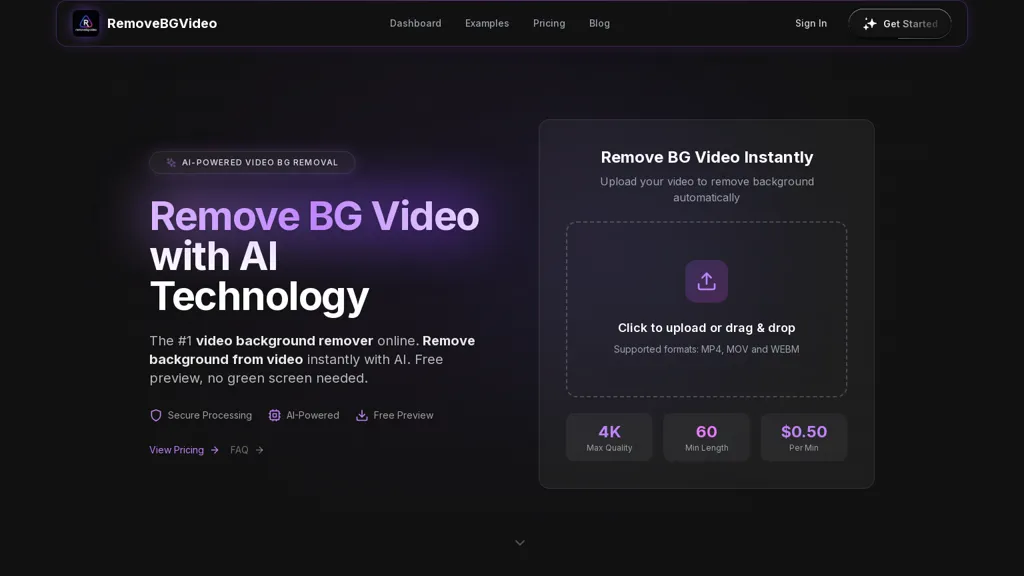
RemoveBGVideo is an AI video background removal tool that automatically detects and removes backgrounds from mp4, mov, and webm files for transparent or custom background exports.It supports HD and 4K footage, preserves audio, and accepts videos up to 60 minutes for end-to-end online processing.
The service offers drag-and-drop upload, automatic subject detection for people, pets, and products, and green-screen support with a free preview to verify results before export.Export formats include transparent WebM/ProRes alpha/MOV and MP4 with options to replace backgrounds with solid colors or custom images.
GPU-accelerated and batch processing capabilities reduce manual masking time for content creators, e-commerce teams, training departments, and social media producers targeting YouTube, TikTok, and Instagram.
RemoveBGVideo details
- Built for
- Businesses and teams
RemoveBGVideo pricing
FreemiumVerify on the official pricing page.
View plansRemoveBGVideo's key features
-
Automatic background detection and removal for MP4, MOV, and WebM videos
-
Automatic subject detection for people, pets, and products
-
Supports HD and 4K footage
-
Export options including transparent WebM, ProRes alpha, MOV, and MP4 with solid-color or custom-image background replacement
-
GPU-accelerated processing with batch processing support
RemoveBGVideo use cases
-
Create product showcase and marketing videos with removebgvideo by removing backgrounds or exporting transparent 4K clips with alpha channels, preserving audio for seamless integration into ecommerce pages, ads, and AR overlays without complex chroma setups
-
Produce social media and ad campaigns faster by batch removing or replacing backgrounds on multiple HD/4K clips using GPU-accelerated processing, keeping audio sync and exporting ready-to-publish footage for different platforms
-
Turn green-screen or regular footage into finished composites or live-stream overlays by automatically detecting subjects and exporting transparent videos or background-replaced scenes, supporting up to 60-minute clips for long-form productions
RemoveBGVideo user reviews
Based on 6 reviews, 67% of users recommend RemoveBGVideo, rated highly for quality results.
Liked for
Disliked for
Would you recommend RemoveBGVideo?
Who is RemoveBGVideo for?
-
Content creators
-
Social media producers
-
Youtubers
-
Tiktok creators
-
Instagram creators
RemoveBGVideo FAQ
Is RemoveBGVideo free?
Partly. RemoveBGVideo has a free plan with usage limits, and paid plans unlock the full feature set. Plans include Basic at $6, Standard at $20, Pro at $45 and Business at $90.
What are the best alternatives to RemoveBGVideo?
The closest alternatives to RemoveBGVideo are Background Remover, Removebackgroundai, Unscreen, Removal.ai and BGRemover.aiai. You can compare them side by side in the alternatives section further down this page.
What does RemoveBGVideo do with my data?
RemoveBGVideo states that customer content is not used to train its models. Its privacy policy states that personal data is not sold or shared for marketing purposes. Data may be shared with third-party service providers that help run the product.
Does RemoveBGVideo have an API?
Yes. RemoveBGVideo offers an API, so you can call it from your own applications instead of using the interface directly.
Compliance, privacy and billing terms are as stated in each product's own published documentation and have not been independently verified by TopAI.tools.


Isn't the pricing high at 0.5 per minute?
This price is very cheap. You can search for "remove BG Video" to see the prices of similar competing products, which are much more expensive.