
What is Retoucher?
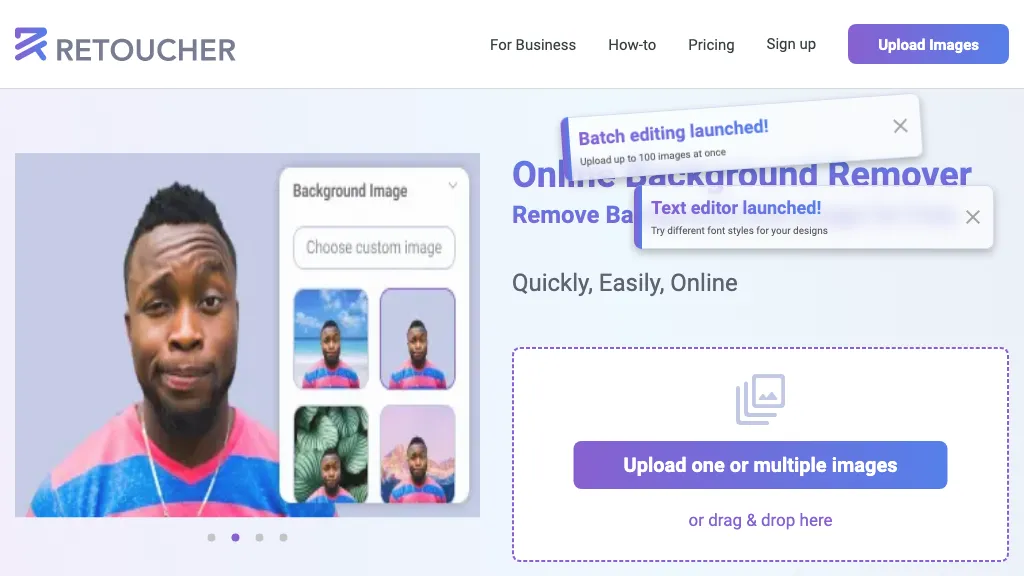
Retoucher Online is an AI‑driven background remover that accepts single or batch uploads through drag‑and‑drop, camera capture, or file selection.
The tool isolates foreground objects and offers options to keep the background transparent, replace it with white or a custom image, or add realistic shadows.
Users can refine results with a manual eraser for fine areas such as hair or detailed edges.
Processed images are available for download in PNG or JPG formats at multiple resolutions.
The service is suited for e‑commerce merchants, marketers, and graphic designers who need consistent, high‑quality product images for online marketplaces.
Retoucher pricing
FreemiumVerify on the official pricing page.
View plansRetoucher's key features
-
Batch upload up to 100 images
-
AI-powered background removal
-
Custom background replacement
-
Manual eraser tool
-
Crop, resize, rotate, flip
-
Output in PNG/JPG resolution
Retoucher use cases
-
Create a professional-looking product catalog for e-commerce stores using Retoucher Online, effortlessly batch removing backgrounds, adding custom white or branded images, and generating high-resolution PNGs for stunning listings.
-
Streamline marketing material creation for advertising agencies by batch processing client images with Retoucher Online, fine-tuning edges, adding realistic shadows, and exporting transparent PNGs for rapid design iteration.
-
Elevate portfolio presentations for photographers and artists by using Retoucher Online to batch remove backgrounds, replace them with themed backgrounds or white, and download multi-resolution images for print and web.
Retoucher user reviews
Based on 19 reviews, 84% of users recommend Retoucher, rated highly for ease of use.
Liked for
Disliked for
Would you recommend Retoucher?
Who is Retoucher for?
-
Image editors
-
Visual artists
-
Creative designers
-
E-commerce sellers
-
Digital marketers
Retoucher FAQ
Is Retoucher free?
Partly. Retoucher has a free plan with usage limits, and paid plans unlock the full feature set. Plans include Pro at $9, Custom at $9, Custom at $9 and Custom at $9.
Is Retoucher safe to use?
Retoucher carries the TopAI.tools verified mark, which we award after a manual review of pricing transparency, published terms, public following and working functionality. It has a substantial audience that is independently measured month to month.
Is Retoucher good?
Retoucher has an 84% recommendation rate from 19 reviewers on TopAI.tools. Reviewers rate it highest on ease of use and value for money.
What are the best alternatives to Retoucher?
The closest alternatives to Retoucher are Removal.ai, Remover AI, Background remover from photo by Hitpaw, Erase.bg and Bg.Eraser. You can compare them side by side in the alternatives section further down this page.
What does Retoucher do with my data?
Its privacy policy states that personal data is not sold or shared for marketing purposes.
Does Retoucher have an API?
Yes. Retoucher offers an API, so you can call it from your own applications instead of using the interface directly.
Compliance, privacy and billing terms are as stated in each product's own published documentation and have not been independently verified by TopAI.tools.


