
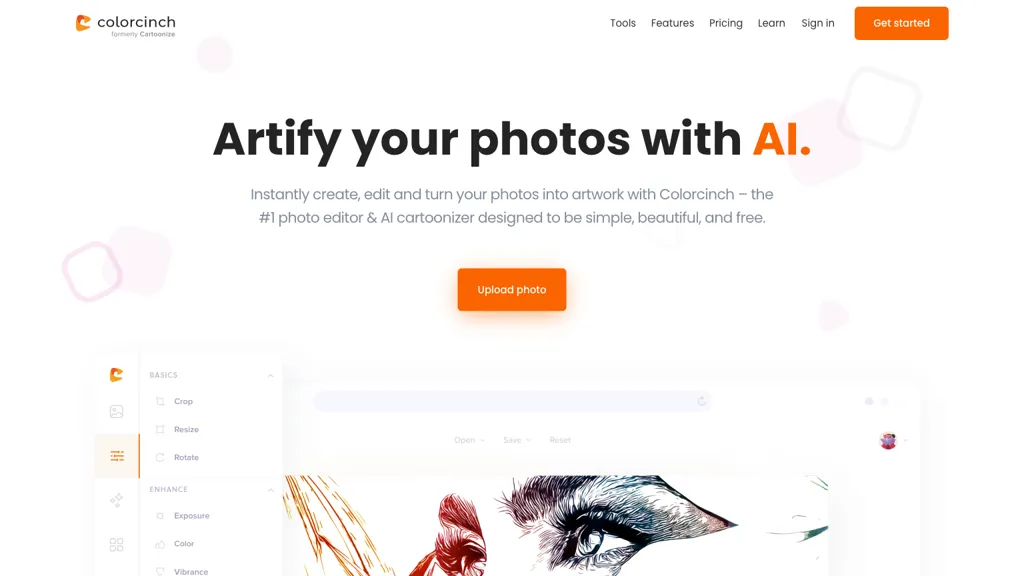
What is Colorcinch?
Colorcinch is an AI‑powered photo editor that converts images into cartoons, sketches, or other artistic styles with a single click. The platform offers precise background removal, image cropping, resizing, and color replacement, all driven by machine‑learning models.
Users can assemble collages, apply overlay effects such as rain, snow, bokeh, or light leaks, and embed images into custom frames or artistic masks. Built‑in drawing tools provide multi‑style brushes for freehand artwork, while exposure controls adjust brightness, contrast, and hue.
Detail enhancement tools allow fine tuning of clarity, sharpness, and blur, and the compression utilities convert files among JPG, PNG, PDF, and more. Projects can be organized with a layer panel, and exports support print‑ready output up to 400 DPI.
Colorcinch details
- Jurisdiction
- United States
- Built for
- Individuals
- Stated compliance
- GDPR
Compliance as stated in Colorcinch's own published documentation.
Colorcinch pricing
Paid- Auto-renewal
- Yes
Verify on the official pricing page.
View plansColorcinch's key features
-
AI background removal
-
Text masking for images
-
Replace color one click
-
Multi-layer image editor
-
Export JPG PNG PDF
-
Auto-save progress
Colorcinch use cases
-
Create eye‑catching cartoon avatars for Instagram stories, using Colorcinch’s instant cartoonization and background removal to produce 400 DPI print‑ready assets for digital stickers
-
Transform product photos into clean, stylized images for e‑commerce sites by removing backgrounds, resizing, and compressing files while preserving detail, all within one workflow
-
Design high‑resolution photo collages for marketing brochures, leveraging the mobile app’s upscaling and detail enhancement to export 400 DPI print‑ready PDFs without additional tools
Colorcinch user reviews
Based on 16 reviews, 81% of users recommend Colorcinch, rated highly for ease of use.
Liked for
Disliked for
Would you recommend Colorcinch?
Who is Colorcinch for?
-
Digital artists
-
Graphic designers
-
Content creators
-
Product designers
-
E-commerce sellers
Colorcinch FAQ
How much does Colorcinch cost?
Colorcinch is a paid product with no free plan. Plans include Monthly plan at $8.99 and Annual plan at $59.88.
Is Colorcinch safe to use?
Colorcinch states GDPR compliance in its own published documentation. Colorcinch carries the TopAI.tools verified mark, which we award after a manual review of pricing transparency, published terms, public following and working functionality. Colorcinch is also one of the most visited AI tools in the TopAI.tools index.
Is Colorcinch good?
Colorcinch has an 81% recommendation rate from 16 reviewers on TopAI.tools. Reviewers rate it highest on ease of use and value for money.
What are the best alternatives to Colorcinch?
The closest alternatives to Colorcinch are Cartoon Selfie, PhotoEditor.ai, PicWish, PhotoGrid and Pixlr. You can compare them side by side in the alternatives section further down this page.
What does Colorcinch do with my data?
Its privacy policy states that personal data is sold or shared for marketing purposes. Data may be shared with third-party service providers that help run the product.
Does Colorcinch auto-renew or offer refunds?
Colorcinch subscriptions renew automatically until you cancel.
Is there a mobile app for Colorcinch?
Yes. Colorcinch has a mobile app alongside its web version.
Compliance, privacy and billing terms are as stated in each product's own published documentation and have not been independently verified by TopAI.tools.


