
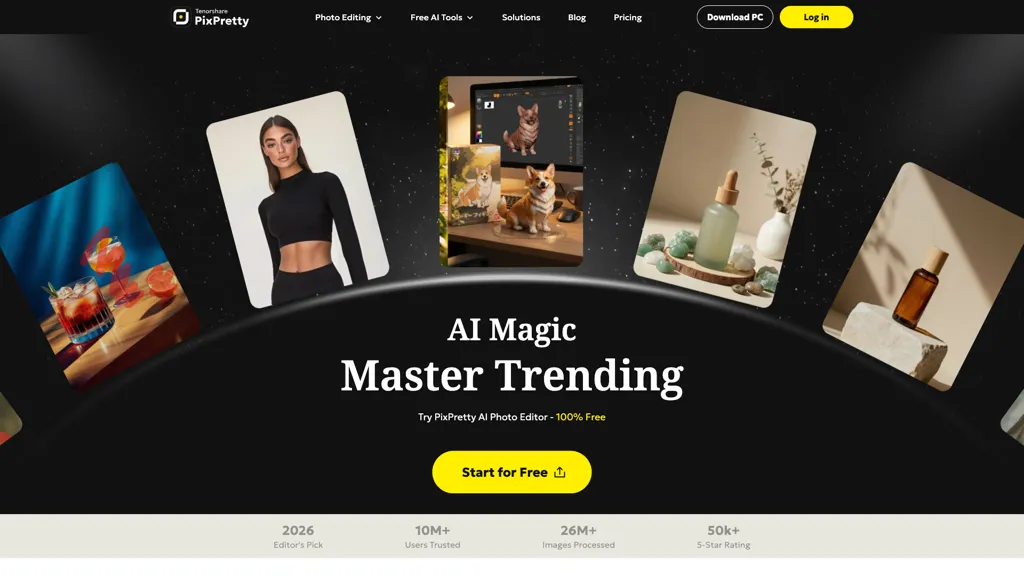
What is PixPretty AI Photo Editor?
Pixpretty is a free AI photo editor for background removal and batch editing. It uses AI to remove backgrounds in seconds and supports bulk transformations for multiple images. Features include background replacement, color changes, blurring, portrait retouching, resizing, compression, and format conversion.
PixPretty AI Photo Editor details
- Company
- TENORSHARE(HONGKONG) LIMITED
- Jurisdiction
- Hong Kong Special Administrative Region of the People's Republic of China
- Built for
- Individuals
- Data residency
- United States, European Economic Area (EEA), Japan
PixPretty AI Photo Editor tech specs
- Works with
- Google / Nano Banana
- Payment Processors
- PayPal
- Integrations
- Shopify
PixPretty AI Photo Editor pricing
Freemium- Auto-renewal
- Yes
Verify on the official pricing page.
View plansPixPretty AI Photo Editor's key features
-
Background removal
-
Batch editing
-
Background replacement
-
Portrait retouching
-
Format conversion
PixPretty AI Photo Editor use cases
-
Easily prepare product images for your e-commerce website using Pixpretty to quickly remove backgrounds and enhance visuals with bulk editing features, saving time and boosting sales
-
Use Pixpretty to create stunning social media posts by replacing backgrounds and retouching portraits for a more professional appearance, ensuring your brand stands out online
-
Streamline your workflow by using Pixpretty for batch editing personal photos, allowing you to resize, convert formats, and enhance images all at once without sacrificing quality
PixPretty AI Photo Editor user reviews
Based on 5 reviews, 80% of users recommend PixPretty AI Photo Editor, rated highly for value for money.
Liked for
Disliked for
Would you recommend PixPretty AI Photo Editor?
Who is PixPretty AI Photo Editor for?
-
Visual designers
-
Content creators
-
E-commerce sellers
-
Marketing professionals
-
Digital marketers
PixPretty AI Photo Editor FAQ
Is PixPretty AI Photo Editor free?
Partly. PixPretty AI Photo Editor has a free plan with usage limits, and paid plans unlock the full feature set. Plans include Plus at $12.99/mo or $109.12/year and Pro at $39.99/mo or $335.92/year.
Is PixPretty AI Photo Editor safe to use?
PixPretty AI Photo Editor is operated by TENORSHARE(HONGKONG) LIMITED, registered in Hong Kong Special Administrative Region of the People's Republic of China. It has a substantial audience that is independently measured month to month.
What are the best alternatives to PixPretty AI Photo Editor?
The closest alternatives to PixPretty AI Photo Editor are Retoucher, Background remover from photo by Hitpaw, Removal.ai, Erase.bg and Remover AI. You can compare them side by side in the alternatives section further down this page.
What does PixPretty AI Photo Editor do with my data?
PixPretty AI Photo Editor states that customer content is not used to train its models. Its privacy policy states that personal data is not sold or shared for marketing purposes. Data may be shared with third-party service providers that help run the product. Customer data is held in United States, European Economic Area (EEA), Japan.
Does PixPretty AI Photo Editor auto-renew or offer refunds?
PixPretty AI Photo Editor subscriptions renew automatically until you cancel.
Who made PixPretty AI Photo Editor?
PixPretty AI Photo Editor is built and operated by TENORSHARE(HONGKONG) LIMITED, a company registered in Hong Kong Special Administrative Region of the People's Republic of China.
Which AI models does PixPretty AI Photo Editor use?
PixPretty AI Photo Editor is built on Google / Nano Banana. Which models you can reach may depend on your plan.
What does PixPretty AI Photo Editor integrate with?
PixPretty AI Photo Editor connects with Shopify.
Compliance, privacy and billing terms are as stated in each product's own published documentation and have not been independently verified by TopAI.tools.


