
Top 29 Video Converter Alternatives in 2026
66.7% positive · 6 user reviews FreeVideo Converter is a free browser-based tool that converts video and audio files between popular formats and extracts audio. It offers cloud processing for large files, batch conversion, and adjustable quality settings, all with secure, encrypted handling.
We've ranked 29 Video Converter alternatives, including 23 with a free plan. Rankings are based on feature coverage and user feedbacks.
Top-rated alternatives include Music 2 Tube, VideoCompress.ai, and AudioConvert.
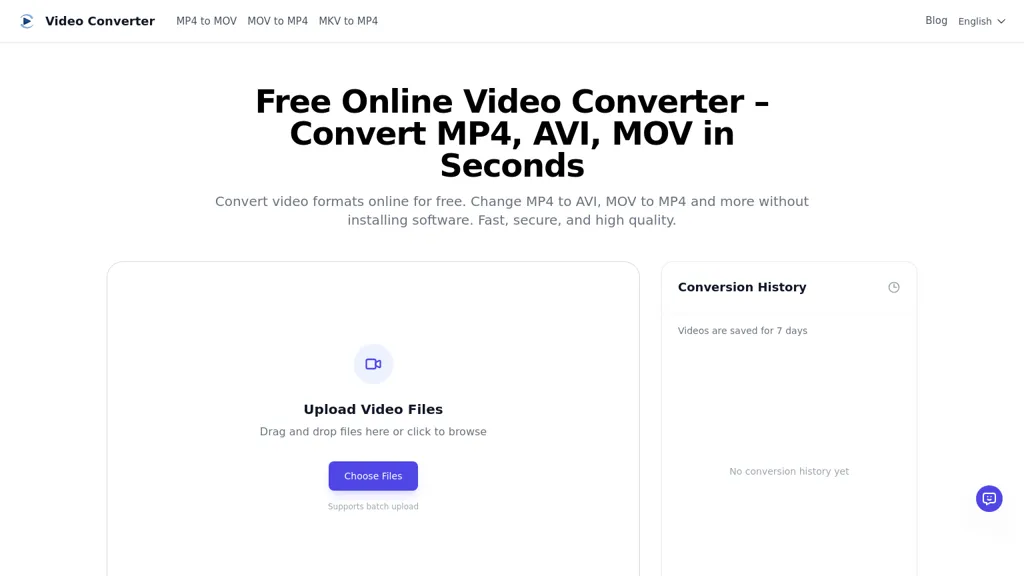
29 Video Converter Alternatives & Competitors, Ranked by User Reviews
Click Compare on any tool to compare it side-by-side with Video Converter.
 #1
Music 2 Tube
#1
Music 2 Tube
Music 2 Tube automatically converts MP3/WAV files into videos for YouTube, Instagram, TikTok, and Reels. It supports bulk drag‑and‑drop, direct uploads, scheduled publishing, visual effects, cloud‑based covers, and maintains original audio quality across platforms.
 #2
VideoCompress.ai
#2
VideoCompress.ai
VideoCompress.ai is a free online tool that drastically reduces video file sizes by up to 80% using advanced H.265 encoding. It allows you to preview the compression in real-time while ensuring your files are secured with end-to-end encryption.
 #3
AudioConvert
#3
AudioConvert
AudioConvertis a free AI tool that instantly transcribes audio files like mp3 and wav into text. It automatically identifies different speakers and provides timestamped transcripts for export.
 #4
Wondershare Uniconverter
#4
Wondershare Uniconverter
Wondershare UniConverter is an AI‑powered all‑in‑one tool that converts, enhances, compresses, records, and edits video and audio. It supports 1,000+ formats, delivers ultra‑fast conversions, upscales to 4K/8K, adds subtitles, removes backgrounds, and preserves metadata for creators and SMBs.
 #5
YouTube MP3 Converter
#5
YouTube MP3 Converter
YouTube MP3 Converter is a free tool that lets you convert YouTube videos to high-quality MP3 files instantly without registration. Simply paste the video URL, download the audio, and enjoy ad-free conversions.
 #6
Video to Blog
#6
Video to Blog
Video To Blog converts YouTube links or uploads into ready‑to‑publish blog posts in under a minute, supporting 30+ languages. It formats prose, adds headings, SEO metadata, and embeds, and outputs HTML, Markdown, PDF, or links.
- Catch deals before they expire
- Unlock tools matched to you
- Show off your AI stacks
Already a member? Sign in
 #7
FreeTTS
#7
FreeTTS
FreeTTS delivers browser‑based AI audio utilities: multilingual text‑to‑speech, accurate speech‑to‑text transcription, vocal isolation, voice enhancement, precise cut/join, and format conversion (MP3, WAV, FLAC, OGG, M4A). All processing is local and files auto‑delete after 12 hours.
 #8
TurboScribe
#8
TurboScribe
TurboScribe is an AI-powered transcription tool offering ultra-fast conversion of audio and video files to text. It supports over 98 languages, handles uploads up to 10 hours long, and features speaker recognition for meetings, interviews, and podcasts.
 #9
Video Cutter
#9
Video Cutter
Video Cutter is a free online tool for precise, lossless trimming and splitting of videos in multiple formats. It features a drag-and-drop interface, preserves audio and subtitles, and allows quick export and sharing of clips.
 #10
AudioTranscriber.io
#10
AudioTranscriber.io
Audio Transcriber AI is a browser-based tool that converts audio and video files into timestamped, speaker-labeled text. It supports major formats, large uploads up to 5 GB, automatic language recognition for 120+ languages, and includes TikTok MP3 conversion and YouTube audio extraction.
 #11
Free Subtitles AI
#11
Free Subtitles AI
FreeSubtitles.AI converts MP4, MKV, MOV, MP3, WAV, and FLAC files up to 1 hour and 300 MB into accurate transcripts in over 100 languages, then translates subtitles into 91 languages, supporting educators, podcasters, and researchers.
 #12
Audio Cut
#12
Audio Cut
Audio Cut is a browser-based tool for trimming and cutting audio files without installation. It supports multiple formats, processes files securely in your browser, and allows for lossless export.
 #13
MyEdit
#13
MyEdit
Karaoke Maker uses browser-based AI vocal isolation to turn MP3, WAV, FLAC, or M4A tracks into downloadable instrumentals. Adjust vocal bleed and transpose pitch via sliders for practice, covers, performances, or video soundtracks.
 #14
AIVideoTranslator.ai
#14
AIVideoTranslator.ai
Free AI Video Translator converts videos into over 30 languages, offering natural voice synthesis and lip synchronization. It supports various formats and includes batch processing and a transcript editor for reviewing and editing translations.
 #15
Video Transcriber AI
#15
Video Transcriber AI
Video Transcriber AI is a tool that instantly converts videos from MP4, YouTube, or Zoom into text. It offers speaker recognition and accuracy modes for transcriptions up to 1GB, with no sign-up required.
 #16
m3u8 player online
#16
m3u8 player online
m3u8 player online is a browser-based HLS player and downloader that plays live and on-demand streams with adaptive bitrate switching, while also enabling in-browser conversion of m3u8 files to MP4/WebM/MKV and batch downloading with resume support.
 #17
Aivideo
#17
Aivideo
AIVideo.com automates video production, creating music videos, lyric visuals, looping clips, and converting audio or images into video. It offers text‑to‑image/video, background removal, matchcut editing, and visual effects, enabling quick, professional media creation.
 #18
Audio To Text Converter
#18
Audio To Text Converter
audiototextconverter.com is a versatile AI transcription tool that converts audio and video files into accurate, searchable text in 63 languages. It offers a simple upload-transcribe-export workflow, with editing, summaries, and mind maps for efficient review and repurposing.
 #19
EchoWave
#19
EchoWave
EchoWave converts audio into video using templates or custom layouts, adds subtitles and waveforms, offers editing tools, compresses files, and exports to social media formats—ideal for podcasters, musicians, and creators seeking quick, cloud‑based video production without software.
 #20
Apowersoft
#20
Apowersoft
Apowersoft delivers cross‑platform screen, audio, and video capture with high‑fidelity recording, along with versatile media conversion, editing, and PDF OCR. It also offers background removal, data recovery for mobile/desktop, HEIC conversion, and multi‑monitor support for creators and businesses.
 #21
DocstoAudio
#21
DocstoAudio
DocstoAudio is a browser-based tool that converts EPUB, PDF, DOCX, and TXT files into MP3 or M4B audiobooks with chapter marks, supporting batch and chapter-based conversion. It offers standard and premium voices across 30+ languages, with live progress tracking and downloadable single or zipped chapter outputs.
 #22
TranscribetoText.AI
#22
TranscribetoText.AI
TranscribeToText.AI turns audio and video files—up to 10 hours or 5 GB—into accurate text in 100+ languages, supporting MP3, MP4, WAV, OGG, etc. Export as DOCX, PDF, TXT, SRT, VTT or import from URLs, YouTube, Google Drive, Dropbox, or live meetings.
 #23
Mp3Converter AI
#23
Mp3Converter AI
mp3converter AI is a user-friendly online tool for converting various audio formats, like WAV and FLAC, to MP3. It supports batch conversions, ensuring high-quality output and compatibility across devices while maintaining audio fidelity.
 #24
VideoToPage
#24
VideoToPage
VideoToPage transcribes audio/video, structures content, and auto‑generates blog posts, SEO articles, social snippets, tutorials, SOPs, and course modules. It extracts themes, shots, OCR text, supports batch uploads, multilingual, and publishes directly to WordPress, Notion, Ghost, Shopify, and social platforms.
 #25
BlogMyVideo
#25
BlogMyVideo
BlogMyVideo turns video, audio, and podcast content into searchable blog posts, automatically syncing with YouTube, providing editable text, meta tags, Schema markup, and fast edge‑server publishing to reach readers and expand audience reach.
 #26
MobbyDownload
#26
MobbyDownload
Mobby Download enables users to trim and download YouTube videos easily, offering support for multiple export formats like MP4 and MP3. Its user-friendly interface and fast processing speeds make it suitable for both casual and professional creators.
 #27
Vocal Remover Online
#27
Vocal Remover Online
VocalRemover is a web‑based AI tool that isolates vocals and accompaniment from audio files. It supports MP3, WAV, FLAC, MP4, MKV, and YouTube/TikTok links, and outputs stems in WAV, MP3, or FLAC for karaoke, remixing, or podcast editing.
 #28
Transkribieren
#28
Transkribieren
Transkribieren converts MP3/WAV/M4A/FLAC/OGG/AAC audio and MP4/MOV/AVI/MKV/WebM video into text, supporting 99+ languages, automatic speaker detection, and exporting to Word, PDF, SRT, VTT, TXT, JSON, HTML, with AES‑256 encryption and SOC 2 Type 2 compliance.
 #29
makeaudio
#29
makeaudio
makeaudio.app transforms up to 100,000 characters of text into spoken audio in 16 languages, offering six natural‑sounding voice options. Export in MP3, WAV, or FLAC, making it suitable for writers, educators, and business content production.
Frequently Asked Questions
Why look for Video Converter alternatives?
Common reasons users switch from Video Converter:
- User satisfaction: Video Converter holds a 66.7% positive rating — some users report unmet expectations.
- Feature gaps: teams needing specific capabilities like Translate Videos may find a more focused alternative better suited to their workflow.
- Flexibility: exploring alternatives helps find tools that better match your team size, integrations, and budget.
What is the best alternative to Video Converter?
Based on 1 user review, Music 2 Tube (50% positive) ranks as the top Video Converter alternative. Music 2 Tube automatically converts MP3/WAV files into videos for YouTube, Instagram, TikTok, and Reels. It supports bulk drag‑and‑drop, direct upload It is available on a Paid plan starting from $3.49.
How do the top Video Converter alternatives compare?
| Tool | Pricing | Starting Price | User Rating |
|---|---|---|---|
| Video Converter this tool | Free | — | 66.7% (6) |
| Music 2 Tube | Paid | $3.49 | 50% (1) |
| VideoCompress.ai | Free | — | 40% (5) |
| AudioConvert | Free | — | 66.7% (6) |
| Wondershare Uniconverter | Paid | — | 79.3% (29) |
| YouTube MP3 Converter | Free | — | 50% (5) |
Are there free Video Converter alternatives?
Yes, 23 free alternatives found in our list: VideoCompress.ai, AudioConvert, YouTube MP3 Converter. and 20 more — use the pricing filter above to see them all.
What should I look for in a Video Converter alternative?
- Core capabilities: confirm the tool supports Translate Videos, Extract Audio, Optimize Videos.
- Pricing transparency: look for clear free plan, trial period, or tiered pricing — avoid tools that hide costs.
- User reviews: check both the satisfaction percentage and the number of reviews; a high score from few users is less reliable.
- Integrations: verify it connects with your existing stack before committing.
- Support and updates: active development and responsive support are strong signals of a maintained product.
Which Video Converter alternative has the highest user rating?
Video to Blog has the highest satisfaction score among Video Converter alternatives, with 100% positive from 5 user reviews. It is available on a Paid plan.
What are Video Converter alternatives used for?
- Translate Videos
- Extract Audio
- Optimize Videos