
Top 11 Apowersoft Alternatives in 2026
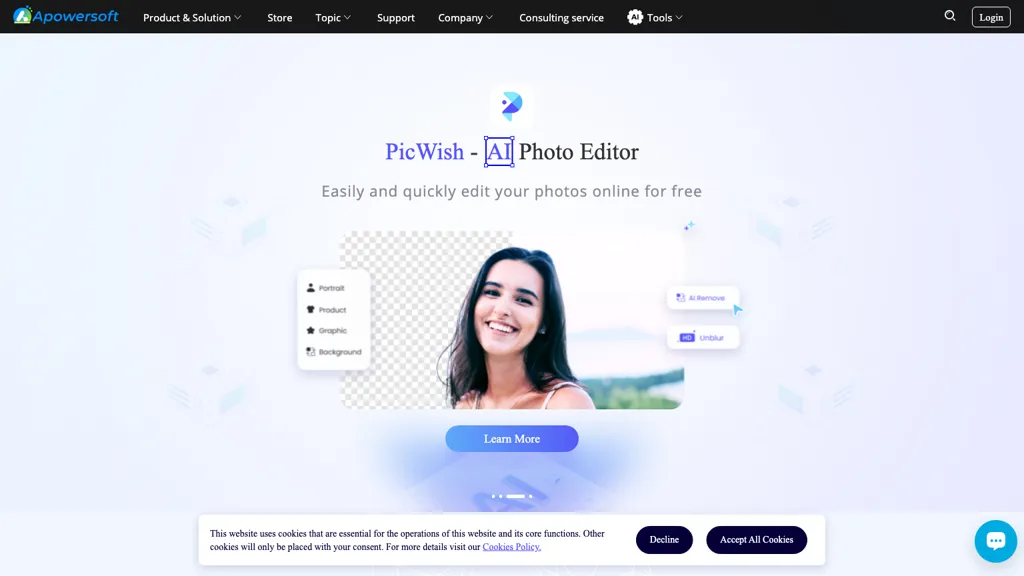
80% positive · 25 user reviews FreeApowersoft delivers cross‑platform screen, audio, and video capture with high‑fidelity recording, along with versatile media conversion, editing, and PDF OCR. It also offers background removal, data recovery for mobile/desktop, HEIC conversion, and multi‑monitor support for creators and businesses.
We've ranked 11 Apowersoft alternatives, including 5 with a free plan. Rankings are based on feature coverage and user feedbacks.
Top-rated alternatives include Wondershare Uniconverter, ScreenApp, and Tella.
11 Apowersoft Alternatives & Competitors, Ranked by User Reviews
Click Compare on any tool to compare it side-by-side with Apowersoft.
 #1
Wondershare Uniconverter
#1
Wondershare Uniconverter
Wondershare UniConverter is an AI‑powered all‑in‑one tool that converts, enhances, compresses, records, and edits video and audio. It supports 1,000+ formats, delivers ultra‑fast conversions, upscales to 4K/8K, adds subtitles, removes backgrounds, and preserves metadata for creators and SMBs.
 #2
ScreenApp
#2
ScreenApp
ScreenApp records and transcribes audio/video meetings, extracts key points and action items, and delivers searchable summaries and exports. It integrates with Zoom, Google Meet, YouTube and supports real‑time translation, helping teams quickly locate information.
 #3
Tella
#3
Tella
Tella is a cross-platform screen recorder and video editor that captures screen and webcam in 4K, offers clip-based recording with multi-camera layouts, transcript-driven and AI-assisted editing (filler removal, silence trim), templates, hosting and export options.
 #4
Canvid
#4
Canvid
Canvid is an AI screen recorder for Windows and Mac that captures 4K video with automatic zooms, click-aware framing, webcam/background effects, editable auto-generated transcripts and one-click voice cleanup, plus edit-while-record keyframes and instant cloud sharing.
 #5
RecCloud
#5
RecCloud
RecCloud converts speech to text, auto‑polishes and summarizes meetings, lectures, or transcriptions. It creates multilingual subtitles, offers voice synthesis, video summarization, and editing tools, and supports screen recording, medical, Zoom, and YouTube transcription.
 #6
Aivideo
#6
Aivideo
AIVideo.com automates video production, creating music videos, lyric visuals, looping clips, and converting audio or images into video. It offers text‑to‑image/video, background removal, matchcut editing, and visual effects, enabling quick, professional media creation.
- Catch deals before they expire
- Unlock tools matched to you
- Show off your AI stacks
Already a member? Sign in
 #7
Hurd.ai Beta
#7
Hurd.ai Beta
Transcribes, tags, and summarizes audio/video files in over 90 languages, supporting MP3, MP4, WAV, AVI, M4A. Edits inline with play/pause, stores data locally, and exports to Apple Notes or CSV. Unlimited recording across iOS and desktop.
 #8
ToolLab.AI
#8
ToolLab.AI
Extract Text Image from ToolLab.ai converts images and PDFs into editable text formats, supporting various file types. It features high-accuracy text extraction and watermark removal, ensuring document quality while maintaining user file security.
 #9
Hitpaw Video Converter
#9
Hitpaw Video Converter
HitPaw Univd is an AI‑powered tool that converts, compresses, and enhances over 1,000 media formats with zero quality loss. It offers GPU‑accelerated processing, upscaling, noise removal, basic editing, and speech‑to‑text transcription.
 #10
Edit Videos Online
#10
Edit Videos Online
The AI-enhanced Online Video Editor provides smooth, registration-free editing with advanced features like AI background removal and auto caption generation. It supports multiple formats, enables easy audio/image insertion, and requires no software download.
 #11
Winxvideo
#11
Winxvideo
Winxvideo AI enhances videos and audio, upscaling to 4K/8K/HDR, stabilizing and interpolating frames while reducing noise. It offers batch GPU‑accelerated conversion, editing tools, 60 fps screen recording, and AI photo restoration for creators and educators.
Frequently Asked Questions
Why look for Apowersoft alternatives?
Common reasons users switch from Apowersoft:
- Feature gaps: teams needing specific capabilities like Generate Audio may find a more focused alternative better suited to their workflow.
- Flexibility: exploring alternatives helps find tools that better match your team size, integrations, and budget.
What is the best alternative to Apowersoft?
Based on 29 user reviews, Wondershare Uniconverter (79.3% positive) ranks as the top Apowersoft alternative. Wondershare UniConverter is an AI‑powered all‑in‑one tool that converts, enhances, compresses, records, and edits video and audio. It supports 1,000+ It is available on a Paid plan.
How do the top Apowersoft alternatives compare?
| Tool | Pricing | Starting Price | User Rating |
|---|---|---|---|
| Apowersoft this tool | Free | — | 80% (25) |
| Wondershare Uniconverter | Paid | — | 79.3% (29) |
| ScreenApp | Subscription | $199/mo | 75% (12) |
| Tella | Free trial | $13/mo | — |
| Canvid | Subscription | — | 50% (1) |
| RecCloud | Paid | — | 72.2% (18) |
Are there free Apowersoft alternatives?
Yes, 5 free alternatives found in our list: Tella, Aivideo, Hurd.ai Beta. and 2 more — use the pricing filter above to see them all.
What should I look for in a Apowersoft alternative?
- Core capabilities: confirm the tool supports Generate Audio, Record Videos, Edit Images.
- Pricing transparency: look for clear free plan, trial period, or tiered pricing — avoid tools that hide costs.
- User reviews: check both the satisfaction percentage and the number of reviews; a high score from few users is less reliable.
- Integrations: verify it connects with your existing stack before committing.
- Support and updates: active development and responsive support are strong signals of a maintained product.
Which Apowersoft alternative has the highest user rating?
ToolLab.AI has the highest satisfaction score among Apowersoft alternatives, with 100% positive from 1 user review. It is available on a Freemium plan.
What are Apowersoft alternatives used for?
- Generate Audio
- Record Videos
- Edit Images
- Translate Documents
- Analyze Data