
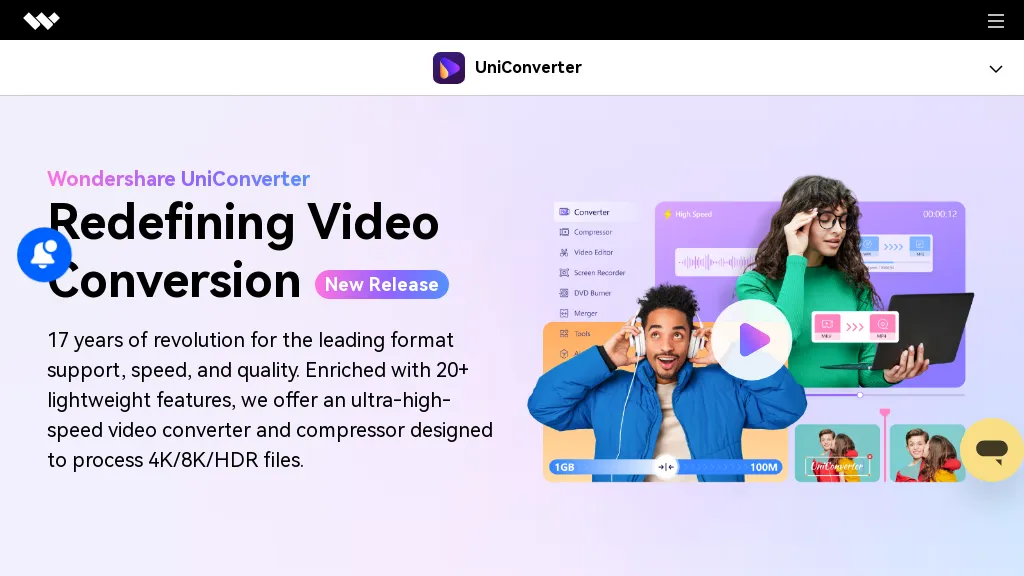
What is Wondershare Uniconverter?
Wondershare UniConverter is an all‑in‑one AI‑powered video and audio solution that converts, enhances, compresses, records, and edits media files. It supports over 1,000 formats and delivers conversion speeds up to 130 × faster, making batch processing efficient for content creators, educators, and SMBs.
The AI video enhancer upsamples footage to 4K/8K, reduces noise, sharpens faces, and boosts frame rates to 240 fps, while the AI summarizer and subtitle generator produce accurate recaps and multilingual captions. Built‑in tools such as background removal, watermark erasing, vocal isolation, and noise suppression streamline editing workflows.
Metadata preservation and repair features keep files organized and playback‑ready across platforms. The software is suitable for social media marketers, educators, video enthusiasts, and professionals needing quick, high‑quality media transformations.
Wondershare Uniconverter details
- Company
- Wondershare Technology Group Co., Ltd
- Jurisdiction
- People's Republic of China
- Built for
- Individuals
Wondershare Uniconverter pricing
PaidVerify on the official pricing page.
View plansWondershare Uniconverter's key features
-
Speech-to-Text conversion
-
Multilingual transcription (20+ languages)
-
Automatic subtitle generation
-
Keyframe graph editor
-
AI video enhancement
-
Noise and vocal removal
Wondershare Uniconverter use cases
-
Convert raw footage from multiple formats into a single 4K/8K master file for film festival submissions, preserving metadata and adding multilingual subtitles in one click
-
Batch compress and reformat 1,000+ social‑media videos for Instagram, TikTok, and YouTube, automatically removing background noise and erasing watermarks for brand consistency
-
Generate AI‑summarized video snippets with subtitle overlays for internal training, enabling quick review and multi‑language accessibility for remote teams
Wondershare Uniconverter user reviews
Based on 29 reviews, 79% of users recommend Wondershare Uniconverter, rated highly for ease of use.
Liked for
Disliked for
Would you recommend Wondershare Uniconverter?
Main competitors of Wondershare Uniconverter
Here are some of the major competitors comparisons vs. Wondershare Uniconverter.


Who is Wondershare Uniconverter for?
-
Content creators
-
Software developers
-
Video editors
-
Multimedia producers
-
Tech enthusiasts
Wondershare Uniconverter FAQ
How much does Wondershare Uniconverter cost?
Wondershare Uniconverter is a paid product with no free plan. Plans include Yearly plan at us$49.99/yr, Perpetual plan at us$67.99 and 2-year plan at us$69.99.
Is Wondershare Uniconverter safe to use?
Wondershare Uniconverter is operated by Wondershare Technology Group Co., Ltd, registered in People's Republic of China. Wondershare Uniconverter carries the TopAI.tools verified mark, which we award after a manual review of pricing transparency, published terms, public following and working functionality. It has a substantial audience that is independently measured month to month.
Is Wondershare Uniconverter good?
Wondershare Uniconverter has a 79% recommendation rate from 29 reviewers on TopAI.tools. Reviewers rate it highest on ease of use and value for money.
What are the best alternatives to Wondershare Uniconverter?
The closest alternatives to Wondershare Uniconverter are HitPaw Video Enhancer, HitPaw Online Video Enhancer, Hitpaw Video Converter, Topaz Video AI and UniFab AI. You can compare them side by side in the alternatives section further down this page.
What does Wondershare Uniconverter do with my data?
Wondershare Uniconverter states that customer content is not used to train its models. Its privacy policy states that personal data is sold or shared for marketing purposes. Data may be shared with third-party service providers that help run the product.
Who made Wondershare Uniconverter?
Wondershare Uniconverter is built and operated by Wondershare Technology Group Co., Ltd, a company registered in People's Republic of China.
Compliance, privacy and billing terms are as stated in each product's own published documentation and have not been independently verified by TopAI.tools.


