
What is VideoToPage?
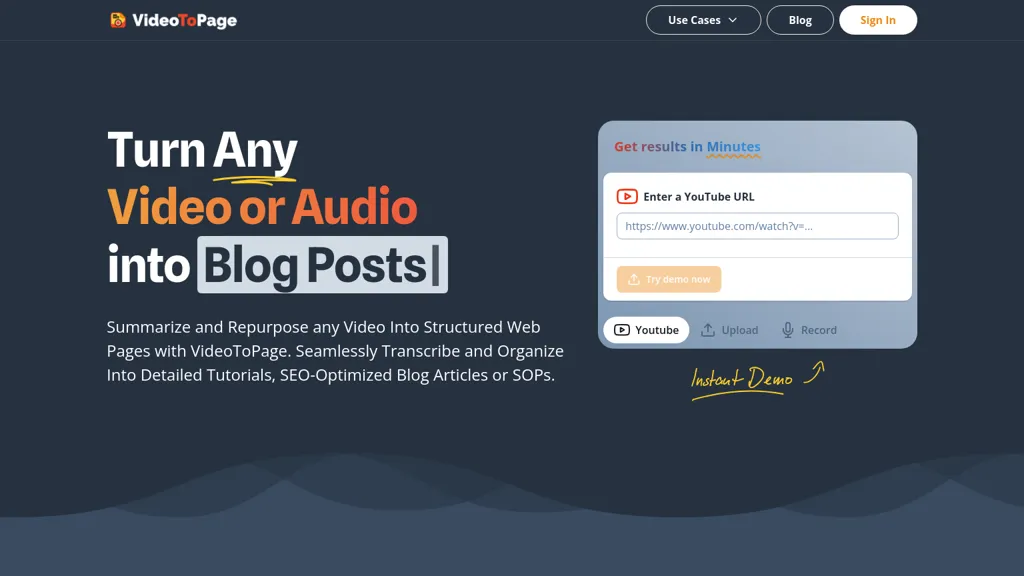
VideoToPage instantly transcribes video or audio files, cleans and structures the text, and automatically generates a variety of content formats—including detailed blog posts, SEO‑optimized articles, social media snippets, tutorials, SOPs, and course modules—based on user‑selected generators.
The tool extracts key themes, visual shots, and on‑screen text via OCR, enabling comprehensive, accurate summaries and actionable insights. It offers direct publishing and scheduling to WordPress, Notion, Ghost, Shopify, and major social platforms, while also supporting batch uploads, YouTube channel sync, and multilingual processing for up to 96 languages.
Workflow automation lets users build end‑to‑end pipelines that transform a single video into multiple formats and distribute them across platforms with minimal manual effort. The interface includes a rich text editor and chatbot assistance for easy editing, updates, and format export to markdown, HTML, or SRT files.
VideoToPage details
- Jurisdiction
- Vienna, Austria
- Data residency
- European Union
VideoToPage tech specs
- Works with
- OpenAI / GPT Google / Gemini
- Integrations
- Shopify WordPress
VideoToPage pricing
PaidVerify on the official pricing page.
View plansVideoToPage's key features
-
Instant video to text transcription
-
OCR extraction from video frames
-
Generate blog, social media, SEO content
-
Publish to WordPress and social media
-
Automated workflow from upload to publishing
-
Multi-language support with language detection
-
Chatbot assistance for content updates
VideoToPage use cases
-
Generate SEO‑optimized blog posts from a 30‑minute webinar, automatically transcribing audio, extracting key themes, and publishing directly to WordPress—all without any manual editing
-
Create shareable social media snippets and tutorials from a series of product demo videos, using OCR to capture in‑video text and batch exporting formatted content to Instagram and LinkedIn
-
Develop comprehensive course modules by transcribing recorded lectures, organizing content into structured SOPs and lesson plans, and pushing the finished modules to Notion and Ghost for instant student access
VideoToPage user reviews
Would you recommend VideoToPage?
Who is VideoToPage for?
-
Content creators
-
Strategic planners
-
Digital marketers
-
Technical writers
-
Data analysts
VideoToPage FAQ
How much does VideoToPage cost?
VideoToPage is a paid product with no free plan. Plans include Starter pack at 49€, Creator pack at 199€ and Business pack at 699€.
What are the best alternatives to VideoToPage?
The closest alternatives to VideoToPage are Video to Blog, BlogMyVideo, VideoSnack, TurboScribe and VoicePen AI. You can compare them side by side in the alternatives section further down this page.
What does VideoToPage do with my data?
Its privacy policy states that personal data is not sold or shared for marketing purposes. Data may be shared with third-party service providers that help run the product. Customer data is held in European Union.
Does VideoToPage have an API?
Yes. VideoToPage offers an API, so you can call it from your own applications instead of using the interface directly.
Which AI models does VideoToPage use?
VideoToPage is built on OpenAI / GPT and Google / Gemini. Which models you can reach may depend on your plan.
What does VideoToPage integrate with?
VideoToPage connects with Shopify and WordPress.
Compliance, privacy and billing terms are as stated in each product's own published documentation and have not been independently verified by TopAI.tools.


