
What is makeaudio?
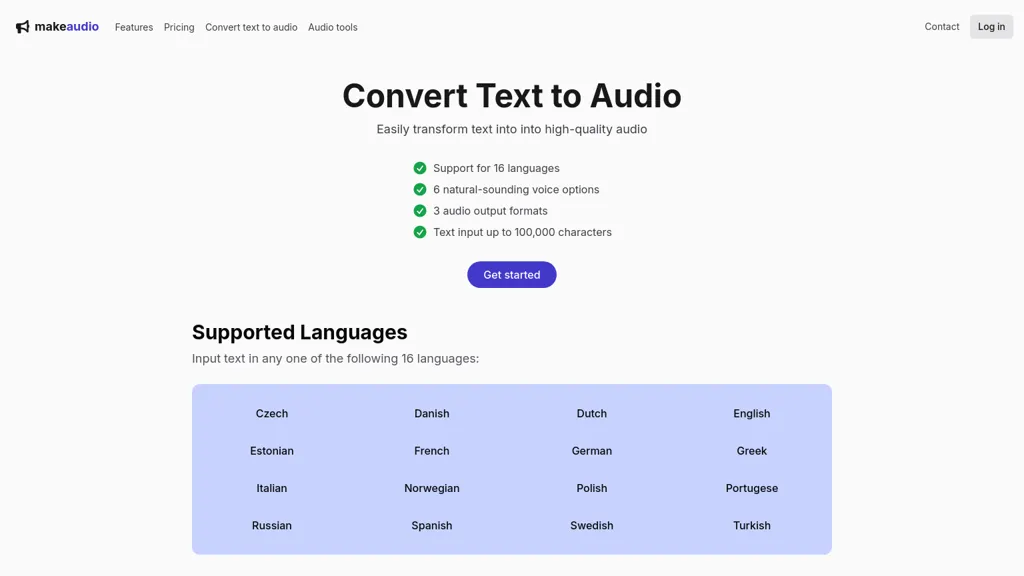
makeaudio.app converts text into audio files with support for 16 languages and 6 natural‑sounding voice options. The service accepts up to 100,000 characters of input text, enabling bulk processing for writers and educators. Users can export results in MP3, WAV, or FLAC formats, allowing compatibility with consumer devices, podcast platforms, and professional audio editing workflows.
makeaudio details
- Built for
- Individuals
makeaudio pricing
FreemiumVerify on the official pricing page.
View plansmakeaudio's key features
-
Supports 16 languages
-
Offers 6 natural voices
-
Three audio output formats
-
100k character limit
-
High-quality audio output
makeaudio use cases
-
Convert lengthy academic articles into accessible audio lessons for students, exporting MP3 for offline study.
-
Create multilingual podcast scripts from corporate reports, using the AI voices to produce engaging audio for executive briefings.
-
Produce high‑quality audiobook versions of novels in multiple languages, enabling listeners to enjoy stories while commuting or working out.
makeaudio user reviews
Would you recommend makeaudio?
Who is makeaudio for?
-
Content creators
-
Language learners
-
Podcast hosts
-
Presentation presenters
-
Academic researchers
makeaudio FAQ
Is makeaudio free?
Partly. makeaudio has a free plan with usage limits, and paid plans unlock the full feature set. Plans include Simple payment at $10.
What are the best alternatives to makeaudio?
The closest alternatives to makeaudio are SpeechGen, TranscribetoText.AI, Free Text-To-Speech, TTSMaker and AudioBot. You can compare them side by side in the alternatives section further down this page.
What does makeaudio do with my data?
Its privacy policy states that personal data is not sold or shared for marketing purposes.
Compliance, privacy and billing terms are as stated in each product's own published documentation and have not been independently verified by TopAI.tools.


