
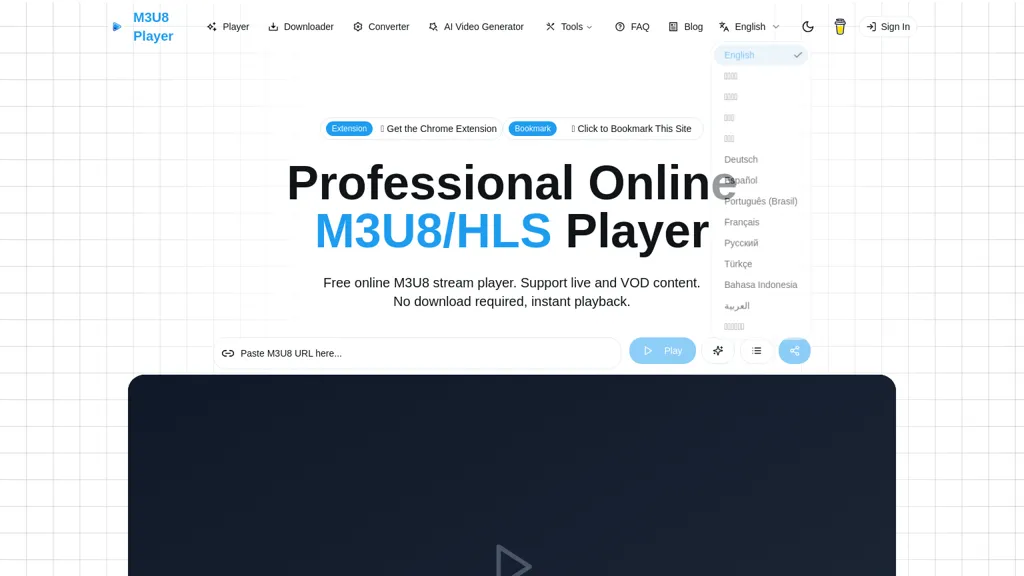
What is m3u8 player online?
m3u8 Player is a browser-based m3u8/HLS player and downloader that supports live and video-on-demand streams.
It accepts m3u8 URLs for immediate playback and includes adaptive bitrate switching, intelligent buffering, and standard playback controls (play/pause, seek, volume, fullscreen).
Download and conversion features include m3u8 downloader functionality, in-browser m3u8-to-MP4/WebM/MKV conversion via ffmpeg.wasm, multi-threaded downloads with resume and retry, and TS segment merging.
Media features include WebVTT subtitle support, playlists, playback speed control, keyboard shortcuts, and stream statistics for debugging and quality analysis.
Integration options provide embed iframe code, developer APIs, and copyable player snippets for website and blog embedding.
Cross-platform compatibility runs in modern browsers without plugins, making the tool suitable for developers, QA testers, content creators, educators, and live-operations teams.
Common use cases include HLS stream testing and debugging, m3u8 to mp4 conversion, batch downloading, and embedding HLS playback into web projects.
m3u8 player online details
- Jurisdiction
- United States, Delaware
- Built for
- Individuals
- Stated compliance
- GDPR
Compliance as stated in m3u8 player online's own published documentation.
m3u8 player online pricing
FreeThis tool is free to use, with no credit card required.
Verify on the official pricing page.
Get started freem3u8 player online's key features
-
Browser-based m3u8/HLS player supporting live and VOD streams (accepts m3u8 URLs)
-
Adaptive bitrate switching, intelligent buffering, and standard playback controls (play/pause, seek, volume, fullscreen)
-
In-browser m3u8 downloader and m3u8-to-MP4/WebM/MKV conversion via ffmpeg.wasm
-
Multi-threaded downloads with resume, retry, and TS segment merging
-
Integration options: embed iframe code, developer APIs, and copyable player snippets
m3u8 player online use cases
-
Embed a customizable, adaptive-bitrate HLS player on your website or web app using the embedding APIs to provide smooth live and VOD playback with subtitle support, playback controls, buffering management and built-in stream stats for realtime quality monitoring
-
Download and reliably archive live streams or VODs directly in the browser using multi-threaded downloads with resume support, then convert to MP4/WebM/MKV via in-browser ffmpeg.wasm for instant editing, sharing, or long-term storage without server-side processing
-
Debug and optimize HLS delivery for engineering teams by playing test m3u8 streams in-browser to inspect adaptive bitrate behavior, buffering events and stream stats, and export converted samples or clips for QA using the embedded converter and downloader
m3u8 player online user reviews
Based on 1 review, 100% of users recommend m3u8 player online, rated highly for quality results.
Liked for
Would you recommend m3u8 player online?
Who is m3u8 player online for?
-
Developers
-
Content creators
-
Qa testers
-
Live-operations teams
-
Educators
m3u8 player online FAQ
Is m3u8 player online free?
Yes. m3u8 player online is free to use and does not require a credit card.
Is m3u8 player online safe to use?
m3u8 player online states GDPR compliance in its own published documentation. It has a substantial audience that is independently measured month to month.
What does m3u8 player online do with my data?
Its privacy policy states that personal data is not sold or shared for marketing purposes. Data may be shared with third-party service providers that help run the product.
Compliance, privacy and billing terms are as stated in each product's own published documentation and have not been independently verified by TopAI.tools.