Batch Image Restoration
Explore 70 Batch Image Restoration AI Tools
🔄 All (70)
💸 Free (11)
🎁 Freemium (25)
🔌 API (13)
📲 Mobile app (11)
📦 Open source (2)
✅ Verified (30)
-
-
 AI-powered restoration of old photos: repair, colorize, upscale, and sharpen.Free
 -
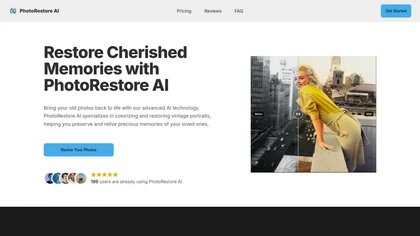 AI-powered restoration, colorization, and enhancement of vintage photographs..Paid
 -
-
 AI automatically removes backgrounds from photos and preserves resolution.82.1%Freemium - $9
 -
 AI colorizes, upsamples, repairs, and retouches images quickly..Freemium - $3.9/mo
 -
 AI upscales, sharpens, restores images for professional print.68.4%Freemium - $0.75/mo
 -
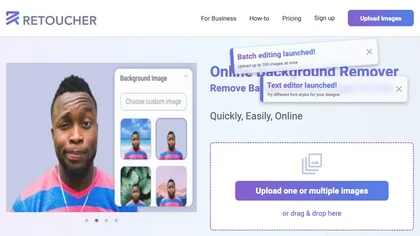 AI-powered background removal for product images, offers replacement/shadows.84.2%Freemium - $659/mo
 -
 AI-powered image and short-video upscaling, restoration, and denoising.66.7%Freemium - $0.02
 - Personalized recommendations
- Custom collections
- Save favorites
-
 AI-driven image upscaling, batch, background removal.75%Subscription - $19.99/mo
 -
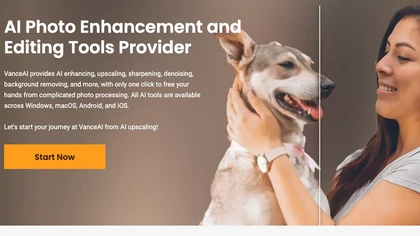 AI-powered batch image enhancement and editing for creative workflows.66.7%Free trial
 -
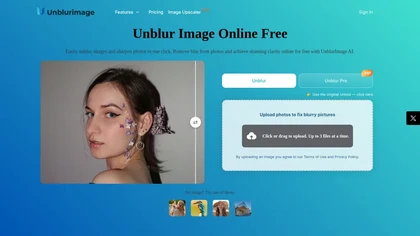 AI-powered tool to sharpen and enhance blurry photos.78.9%Freemium
 -

-
 AI-powered one-click photo restoration and colorization for old photos.25%Free trial - $9.9/mo
 -
 AI-powered image enhancement, upscaling, and creative editing.73.7%Freemium
 -
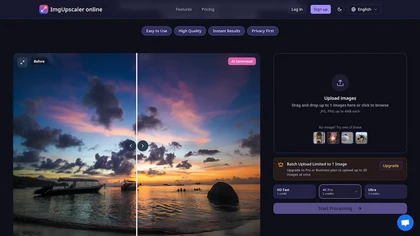 AI upscales low-resolution photos into higher-resolution images preserving details.75%Free trial - $2.5/mo
 -
-
 AI-powered fast photo editing, enhancement, and batch processing.100%Free
 -
 AI-powered background removal for images, batch and custom replacement.90.5%Freemium
 -
 AI photo editor: enhance, remove backgrounds, delete watermarks..75%Subscription - $9.99/mo
 -

-
 AI-powered image and video enhancement offline with upscaling, denoising, and matting.63.2%Paid
 -

-
 AI-powered image and video editing for rapid social content creation.Free trial
 -
 AI-powered background removal and image editing for designers.73.3%Subscription
 -
 Generate and edit 100 images quickly using AI Flux model.100%Subscription - $15/mo
 -
-
-

-
 Automatically enhance image quality with AI.100%Subscription
 -
 AI-driven watermark removal from photos and videos.78.3%Free - $10/mo
 -
 Automates image processing tasks for photographers and designers.Free trial
 -
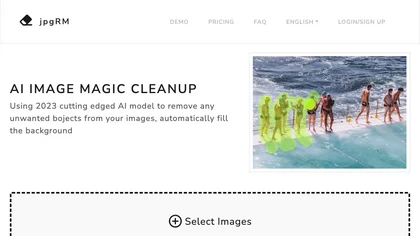 AI-powered background removal and object erasing with instant processing.100%Paid
 -
 AI-driven image upscaling from 2× to 16× with sharpness preservation.Paid
 -
-
 AI-driven image enhancement, background removal, upscaling, and restoration..100%Free
 -
-
 AI-powered photo editing: remove objects, replace backgrounds, enhance images.Freemium - $9.99
 -

-
-
 AI-enhanced photo editing, collage creation, graphic design for visual content.42.9%Free
 -
-
-
-
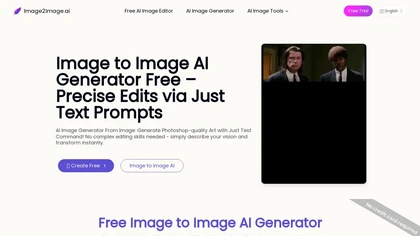 Intelligent image editing based on text prompts using AI.50%Free trial
 -

-
 AI-powered image upscaling, denoising, and restoration.70.4%Free trial 1
 -
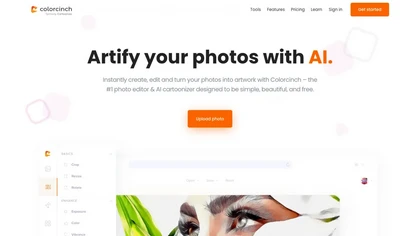 Instant AI photo stylization with cartoon, sketch, painting filters..100%Free - $8.99
 -
 AI instantly removes backgrounds from images in seconds for design.53.3%Freemium
 -
 AI-driven restoration of old photos: remove scratches, enhance color, upscaling.50%Free
 -
 AI browser editor for fast photo/video enhancement, restoration, and generation.100%Freemium
 -
 AI-powered photo editing: cartoonize, remove backgrounds, enhance images..81.3%Paid
 -
-
 Gigapixel AI is an AI-driven image upscaler that enhances image quality up to 10.68.8%Free trial
 -
 AI-powered colorization of black-and-white photos, batch processing included.Free trial 1
 -
 AI upscales images to 4K resolution with enhanced detail.77.3%Freemium
 -

-
 AI-powered editing: resize, extend, background removal, upscale images.68.8%Freemium - $15/mo 2
 -
 Enhances and transforms photos using AI technology.100%Freemium - $100/mo
 -
 AI-powered prompt-based image generation and professional photo editing.Freemium - $5.99/mo
 -
 AI-powered image upscaling and enhancement, preserving detail and clarity..76.2%Freemium 1
 -
 AI-powered text-guided photo editing and style conversion.60%Freemium - $7.92/mo 1
 -
 AI background removal and batch photo editing.80%Freemium - $12.99/mo
 -
 Bgrem AI automates background removal, photo‑to‑video conversion, and inpainting.100%Free trial - $4.99
 -
 AI-powered photo editing and collage creation for quick, creative layouts.68.8%Subscription - $2.83/mo
 -
 Enhance images using AI: sharpen, denoise, upscale, and color correct.90.3%Free trial
 -
 AI photo editor automating enhancement, background removal, and batch processing.Free
🚀
Get your FREE account now
Create My Account
Already a member? Sign in