
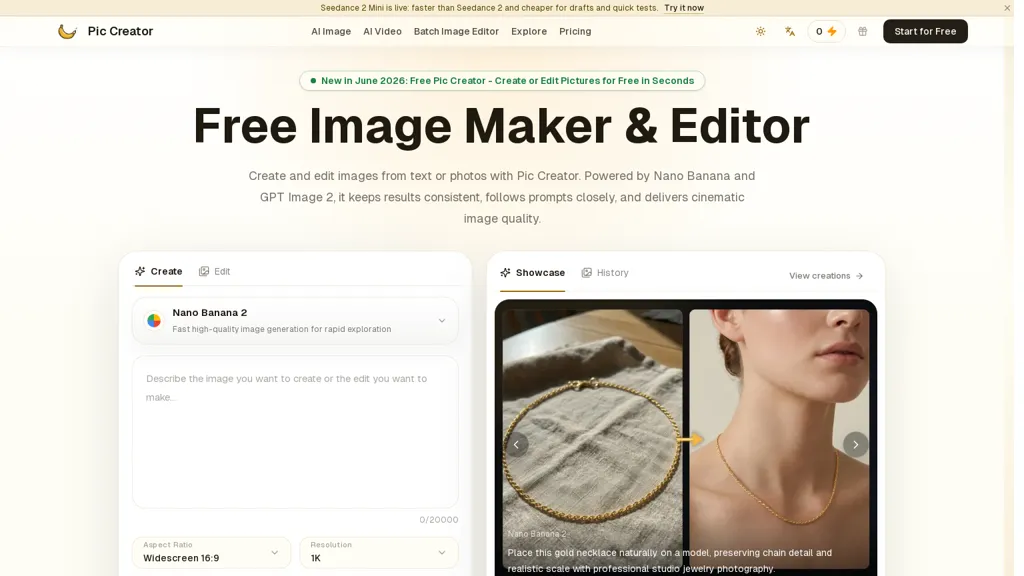
What is PicCreator AI?
PicCreator is an AI image maker and editor that combines prompt-based generation with photo editing workflows.It supports multiple models including Nano Banana 2 to produce consistent, prompt-faithful outputs and rapid generation.
Upload images or start from text to retouch portraits, relight scenes, remove objects, swap backgrounds, and extend canvases via inpainting/outpainting.Features include noise reduction, deblur, upscaling to high-resolution exports, batch image editing, history versions, and social-platform resizing.
Use cases cover product photography, on-model fashion imagery, ad creative variations, social media visuals, concept art, and UI/UX mockups.Workflows follow a simple prompt → generate → preview → download cycle, enabling fast iteration and asset variation for designers, marketers, photographers, and developers.
PicCreator AI details
- Jurisdiction
- United States
- Built for
- Individuals
PicCreator AI tech specs
- Works with
- OpenAI / GPT Google / Gemini Google / Nano Banana Kling
PicCreator AI pricing
Freemium- Refund window
- 7 days
Verify on the official pricing page.
View plansPicCreator AI's key features
-
Prompt-based image generation and integrated photo-editing workflows
-
Support for multiple models (including Nano Banana 2) for generation
-
Mixed input editing (upload images or text-to-image) with retouching, relighting, object removal, background swapping, inpainting/outpainting
-
Image enhancement tools: noise reduction, deblur, and upscaling to high-resolution exports
-
Workflow and production features: batch image editing, version history, and social-platform resizing
PicCreator AI use cases
-
Create professional product photos for your e-commerce store by uploading or generating images, removing or swapping backgrounds, relighting and upscaling to produce high-resolution, platform-ready assets without any design apps or coding knowledge
-
Batch-edit and resize large sets of images for social media and ad campaigns using Pic Creator’s AI retouching, denoise/deblur, automatic social-media dimension presets and export-ready formatting to maintain consistent, on-brand visuals
-
Retouch portraits and build polished marketing composites with prompt-driven inpainting/outpainting—remove unwanted objects, fine-tune skin and lighting, and seamlessly swap backgrounds to create headshots and lifestyle imagery in minutes
PicCreator AI user reviews
Would you recommend PicCreator AI?
Who is PicCreator AI for?
-
Creative designers
-
Creative photographers
-
Content creators
-
E-commerce sellers
-
Product designers
PicCreator AI FAQ
Is PicCreator AI free?
Partly. PicCreator AI has a free plan with usage limits, and paid plans unlock the full feature set. Plans include Starter at $5.99/mo, Professional at $11.99/mo and Business at $23.99/mo.
What are the best alternatives to PicCreator AI?
The closest alternatives to PicCreator AI are DeepAI, AIimagine.io, ImagetoImage AI, ImagesArt AI and Aimage AI. You can compare them side by side in the alternatives section further down this page.
What does PicCreator AI do with my data?
Its privacy policy states that personal data is not sold or shared for marketing purposes.
Does PicCreator AI auto-renew or offer refunds?
PicCreator AI states a 7-day refund window.
Which AI models does PicCreator AI use?
PicCreator AI is built on OpenAI / GPT, Google / Gemini, Google / Nano Banana and Kling. Which models you can reach may depend on your plan.
Compliance, privacy and billing terms are as stated in each product's own published documentation and have not been independently verified by TopAI.tools.


