
Top 29 Editimg AI Alternatives in 2026
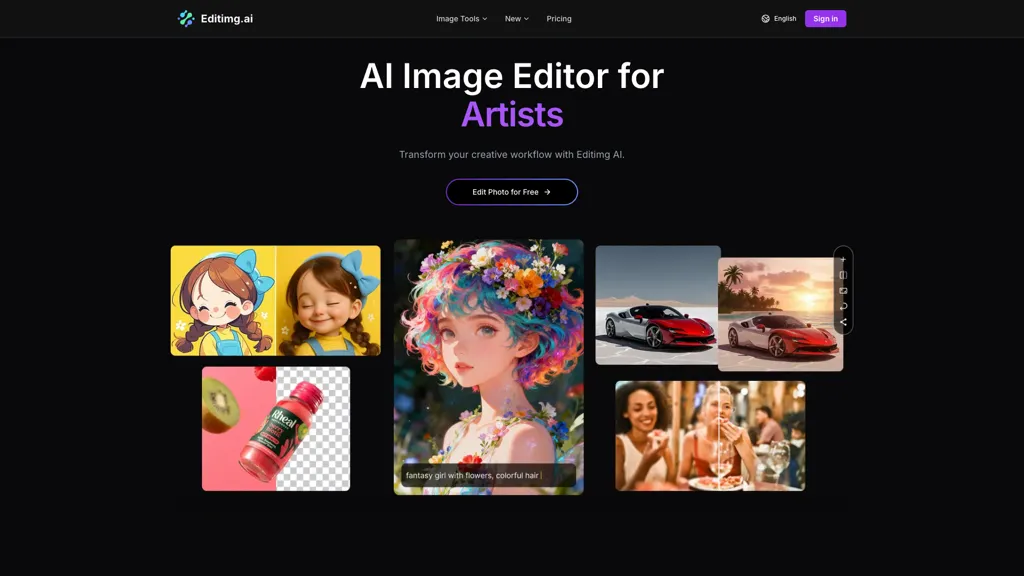
80% positive · 5 user reviews FreemiumEditimg AI is an all-in-one AI image editor and generator that provides tools for object removal, background editing, and portrait enhancement. It also offers creative features like style transfer, image upscaling, and text-to-image generation for versatile visual content creation.
We've ranked 29 Editimg AI alternatives, including 23 with a free plan. Rankings are based on feature coverage and user feedbacks.
Top-rated alternatives include Pixlr, AI Image Editor-, and Image Editor Online.
29 Editimg AI Alternatives & Competitors, Ranked by User Reviews
Click Compare on any tool to compare it side-by-side with Editimg AI.

Pixlr is a browser‑based photo editor that uses AI for background removal, generative fill, and object deletion. It offers cropping, color correction, collages, templates, and social media layouts across desktop, tablet, and mobile.
 #2
AI Image Editor-
#2
AI Image Editor-
AI Image Editor is an online tool for editing and enhancing images with pixel-level precision. It supports various formats, offers text editing, artistic style transfers, and allows quick generation of image variations for efficient workflow.

Image Editor Online is an AI-powered tool that edits your photos using simple text prompts. It allows you to remove backgrounds, adjust poses, transfer styles, and continuously refine your images in one place.
 #4
imagewith.ai
#4
imagewith.ai
Imagewith.AI offers web‑based AI tools for image enhancement, background removal, object deletion, upscaling, photo restoration, and portrait improvement. Deep‑learning algorithms increase resolution, reduce noise, clean artifacts, and preserve fine detail for designers, photographers, and archivists.
 #5
ImageToImageAI
#5
ImageToImageAI
imagetolmageai.ai is an AI-powered image editing platform offering 12+ tools for enhancement, restoration, and creative transformation. It simplifies workflows with features like upscaling, background removal, and style transfer, requiring no technical skills for professional results.
 #6
Remaker AI
#6
Remaker AI
remaker ai offers web and mobile AI image and video editing for creators and teams, including upscaling, background removal, object erasing, face swap, text-to-image, lip-sync, batch processing and templates for short-form social content.
- Catch deals before they expire
- Unlock tools matched to you
- Show off your AI stacks
Already a member? Sign in
 #7
iFoto
#7
iFoto
AI Photo Studio automates e‑commerce image editing: background removal, resolution enhancement, lossless compression, profile passport creation, hairstyle preview, object cleanup, old‑photo restoration, colorization, AI fashion model generation, clothing recolor, background changes, and file conversion to PDF/Word/PPT for streamlined product photography.
 #8
Image to Image AI
#8
Image to Image AI
Image to Image AI is a tool that intelligently edits and transforms your photos based on simple text prompts. It allows for complex alterations like style changes, object removal, and realistic detail enhancement while maintaining consistency.
 #9
123RF
#9
123RF
123rf Image Editor is a comprehensive AI tool for effortless photo editing, offering features like image scaling, background removal, object removal, and seamless background remixing. It also includes an AI writer for content creation and an image enlarger for ratio adjustments. Efficiently enhance and edit your visuals with this user-friendly tool.
 #10
PicWish
#10
PicWish
PicWish AI Photo Editor automates image enhancement, background removal, and watermark deletion. It processes batches of up to 30 files, offering resizing, lighting, upscaling, AI Designer prompts, Face Cutout, and single‑click unblur/sharpen. Available on Windows, macOS, iOS, Android, and browser.
 #11
editaimg.com
#11
editaimg.com
editaimg.com is an AI-powered image editor for professionals, offering background removal, object editing, and style transforms for retouching and composition. It also provides upscaling, text translation, and creative effects to streamline workflows for e-commerce, design, and content creation.

DeepAI offers browser‑based AI tools for text‑to‑image, photo editing, background removal, super‑resolution, and video/musical generation, plus APIs for integration. It prioritizes user ownership, privacy, fast processing, and supports conservation research via object detection and habitat mapping.
 #13
AIimagine.io
#13
AIimagine.io
AI Imagine offers image and video generation and editing: text-to-image creation, enhancement, background/object/watermark removal, upscaling, unblurring, style transfer, batch format conversion, portrait retouching and virtual try-ons, plus short-form video with consistent character styling.
 #14
AILab Tools
#14
AILab Tools
The AI Lab provides an advanced tool with image and facial enhancements features such as photo colorization, object and background removal, cartoon creation, retouching portraits, adjusting facial expressions, and API and platform for developers.
 #15
PicPicAI
#15
PicPicAI
PicPicAI automatically removes backgrounds, sharpens portraits, upscales and extends images, and restores old photos, delivering polished results in seconds for e‑commerce, social media, and design workflows, with optional Flux AI art generation.
 #16
Photo AI Studio
#16
Photo AI Studio
AI Photo Studio delivers AI‑powered image and video creation, including generation, background removal, virtual try‑on, style libraries, advanced editing (skin, age, expression, eye color), outpainting, thumbnails, and direct social publishing via a web interface.
 #17
Picsman.AI
#17
Picsman.AI
Picsman is an AI‑powered editor that removes or replaces backgrounds, ups image resolution, and applies styles like Ghibli or cartoon. It also offers text‑prompt editing, video generation, image extending, and watermark removal for quick, high‑definition results.
 #18
Canva AI
#18
Canva AI
Canva's AI Image Generators turns text into visuals with customizable art styles and features like Magic Media, Create an Image, and automated reviews.
 #19
Background Remover
#19
Background Remover
AI Background Remover deletes backgrounds from JPG, PNG, WebP images while preserving resolution, handling up to 500 at once. Users can replace with color, gallery, or upload; ideal for designers, marketers, and e‑commerce workflows.
 #20
PhotoGrid
#20
PhotoGrid
PhotoGrid is a browser‑based AI photo editor that offers one‑click enhancement, background removal, and upscaling. It lets users build collages from 20,000 templates, add stickers, text, custom backgrounds, and convert images into short video clips.

Imglarger is an image enhancer that upsamples photos up to 8×, supports batch processing, and offers background, object, and face retouch tools. It converts WebP, JPEG, PNG, SVG, JFIF formats and lets users adjust brightness, contrast, and saturation via web or mobile.
 #22
ImagetoImage AI
#22
ImagetoImage AI
Image to Image AI is a versatile photo editor that transforms images using text prompts, enabling style transfer, background replacement, and object removal. It supports multi-image uploads and fast generation for creators and designers needing high-resolution, watermark-free results.
 #23
ImgToImg.ai
#23
ImgToImg.ai
imgtoimg.ai is an AI image transformation tool that generates new images from your photo inputs and text prompts. It offers precise control over style and composition, plus built-in utilities like upscaling and background removal for creators.
 #24
PixPretty AI Photo Editor
#24
PixPretty AI Photo Editor
PixPretty AI Photo Editor is a free tool that uses AI to remove or replace backgrounds in seconds. It also supports batch editing for bulk transformations, retouching, and format conversion.
 #25
Text to Image by Photoleap
#25
Text to Image by Photoleap
Photoleap is an iOS‑only photo editing app that uses AI for quick enhancements, background removal, object deletion, collage creation, filters, text‑to‑image, video from stills, 4K upscaling, style transfer, portrait retouching, and hair color simulation.
 #26
insMind
#26
insMind
insMind AI is an all‑in‑one visual platform that generates images, animates videos, and edits photos. It offers background removal, upscaling, batch editing, and template automation for designers, marketers, and small businesses to produce high‑quality visuals quickly.
 #27
PicTools.AI
#27
PicTools.AI
PicTools.AI is a web‑based photo editor that lets users upload images and apply changes via text prompts or over 100 one‑click AI filters—background removal, outfit changes, smile addition, restoration, and artistic styles—without design skills.
 #28
Pixelfox AI
#28
Pixelfox AI
Pixelfox AI is an online AI-powered photo editor that offers advanced features like background removal, face swaps, and image enhancement. It’s designed for both personal and professional use, requiring no downloads.
 #29
Nano Image AI
#29
Nano Image AI
Nano Image AI is an image editor and generator for creators, marketers, photographers, and educators, offering text-to-image and image-to-image workflows, background/object removal, retouching, AI styles, super-resolution upscaling, batch processing, and privacy features.
Frequently Asked Questions
Why look for Editimg AI alternatives?
Common reasons users switch from Editimg AI:
- Feature gaps: teams needing specific capabilities like Edit images may find a more focused alternative better suited to their workflow.
- Flexibility: exploring alternatives helps find tools that better match your team size, integrations, and budget.
What is the best alternative to Editimg AI?
Based on 23 user reviews, Pixlr (73.9% positive) ranks as the top Editimg AI alternative. Pixlr is a browser‑based photo editor that uses AI for background removal, generative fill, and object deletion. It offers cropping, color correction, It is available on a Free trial plan starting from $1.99/mo.
How do the top Editimg AI alternatives compare?
| Tool | Pricing | Starting Price | User Rating |
|---|---|---|---|
| Editimg AI this tool | Freemium | — | 80% (5) |
| Pixlr | Free trial | $1.99/mo | 73.9% (23) |
| AI Image Editor- | Free trial | $7.99 | 80% (25) |
| Image Editor Online | Free | — | 66.7% (3) |
| imagewith.ai | Free | — | 100% (1) |
| ImageToImageAI | Freemium | $9.9/mo | 75% (4) |
Are there free Editimg AI alternatives?
Yes, 23 free alternatives found in our list: Pixlr, AI Image Editor-, Image Editor Online. and 20 more — use the pricing filter above to see them all.
What should I look for in a Editimg AI alternative?
- Core capabilities: confirm the tool supports Edit images, remove backgrounds, Generate images.
- Pricing transparency: look for clear free plan, trial period, or tiered pricing — avoid tools that hide costs.
- User reviews: check both the satisfaction percentage and the number of reviews; a high score from few users is less reliable.
- Integrations: verify it connects with your existing stack before committing.
- Support and updates: active development and responsive support are strong signals of a maintained product.
Which Editimg AI alternative has the highest user rating?
imagewith.ai has the highest satisfaction score among Editimg AI alternatives, with 100% positive from 1 user review. It is available on a Free plan.
What are Editimg AI alternatives used for?
- Edit images
- remove backgrounds
- Generate images
- Analyze noise
- Enhance text