
What is Canva AI?
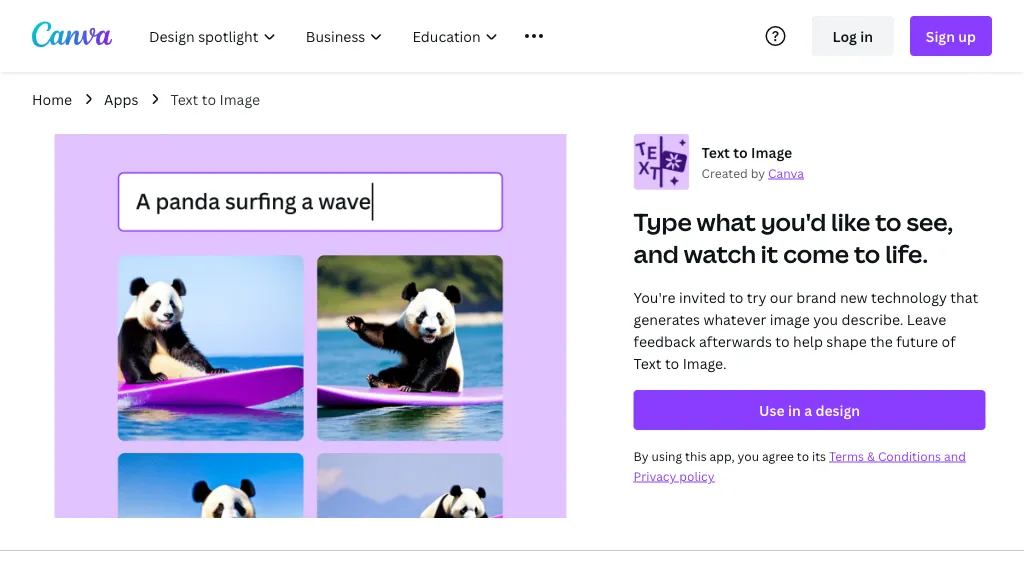
Canva's AI Image Generators is a suite of tools that empowers users to turn text into visuals, offering a range of art styles and customization options.With Magic Media, users can generate images from text prompts, while Create an Image, powered by Dream Lab, allows uploading a reference image to apply new aesthetics or textures.
This tool supports multiple user groups, including content creators, entrepreneurs, and budding artists, providing a cost-efficient way to generate captivating branding materials and push the limits of creative possibilities.
AI Image Generators are available for use with limited free options, and users can choose from various styles, ratios, and editing tools to customize their images.The tool ensures safe and responsible use through automated reviews and user reporting.
Additionally, users can access a library of free images, icons, and graphics, and enjoy features like photo editing, background removal, and text to photo functions.
Canva AI pricing
FreemiumCanva AI offers a free plan with paid upgrades available.
Verify on the official pricing page.
View plansCanva AI's key features
-
Text to Image
-
Magic Media
-
Create an image, powered by Dream Lab
-
Magic Edit
-
Magic Eraser
Canva AI use cases
-
Automatically generate professional logos for your startup or business using Canva's AI Image Generator, exploring various art styles and color palettes to ensure brand consistency
-
Use canva's AI image generator to create data visualizations such as charts, infographics, and more, enhancing presentations and reports with engaging, interactive visuals
-
Generate custom social media graphics and thumbnails in minutes using Canva's AI Image Generator, saving time and ensuring on-brand aesthetic, even for social media managers without extensive design expertise
Canva AI user reviews
Based on 15 reviews, 80% of users recommend Canva AI, rated highly for quality results.
Liked for
Disliked for
Would you recommend Canva AI?
Canva AI playbooks
2Step-by-step guides to get the most out of Canva AI
Who is Canva AI for?
-
Graphic designers
-
Content creators
-
Marketing managers
-
Product designers
-
E-commerce sellers
Canva AI FAQ
Is Canva AI free?
Partly. Canva AI has a free plan with usage limits, and paid plans unlock the full feature set.
Is Canva AI safe to use?
Canva AI carries the TopAI.tools verified mark, which we award after a manual review of pricing transparency, published terms, public following and working functionality. Canva AI is also one of the most visited AI tools in the TopAI.tools index.
Is Canva AI good?
Canva AI has an 80% recommendation rate from 15 reviewers on TopAI.tools. Reviewers rate it highest on quality of results and ease of use.
What are the best alternatives to Canva AI?
The closest alternatives to Canva AI are Fotor, ImagesArt AI, Meta Image Generator, ImgGen and ChatGPT Images. You can compare them side by side in the alternatives section further down this page.


