
What is Nano Image AI?
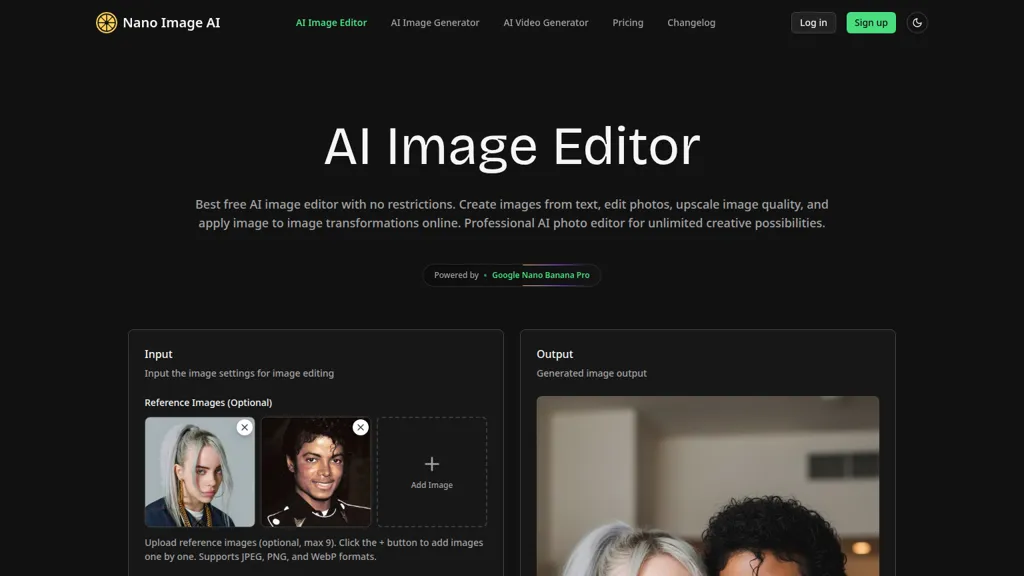
Nano Image AI is an AI image editor and generator that supports text-to-image and image-to-image workflows for creators, marketers, photographers, and educators.
Edit photos with background removal, object removal, retouching, filters, and multiple AI-driven style options.
Generate images from prompts or reference images with adjustable aspect ratios and resolution settings.
Upscale and enhance image quality using AI super-resolution and export HD output in JPG, PNG, WebP, or GIF formats suitable for social and commercial use.
Most transformations complete in seconds, with support for batch processing and customizable output ratios.
Privacy features include encrypted transfers, automatic deletion after processing, and optional anonymous use with no account required.
Supports common file formats and workflows for marketing assets, social posts, and digital art.
Nano Image AI details
- Jurisdiction
- United States
- Built for
- Individuals
- Data residency
- United States
Nano Image AI tech specs
- Works with
- Google / Nano Banana
- Cloud
- Cloudflare
- Payment Processors
- Stripe
Nano Image AI pricing
FreemiumVerify on the official pricing page.
View plansNano Image AI's key features
-
Text-to-image generation from prompts
-
Image-to-image editing and photo transformations (upload and edit existing images)
-
Background removal, object removal, and retouching tools
-
AI upscaling and multi-resolution output (HD/ultra-high resolution)
-
Privacy-first processing: encrypted transfer, zero data storage, and instantaneous deletion
Nano Image AI use cases
-
Create high-resolution marketing assets by converting rough concepts or low-res photos into polished, brand-ready images using text-to-image generation, AI styles, and super-resolution upscaling while batch-processing multiple variants for A/B testing and preserving privacy
-
Produce professional product photos and e-commerce listings by removing backgrounds, retouching imperfections, applying consistent AI styles, and exporting upscaled images in bulk to speed up catalog updates without manual editing
-
Generate custom educational visuals and presentation graphics from text prompts or source images, then refine with image-to-image edits, object/background removal, and upscaling to ensure clarity on large displays and print materials while keeping student or source data private
Nano Image AI user reviews
Would you recommend Nano Image AI?
Who is Nano Image AI for?
-
Image editors
-
Marketing professionals
-
Photographers
-
Educators
-
Content creators
Nano Image AI FAQ
Is Nano Image AI free?
Partly. Nano Image AI has a free plan with usage limits, and paid plans unlock the full feature set. Plans include One-time credit packages - 100 at $4.99, Basic at $9.99, One-time credit packages - popular at $9.99 and One-time credit packages - 600 at $19.99.
What are the best alternatives to Nano Image AI?
The closest alternatives to Nano Image AI are AIimagine.io, DeepAI, ImagetoImage AI, Pixlr and ImgToImg.ai. You can compare them side by side in the alternatives section further down this page.
What does Nano Image AI do with my data?
Its privacy policy states that personal data is not sold or shared for marketing purposes. Data may be shared with third-party service providers that help run the product. Customer data is held in United States.
Which AI models does Nano Image AI use?
Nano Image AI is built on Google / Nano Banana. Which models you can reach may depend on your plan.
Compliance, privacy and billing terms are as stated in each product's own published documentation and have not been independently verified by TopAI.tools.


