
What is AI Image Editor-?
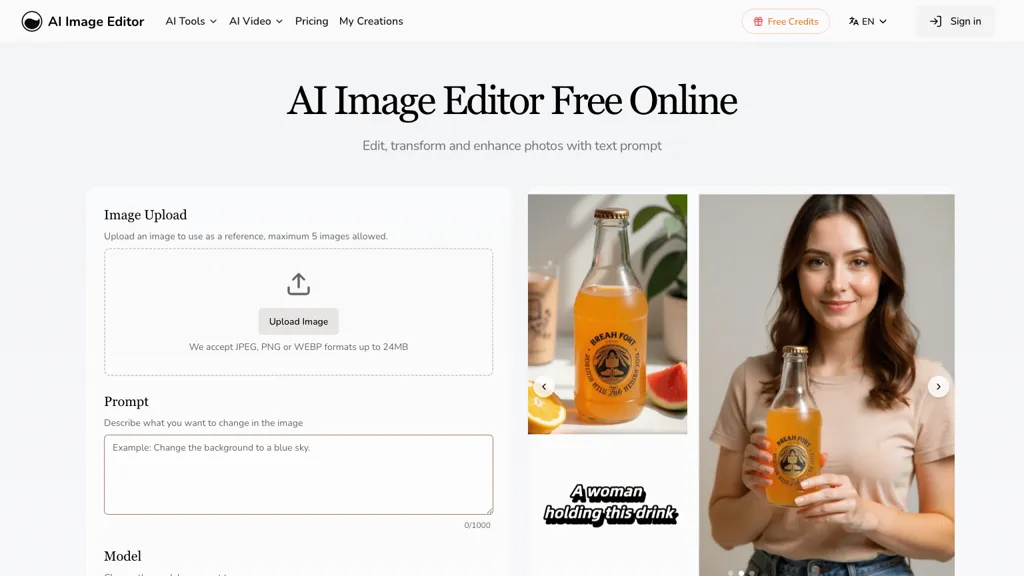
AI Image Editor is a comprehensive online photo editing tool that allows users to edit, transform, and enhance images effortlessly. With support for various formats like JPEG, PNG, GIF, and WEBP, this tool enables users to upload images up to 4096 x 4096 pixels for high-quality results.
Key features include precision editing with pixel-level accuracy, enabling targeted modifications in specific regions, as well as integrated text editing for adding captions and branding seamlessly. The style transfer function allows users to apply artistic styles from reference images while preserving essential composition details.
Users can generate multiple variations of edited images quickly, facilitating rapid prototyping for marketing and branding needs. The tool is designed for a wide range of users, from casual creators to professionals in need of efficient image processing capabilities.
AI Image Editor- details
- Jurisdiction
- United States
- Built for
- Individuals
AI Image Editor- pricing
Free trial- Auto-renewal
- No
Verify on the official pricing page.
Start free trialAI Image Editor-'s key features
-
Support for multiple formats
-
Upload images up to 4096 x 4096 pixels
-
Precision editing with pixel-level accuracy
-
Integrated text editing
-
Style transfer function for artistic styles
AI Image Editor- use cases
-
Create stunning promotional graphics for social media by utilizing AI Image Editor's precision editing features and artistic style transfer, ensuring your content stands out among competitors
-
Rapidly prototype multiple variations of branded images for marketing campaigns, allowing teams to test and select the best visuals for audience engagement
-
Effortlessly add captions and logos to photos using the integrated text editing feature, streamlining the process of creating consistent visuals across various platforms
AI Image Editor- user reviews
Based on 25 reviews, 80% of users recommend AI Image Editor-, rated highly for quality results.
Liked for
Disliked for
Would you recommend AI Image Editor-?
Who is AI Image Editor- for?
-
Digital artists
-
Graphic designers
-
Content creators
-
Marketing professionals
-
Product designers
AI Image Editor- FAQ
Is AI Image Editor- free?
Not permanently. AI Image Editor- gives you a free trial, after which a paid plan is required. Plans include Hobby at $7.99, Basic at $15.99, Monthly at $15.99 and Yearly at $15.99.
Is AI Image Editor- safe to use?
AI Image Editor- carries the TopAI.tools verified mark, which we award after a manual review of pricing transparency, published terms, public following and working functionality. It has a substantial audience that is independently measured month to month.
Is AI Image Editor- good?
AI Image Editor- has an 80% recommendation rate from 25 reviewers on TopAI.tools. Reviewers rate it highest on quality of results and ease of use.
What are the best alternatives to AI Image Editor-?
The closest alternatives to AI Image Editor- are 123RF, Pixlr, Pixelied Image AI, aiimageedit.ai and QuickTools by Picsart. You can compare them side by side in the alternatives section further down this page.
What does AI Image Editor- do with my data?
Its privacy policy states that personal data is not sold or shared for marketing purposes.
Does AI Image Editor- auto-renew or offer refunds?
AI Image Editor- subscriptions do not renew automatically.
Compliance, privacy and billing terms are as stated in each product's own published documentation and have not been independently verified by TopAI.tools.


