
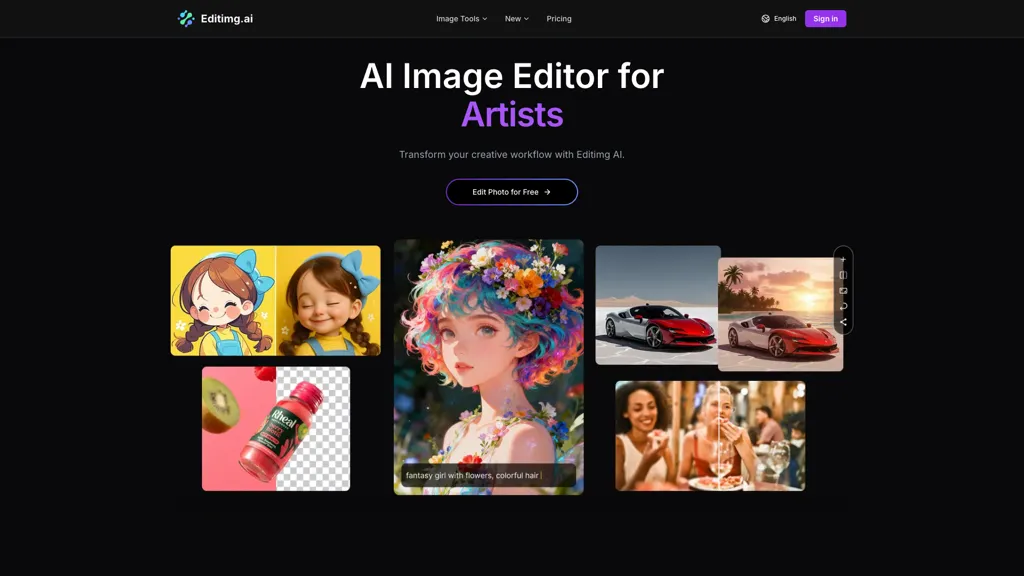
What is Editimg AI?
editimg ai is an AI image editor and image generator with tools for background removal, object removal, watermark removal, and edit text in images.It offers AI image upscaler, image extender, deblur and noise reduction, and color correction for improved resolution and balanced tones.
Style transfer, pixel art, chibi and anime converters, and filter effects let creators apply artistic looks or vintage film styles.Portrait and face tools include skin retouch, teeth whitening, age progression, face morph, bangs/beard filters, and body swap.
Workflow features support JPG/PNG/WebP, batch edits, multiple AI models, and quick download/share for designers, marketers, photographers, and content creators.Additional tools include mockup generator, 2D-to-3D conversion, emoji and polaroid makers, photo restoration, and text-to-image generation for concept visuals.
Editimg AI details
- Jurisdiction
- [Your Jurisdiction]
- Built for
- Individuals
Editimg AI tech specs
- Works with
- Google / Imagen Google / Nano Banana Qwen ByteDance / Seedream Ideogram
Editimg AI pricing
FreemiumVerify on the official pricing page.
View plansEditimg AI's key features
-
AI image editor and image generator (including text-to-image generation)
-
Background, object and watermark removal; edit text in images
-
AI upscaling, image extension, deblurring, noise reduction and color correction
-
Style transfer and artistic conversion (pixel art, chibi/anime converters and filter effects)
-
Portrait and face editing (skin retouch, teeth whitening, age progression, face morph, bangs/beard filters, body swap)
Editimg AI use cases
-
Create professional product photos for your online store using editimg ai to remove backgrounds and watermarks, remove unwanted objects, upscale and deblur images, apply color correction and batch-process hundreds of SKUs without manual editing
-
Restore and enhance old or damaged photographs with editimg ai's deblur, noise reduction and photo restoration tools, retouch portraits, remove scratches and watermarks, upscale to print-ready resolution and preserve memories digitally
-
Produce consistent marketing and social media visuals using editimg ai's text-to-image generation, style transfer and 2D-to-3D conversion, convert concept art or pixel art into polished assets, apply brand color grading and export in multiple formats via batch workflows
Editimg AI user reviews
Based on 5 reviews, 80% of users recommend Editimg AI, rated highly for ease of use.
Liked for
Disliked for
Would you recommend Editimg AI?
Who is Editimg AI for?
-
Visual designers
-
Image editors
-
Creative professionals
-
Digital artists
-
Ai enthusiasts
Editimg AI FAQ
Is Editimg AI free?
Partly. Editimg AI has a free plan with usage limits, and paid plans unlock the full feature set. Plans include Small pack at $12.99, Medium pack at $19.99, Large pack at $39.99 and Extra large pack at $59.99.
What are the best alternatives to Editimg AI?
The closest alternatives to Editimg AI are Remaker AI, Pixlr, AI Image Editor-, ImagetoImage AI and ClipDrop. You can compare them side by side in the alternatives section further down this page.
Which AI models does Editimg AI use?
Editimg AI is built on Google / Imagen, Google / Nano Banana, Qwen, ByteDance / Seedream and Ideogram. Which models you can reach may depend on your plan.


