
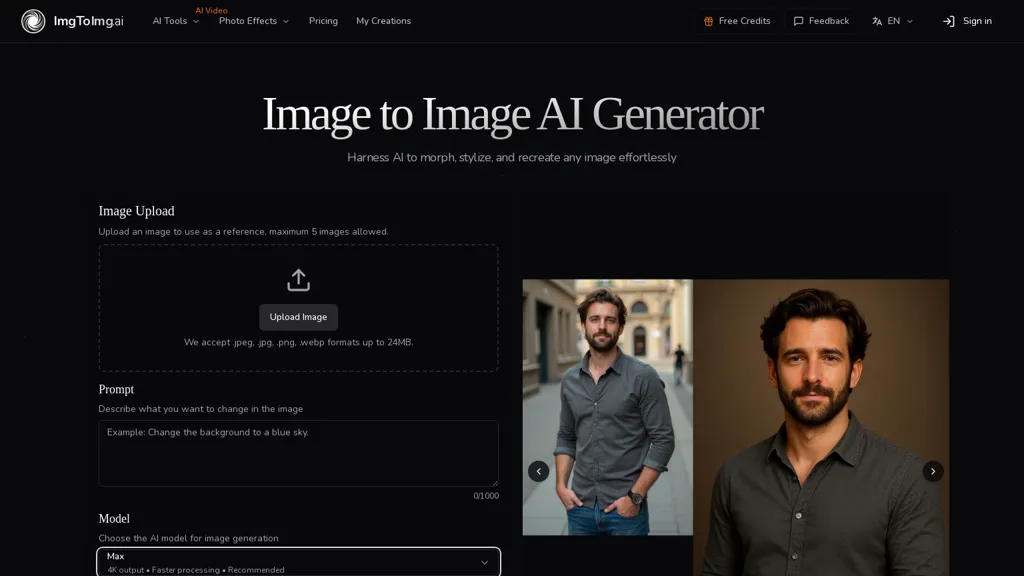
What is ImgToImg.ai?
ImgToImg.ai is an image-to-image AI tool for transforming and generating images from photo inputs.Upload up to five reference images (.jpeg,.jpg,.png,.webp) up to 24 MB and select aspect ratios with up to 4K output.Choose model modes (fast, standard, slow), set transformation strength, and select output count (1, 2, 4) to control how closely results match the source.Prompt-based edits enable style changes, color adjustments, environment swaps, and targeted modifications while preserving composition and key elements.
Built-in tools include background remover/replacer, watermark remover, image upscaler, old photo restoration, and an AI image editor.Generates multiple high-resolution variations quickly for designers, marketers, product photographers, and social creators.
Outputs are compatible with commercial use under appropriate licensing and support iterative refinement via prompts and settings.
ImgToImg.ai details
- Jurisdiction
- United States
ImgToImg.ai pricing
FreemiumVerify on the official pricing page.
View plansImgToImg.ai's key features
-
Image-to-image AI transformations and generation from photo inputs
-
Upload support: up to five reference images (JPEG/JPG/PNG/WEBP) up to 24 MB, selectable aspect ratios, up to 4K output
-
Selectable model modes (fast, standard, slow)
-
Prompt-based edits for style, color, environment swaps and targeted modifications while preserving composition and key elements
-
Built-in tools: background remover/replacer, watermark remover, image upscaler, old photo restoration, and AI image editor
ImgToImg.ai use cases
-
Create multiple high-resolution variations of product photos using imgtoimg.ai by uploading up to five images and applying prompt-driven edits to change color, environment, and composition, then export 4K, aspect-ratio-optimized versions for A/B testing and e-commerce catalogs
-
Restore and upscale old family or archival photos to print-ready 4K quality with imgtoimg.ai's restoration and upscaling tools, remove or replace backgrounds, repair scratches and color fade, and produce archive-ready images without manual retouching
-
Produce on-brand marketing and social media creatives by transforming photo styles, removing backgrounds, and generating consistent multi-aspect-ratio variations in one pass for feed, story, and large-format ad placements using selectable model speeds for fast iteration
ImgToImg.ai user reviews
Based on 3 reviews, 67% of users recommend ImgToImg.ai, rated highly for quality results.
Liked for
Disliked for
Would you recommend ImgToImg.ai?
Who is ImgToImg.ai for?
-
Product designers
-
Digital developers
-
Digital marketers
-
Product photographers
-
Content creators
ImgToImg.ai FAQ
Is ImgToImg.ai free?
Partly. ImgToImg.ai has a free plan with usage limits, and paid plans unlock the full feature set. Plans include Hobby at $9.99/mo, Small pack at $12.99, Basic at $15.99/mo and Pro at $31.99/mo.
What are the best alternatives to ImgToImg.ai?
The closest alternatives to ImgToImg.ai are AIimagine.io, DeepAI, Image to Image AI Generator, Canva AI and Image to Image AI. You can compare them side by side in the alternatives section further down this page.
What does ImgToImg.ai do with my data?
Its privacy policy states that personal data is not sold or shared for marketing purposes.
Compliance, privacy and billing terms are as stated in each product's own published documentation and have not been independently verified by TopAI.tools.


