Top 29 SnapDiagram Alternatives in 2026
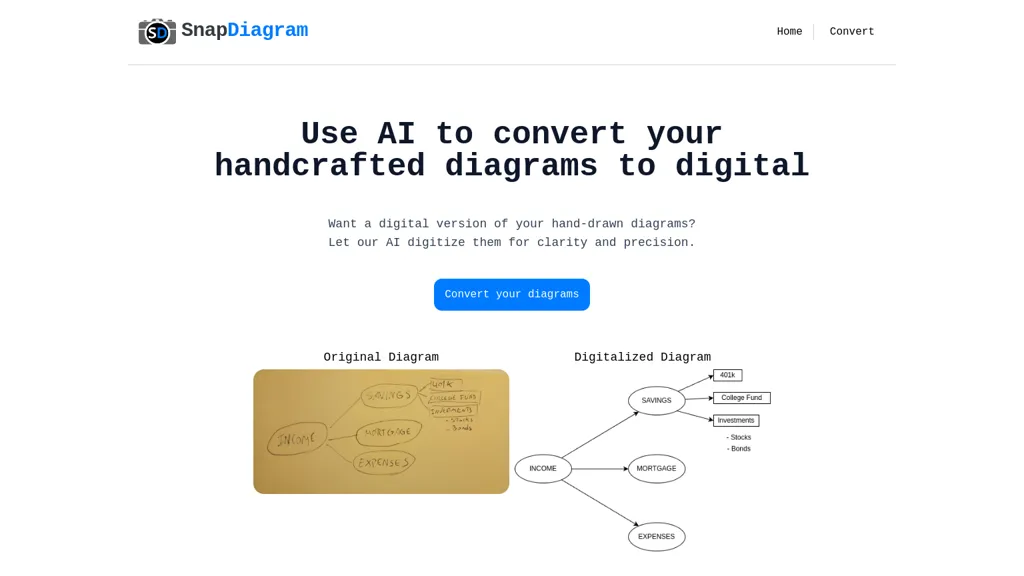
No user reviews yet FreemiumSnapDiagram uses AI to turn hand‑drawn diagrams into crisp digital images. It accepts any image format, outputs PNG, JPG, or editable files, lets users preview the conversion, and then download the refined result.
We've ranked 29 SnapDiagram alternatives, including 25 with a free plan. Rankings are based on feature coverage and user feedbacks.
Top-rated alternatives include picture to drawing, Napkin.ai, and SciDraw AI.
29 SnapDiagram Alternatives & Competitors, Ranked by User Reviews
Click Compare on any tool to compare it side-by-side with SnapDiagram.
#1
picture to drawing
Picture Drawing AI transforms photos into artistic drawings in various styles, including sketches and watercolors. Users can easily upload images and generate high-resolution outputs quickly, making it useful for artists and content creators seeking unique visuals.
#2
Napkin.ai
Napkin AI automatically converts pasted or uploaded text into diagrams, charts, flowcharts, and mind maps. Users can customize icons, styles, connectors, and colors, then export to PPT, PNG, PDF or SVG. It supports 60+ languages and real‑time collaboration.
#3
SciDraw AI
SciDraw AI is a scientific illustration and data visualization tool that converts text prompts, sketches, or images into publication-ready figures. It generates editable SVG/PPTX exports, data-driven charts from CSV/Excel, and supports journal style presets and colorblind-friendly palettes for reproducible graphics.
#4
Vectorizer AI
Vectorizer.ai is an AI-powered tool that converts raster images into vector images quickly and easily.
#5
Draw3D
Draw3D uses AI to transform hand‑drawn sketches into high‑resolution photorealistic images, supporting landscapes, animal portraits, sculpture conversions, and upscaling to 4×. It offers basic editing for quick refinement before sharing or printing.
#6
Sketch2scheme
Sketch2scheme uses AI to convert hand‑drawn flowcharts and textual descriptions into clean digital diagrams. It auto‑detects nodes, aligns them, and lets users tweak via a visual editor or Mermaid code. Export to PNG, SVG, PDF, or diagrams.net.
- Catch deals before they expire
- Unlock tools matched to you
- Show off your AI stacks
Already a member? Sign in
#7
Drawings alive
Drawings Alive turns kids’ sketches into colored images, 6‑second animated videos, and 3D models using AI. Users upload JPEG/PNG, add a brief description, and receive rendered artwork in under a minute. Outputs support AR on iOS/Android and can be printed.
#8
SketchImage.AI
SketchImage.ai is an AI tool that enhances basic sketches into high-quality images for artists of all levels. Its intuitive interface refines sketches, turning them into polished and shareable visuals using advanced features.
#9
edraw ai
Edraw.ai is an AI-driven platform for visual collaboration, offering a variety of diagram types and real-time editing. It enhances productivity by facilitating teamwork, streamlining workflows, and improving visual documentation across diverse industries.
#10
AI Diagram Generator
dg diagram-generator converts text prompts into structured diagrams — flowcharts, UML, ER, network, Gantt and infographics — offers quick drafts, 4K renders, editable Mermaid export, style templates, and Pro web grounding with layout-aware rendering.
#11
SVG AI
SVG AI is a browser-based platform that converts PNG, JPG, and WebP files into scalable vector graphics. It utilizes AI for custom designs while ensuring file encryption and immediate deletion after processing for user privacy.
#12
Scribble Diffusion AI
Scribble Diffusion AI transforms hand‑drawn sketches into polished images with one click, allowing browser drawing or file upload. It offers prompt‑based style variations, quick refinement, and export in common formats for seamless pipeline integration.
#13
Auto Draw
Autodraw is an AI tool for quick drawing using machine learning, with a how-to section and shortcuts.
#14
Sketch To
SketchTo is an AI image converter that transforms photos into pencil sketches and sketches back into realistic images. It offers fast, cloud-based processing with standard and professional models for projects ranging from personal use to commercial work.
#15
Sketch Logo AI
Sketch Logo AI transforms sketches or text prompts into 3‑D logo designs. It offers 4,000+ fonts, 30,000 icons, PNG and SVG outputs, and lets beginners and professionals iterate quickly for branding, marketing, and illustration needs.
#16
Vectorizer.io
Image Vectorizer transforms raster PNG, BMP, JPEG files into scalable vector formats (SVG, EPS, DXF) using AI noise removal and color simplification. It sharpens edges, converts pixels to geometric primitives, and outputs high‑resolution vectors for logos, apparel, tattoos, and billboards.
#17
ai drawing generator
AI Drawing Generator enhances scribbles into detailed images using text-to-image diffusion models with conditional control. It enables learning specific tasks for large diffusion models, extending their use in art and education.
#18
Infograph.app
AI Infographic Generator converts text and data into customizable graphics like infographics and flowcharts. With over 500 templates and multi-language support, it enables editing and downloading in multiple formats, all while supporting 4K resolution.
#19
SketchEdge
SketchEdge uses AI to convert photos into soft, hand‑drawn line drawings. Upload high‑resolution images, adjust line thickness, and export as vector SVG or raster PNG. Batch processing and a simple web interface streamline the design workflow.
#20
Png AI
Png AI is a free AI tool that generates PNG images from text descriptions in seconds. It also allows you to remix and modify existing images using its core Flux model, with no registration required.
#21
EdrawMax.com
EdrawMax Online is a cloud diagramming platform with 210+ diagram types, including flowcharts, UML, and Gantt charts. It offers drag‑and‑drop editing, real‑time collaboration, 20,000 free templates, 26,000 symbols, and AI tools for diagram, chart, and PPT generation, OCR, and copy‑writing.
#22
AI Infographic Generator
InfographAI converts text, URLs, PDFs, Word docs, and spreadsheets into AI-generated infographics. It extracts key points, auto-places charts and visuals, offers customizable templates and a drag-and-drop editor, and exports PNG or PDF for reports and social media.
#23
Flowchartai.tech
Converts text, images, PDFs and spreadsheets into editable diagrams—flowcharts, decision trees, UML, mindmaps, org charts and Gantt—by parsing processes into steps, decisions and loops, offering auto-layout, collaborative editing and PNG/SVG/PDF export.
#24
VDraw AI
vdraw is an AI tool that transforms text and multimedia into customizable infographics and graphics. It simplifies data visualization, allowing users to create engaging visuals for various platforms without requiring advanced design skills.
#25
VectorArt.ai
VectorArt.ai is an AI tool that simplifies vector image creation for websites, businesses, and apps. It allows users to generate custom logos, icons using text or sketch prompts, offers various illustration styles, provides SVG downloads, and features a free image gallery for inspiration.
#26
Math AI Solver
Math AI Solver accepts typed questions and JPG/PNG images (printed or handwritten), covers arithmetic through calculus, statistics, and word problems, extracts equations from photos, and provides step-by-step solutions, final answers, and follow-up clarification in browsers.
#27
Doodle Morph AI
Doodle Morph AI converts hand‑drawn sketches into high‑resolution photo‑realistic images instantly. It supports common file formats, offers basic editing, and produces output ready for web, print, or social media, saving designers time and eliminating manual illustration.
#28
Diagramming
Diagramming AI generates and edits flowcharts, UML, and architecture diagrams across Mermaid, PlantUML, GraphViz, D2, and Excalidraw using natural‑language prompts. AI chat refines designs, auto‑corrects syntax, and converts text to interactive visuals with templates, versioned collaboration, and exportable SVG/PNG/URLs.
#29
EdrawMax AI
EdrawMax AI is a cross-platform diagramming tool that converts text commands and code into flowcharts, mind maps, and other visuals with real-time previews. It automates diagram creation through OCR, style unification, and one-click edits, supporting 25,000+ templates for team collaboration across desktop, web, and mobile.
Frequently Asked Questions
Why look for SnapDiagram alternatives?
Common reasons users switch from SnapDiagram:
- Feature gaps: teams needing specific capabilities like Generate Images may find a more focused alternative better suited to their workflow.
- Flexibility: exploring alternatives helps find tools that better match your team size, integrations, and budget.
What is the best alternative to SnapDiagram?
Based on 1 user review, picture to drawing (100% positive) ranks as the top SnapDiagram alternative. Picture Drawing AI transforms photos into artistic drawings in various styles, including sketches and watercolors. Users can easily upload images and It is available on a Freemium plan.
How do the top SnapDiagram alternatives compare?
| Tool | Pricing | Starting Price | User Rating |
|---|---|---|---|
| SnapDiagram this tool | Freemium | — | — |
| picture to drawing | Freemium | — | 100% (1) |
| Napkin.ai | Freemium | — | 69.2% (13) |
| SciDraw AI | Free trial | — | — |
| Vectorizer AI | Free | $1 | 67.7% (31) |
| Draw3D | Freemium | — | 100% (1) |
Are there free SnapDiagram alternatives?
Yes, 25 free alternatives found in our list: picture to drawing, Napkin.ai, SciDraw AI. and 22 more — use the pricing filter above to see them all.
What should I look for in a SnapDiagram alternative?
- Core capabilities: confirm the tool supports Generate Images, Translate Images, Enhance Images.
- Pricing transparency: look for clear free plan, trial period, or tiered pricing — avoid tools that hide costs.
- User reviews: check both the satisfaction percentage and the number of reviews; a high score from few users is less reliable.
- Integrations: verify it connects with your existing stack before committing.
- Support and updates: active development and responsive support are strong signals of a maintained product.
Which SnapDiagram alternative has the highest user rating?
picture to drawing has the highest satisfaction score among SnapDiagram alternatives, with 100% positive from 1 user review. It is available on a Freemium plan.
What are SnapDiagram alternatives used for?
- Generate Images
- Translate Images
- Enhance Images