
What is EdrawMax.com?
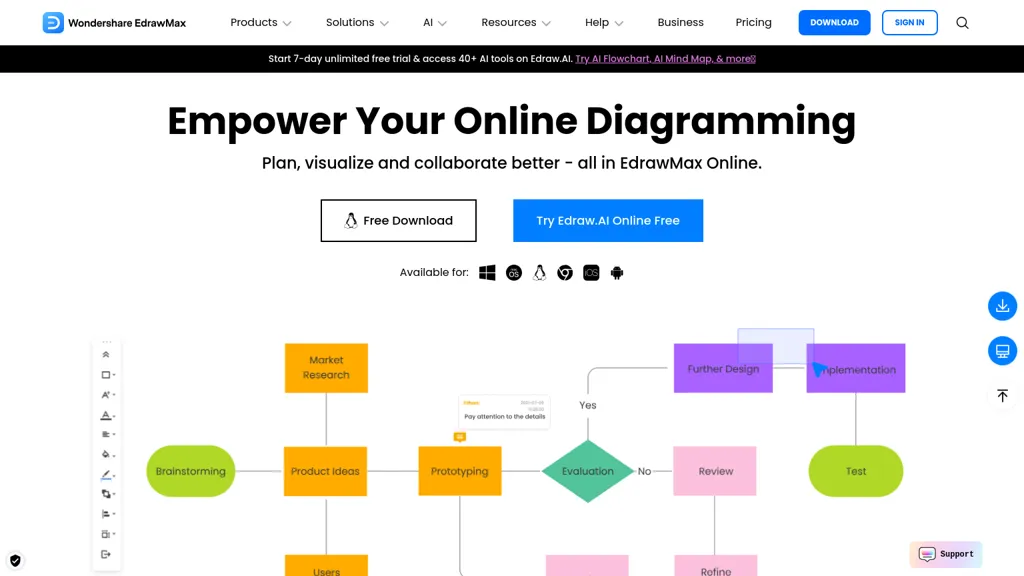
EdrawMax Online is a cloud‑based diagramming platform that supports more than 210 diagram types, including flowcharts, UML, Gantt charts, circuit diagrams, and floor plans.
Its interface offers drag‑and‑drop editing and an infinite canvas that allows teams to collaborate in real time on shared diagrams.
Users can access over 20,000 free templates and 26,000 symbols from built‑in libraries for rapid creation of business, engineering, education, and design visuals.
The AI module generates diagrams, charts, and PPT slides from text or data, and includes AI‑powered drawing, symbol recognition, OCR, and copy‑writing tools.
Export options support common file formats and social media sharing, enabling diagrams to be integrated into reports, presentations, and learning materials.
The platform is suitable for project managers, instructional designers, network engineers, and UI/UX professionals who need a unified diagramming solution.
EdrawMax.com pricing
FreemiumVerify on the official pricing page.
View plansEdrawMax.com's key features
-
AI diagram generation from prompts
-
Automatic content creation and text extraction
-
AI-powered PPT slide creation
-
AI symbol and shape creation
-
AI OCR for image text
-
AI copywriting for captions
EdrawMax.com use cases
-
Create detailed network topology diagrams for IT infrastructure with 26,000+ symbols, enabling instant real-time collaboration and AI‑powered layout adjustments
-
Generate project Gantt charts from simple task lists using AI‑driven chart creation, streamlining scheduling and timeline visualization
-
Produce professional UML diagrams for software architecture, automatically translating code snippets into accurate models and producing documentation‑ready visuals
EdrawMax.com user reviews
Based on 17 reviews, 59% of users recommend EdrawMax.com, rated highly for ease of use.
Liked for
Disliked for
Would you recommend EdrawMax.com?
Who is EdrawMax.com for?
-
Product designers
-
Software developers
-
Knowledge workers
-
Product managers
-
Content creators
EdrawMax.com FAQ
Is EdrawMax.com free?
Partly. EdrawMax.com has a free plan with usage limits, and paid plans unlock the full feature set. Plans include Edrawmax individuals at $64/year, Team & business at $69/mo, Edrawmax team & business at $198/year and Edrawmax lifetime at $245.
Is EdrawMax.com safe to use?
EdrawMax.com carries the TopAI.tools verified mark, which we award after a manual review of pricing transparency, published terms, public following and working functionality. It has a substantial audience that is independently measured month to month.
Is EdrawMax.com good?
EdrawMax.com has a 59% recommendation rate from 17 reviewers on TopAI.tools. Reviewers rate it highest on ease of use and value for money.
What are the best alternatives to EdrawMax.com?
The closest alternatives to EdrawMax.com are DGM, edraw ai, Flowchartai.tech, Napkin.ai and AI Diagram Generator. You can compare them side by side in the alternatives section further down this page.
Is there a mobile app for EdrawMax.com?
Yes. EdrawMax.com has a mobile app alongside its web version.


