
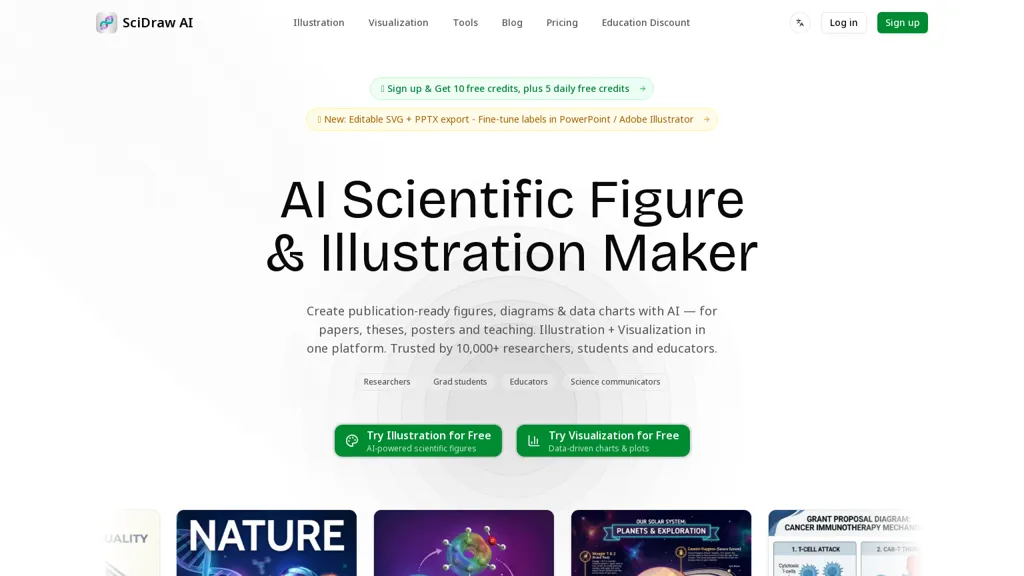
What is SciDraw AI?
SciDraw AI generates scientific illustrations and data visualizations for researchers, graduate students, educators, and science communicators.The tool converts text prompts, hand-drawn sketches, or uploaded images into publication-ready figures and diagrams with multi-round refinement and editable labels.
It creates data-driven charts from CSV/Excel inputs and can export editable SVG and PPTX files for further editing in Illustrator, PowerPoint, Figma, or Inkscape.Journal style presets (Nature, Science, Cell, PLoS, ACS) and export formats (PNG, PDF, EPS, TIFF) support manuscript, thesis, poster, and slide requirements.
scidraw ai can generate Python matplotlib/seaborn code for reproducible plots and includes accessible color palettes such as Okabe–Ito for colorblind-friendly visuals.Built-in templates cover graphical abstracts, mechanisms, pathways, workflows, and textbook-style illustrations to streamline figure creation for publications and teaching.
SciDraw AI details
- Built for
- Individuals
- Stated compliance
- PCI DSS
Compliance as stated in SciDraw AI's own published documentation.
SciDraw AI tech specs
- Integrations
- Figma
SciDraw AI pricing
Free trialSciDraw AI offers a free trial before requiring payment.
- Auto-renewal
- Yes
Verify on the official pricing page.
Start free trialSciDraw AI's key features
-
Convert text prompts, hand-drawn sketches, or uploaded images into publication-ready figures with multi-round refinement and editable labels
-
Create data-driven charts from CSV and Excel inputs
-
Export editable SVG and PPTX files and export raster/vector formats (PNG, PDF, EPS, TIFF)
-
Generate Python matplotlib/seaborn code for reproducible plots and provide accessible color palettes (Okabe–Ito)
-
Built-in templates for graphical abstracts, mechanisms, pathways, workflows, and textbook-style illustrations
SciDraw AI use cases
-
Produce publication-ready scientific figures and graphical abstracts from text prompts, sketches, or images using SciDraw AI's journal style presets and colorblind-friendly palettes, ready for submission without manual design work
-
Turn CSV or Excel spreadsheets into data-driven, publication-quality charts and heatmaps, export editable SVG/PPTX for presentations, and obtain reproducible Python plotting code for sharing and version control
-
Convert rough sketches or experimental images into polished multi-panel figures with consistent formatting and accessible palettes, then export editable vector files for last-minute edits and compliance with journal figure specifications
SciDraw AI user reviews
Would you recommend SciDraw AI?
Who is SciDraw AI for?
-
Researchers
-
Graduate students
-
Educators
-
Science communicators
-
Manuscript authors
-
Thesis and dissertation authors
-
Poster and slide presenters
-
Data analysts and computational scientists
-
Scientific illustrators and designers
SciDraw AI FAQ
Is SciDraw AI free?
Not permanently. SciDraw AI gives you a free trial, after which a paid plan is required.
Is SciDraw AI safe to use?
SciDraw AI states PCI DSS compliance in its own published documentation. It has a substantial audience that is independently measured month to month.
What are the best alternatives to SciDraw AI?
The closest alternatives to SciDraw AI are FigEditor AI, Piktochart, VDraw AI, ChartGen.ai and Napkin.ai. You can compare them side by side in the alternatives section further down this page.
What does SciDraw AI do with my data?
SciDraw AI states that customer content may be used to train its models. Its privacy policy states that personal data is not sold or shared for marketing purposes. Data may be shared with third-party service providers that help run the product.
Does SciDraw AI auto-renew or offer refunds?
SciDraw AI subscriptions renew automatically until you cancel.
What does SciDraw AI integrate with?
SciDraw AI connects with Figma.
Compliance, privacy and billing terms are as stated in each product's own published documentation and have not been independently verified by TopAI.tools.


