
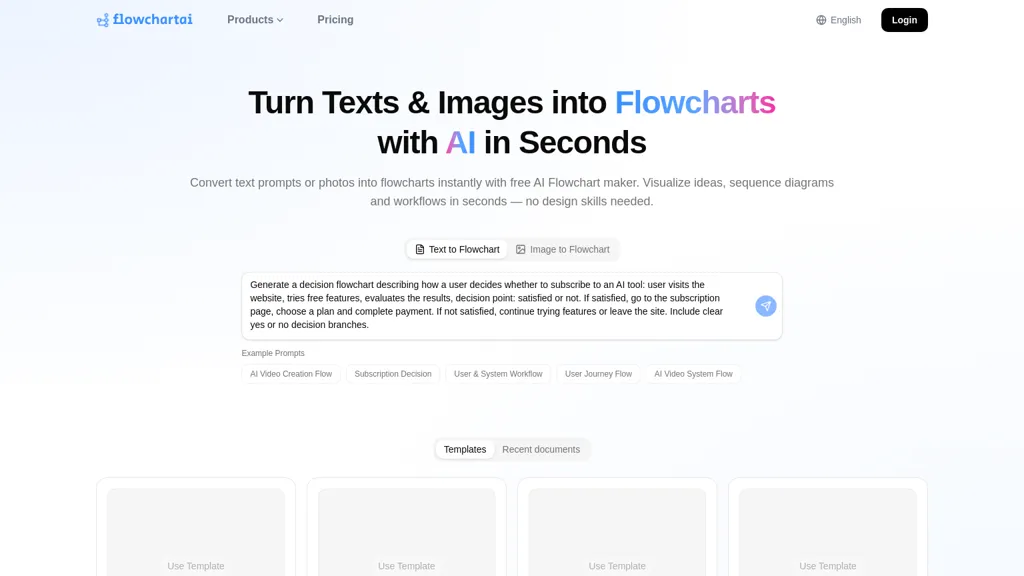
What is Flowchartai.tech?
FlowchartAI converts natural-language text, images, PDFs and spreadsheets into editable diagrams, including flowcharts, decision trees, UML diagrams, mindmaps, organizational charts and Gantt charts.The AI flowchart generator parses process descriptions to identify steps, decision points, loops and parallel paths, then applies smart auto-layout and proper flowchart symbols.
Templates and a visual editor let users refine nodes, connectors and styling, and export diagrams as PNG, SVG or PDF.Real-time collaboration, shared workspaces and version history support team workflows for product managers, operations and cross-functional teams.
Developers can generate architecture diagrams, API flows and state machines from plain text or pseudocode and integrate diagram exports into documentation.Students, educators and researchers can turn notes or SOPs into publication-ready diagrams for assignments, lectures and experimental protocols.
Keywords.AI flowchart maker, text-to-diagram, flowchart generator, diagram generator, decision tree maker, UML diagram generator, workflow visualization.
Flowchartai.tech details
- Built for
- Individuals
Flowchartai.tech pricing
Free trial- Free trial
- 90 days
- Auto-renewal
- Yes
Verify on the official pricing page.
Start free trialFlowchartai.tech's key features
-
Convert natural-language text, images, PDFs and spreadsheets into editable diagrams (flowcharts, decision trees, UML diagrams, mindmaps, organizational charts, Gantt charts)
-
AI parser that identifies steps, decision points, loops and parallel paths and applies smart auto-layout with proper flowchart symbols
-
Visual editor with templates to refine nodes, connectors and styling, and export diagrams to PNG, SVG and PDF
-
Real-time collaboration with shared workspaces and version history
-
Generate architecture diagrams, API flows and state machines from plain text or pseudocode and integrate diagram exports into documentation
Flowchartai.tech use cases
-
Convert complex process descriptions from text, PDFs and spreadsheets into clean, auto-laid-out flowcharts or decision trees for SOPs and onboarding using the AI diagram tool — parse steps, decisions and loops, collaborate in real time, and export production-ready PNG/SVG/PDF diagrams.
-
Generate architecture and state-machine diagrams from technical specs, spreadsheets or images to visualize system components, interactions and loops using the diagram editor's auto-layout and collaborative features, then iterate with engineers and export SVG/PDF for documentation or reviews.
-
Turn meeting notes, research PDFs and org data into mindmaps, org charts and Gantt timelines for project planning and stakeholder mapping using this tool — automatically extract steps/decisions, edit with your team, and download shareable diagrams for presentations and status reports.
Flowchartai.tech user reviews
Based on 4 reviews, 100% of users recommend Flowchartai.tech, rated highly for value for money.
Liked for
Would you recommend Flowchartai.tech?
Who is Flowchartai.tech for?
-
Software developers
-
Product managers
-
Operations teams
-
Cross-functional teams
-
College students
Flowchartai.tech FAQ
Is Flowchartai.tech free?
Not permanently. Flowchartai.tech gives you a free trial of 90 days, after which a paid plan is required. Plans include Lite at $9.99, Pro at $14.99 and Prime at $29.99.
What are the best alternatives to Flowchartai.tech?
The closest alternatives to Flowchartai.tech are Docugram, AI Diagram Generator, Diagramming, Edraw Software and EdrawMax AI. You can compare them side by side in the alternatives section further down this page.
Does Flowchartai.tech auto-renew or offer refunds?
Flowchartai.tech subscriptions renew automatically until you cancel.
Does Flowchartai.tech have an API?
Yes. Flowchartai.tech offers an API, so you can call it from your own applications instead of using the interface directly.
Compliance, privacy and billing terms are as stated in each product's own published documentation and have not been independently verified by TopAI.tools.


