
What is edraw ai?
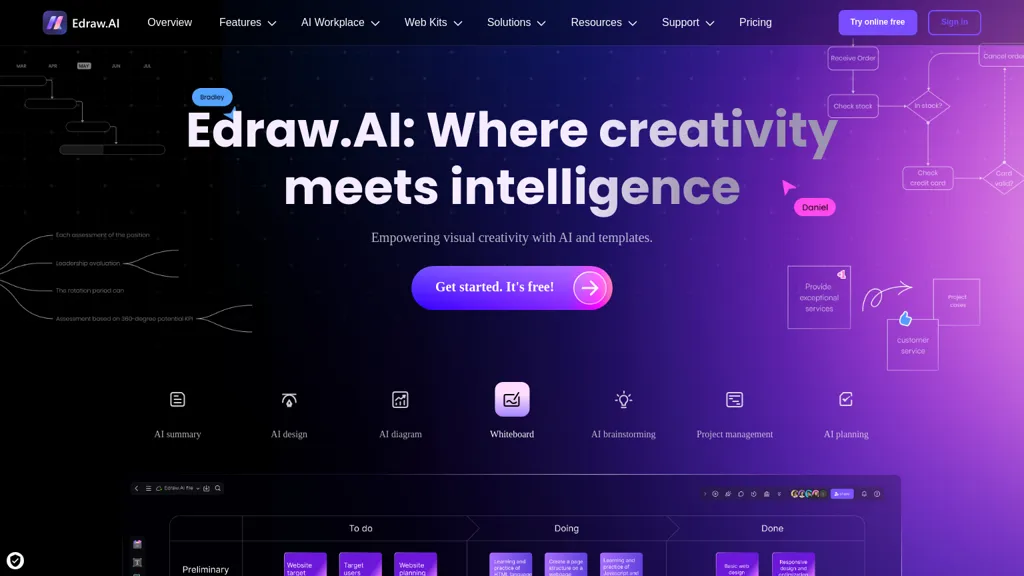
Edraw.ai is an AI-powered visual collaboration platform designed to enhance productivity across various user groups. Key features include an extensive library of diagram types such as flowcharts, mind maps, org charts, and Gantt charts, all aimed at facilitating visual project management and planning.
Users can benefit from real-time collaboration, allowing teams to brainstorm and edit documents simultaneously, regardless of location. The platform supports a wide range of templates and symbols, simplifying the creation of professional diagrams and presentations.
Its user-friendly interface makes it accessible for beginners while catering to the needs of engineers, project managers, researchers, and educators seeking to visually organize data, streamline workflows, and enhance communication. With options for exporting in numerous formats, Edraw.
edraw ai details
- Company
- Wondershare Technology Group Co., Ltd
- Jurisdiction
- People's Republic of China
- Built for
- Individuals
- Stated compliance
- GDPR
Compliance as stated in edraw ai's own published documentation.
edraw ai tech specs
- Cloud
- AWS
edraw ai pricing
Free trialVerify on the official pricing page.
Start free trialedraw ai's key features
-
Extensive library of diagram types
-
Real-time collaboration
-
Wide range of templates and symbols
-
User-friendly interface
-
Options for exporting in numerous formats
edraw ai use cases
-
Create detailed organizational charts with Edraw.ai's extensive library of templates, simplifying employee management and visualizing team structures for enhanced communication.
-
Utilize mind maps in Edraw.ai for brainstorming sessions, allowing teams to collaboratively generate ideas in real-time, regardless of their physical location.
-
Develop Gantt charts for project planning using Edraw.ai, enabling project managers to visualize timelines, track progress, and streamline workflows effectively across multiple teams.
edraw ai user reviews
Based on 17 reviews, 65% of users recommend edraw ai, rated highly for quality results.
Liked for
Disliked for
Would you recommend edraw ai?
Who is edraw ai for?
-
Visual designers
-
Strategic directors
-
Digital marketers
-
Content creators
-
Product builders
edraw ai FAQ
Is edraw ai free?
Not permanently. edraw ai gives you a free trial, after which a paid plan is required. Plans include Pro plan at us$7.9/mo and Unlimited plan at us$9.9/mo.
Is edraw ai safe to use?
edraw ai states GDPR compliance in its own published documentation. edraw ai is operated by Wondershare Technology Group Co., Ltd, registered in People's Republic of China. edraw ai carries the TopAI.tools verified mark, which we award after a manual review of pricing transparency, published terms, public following and working functionality.
Is edraw ai good?
edraw ai has a 65% recommendation rate from 17 reviewers on TopAI.tools. Reviewers rate it highest on quality of results and value for money.
What are the best alternatives to edraw ai?
The closest alternatives to edraw ai are VDraw AI, Napkin.ai, MyMap.AI, Cloudairy and Diagramming. You can compare them side by side in the alternatives section further down this page.
What does edraw ai do with my data?
edraw ai states that customer content is not used to train its models. Its privacy policy states that personal data is sold or shared for marketing purposes. Data may be shared with third-party service providers that help run the product.
Who made edraw ai?
edraw ai is built and operated by Wondershare Technology Group Co., Ltd, a company registered in People's Republic of China.
Compliance, privacy and billing terms are as stated in each product's own published documentation and have not been independently verified by TopAI.tools.


