
What is Diagramming?
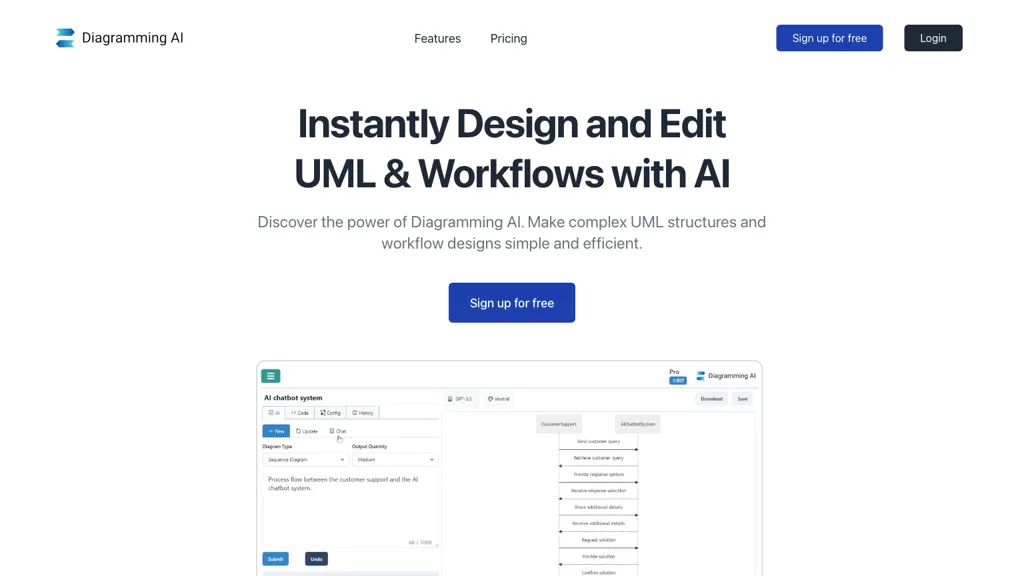
Diagramming AI is an AI‑driven diagram generation and editing platform that supports flowcharts, UML, architecture diagrams, and more across Mermaid, PlantUML, GraphViz, D2, and Excalidraw engines.
It lets users create diagrams from plain‑English prompts, refine them with an AI chat interface, and automatically correct syntax errors.
Quick‑edit controls, a visual editor that converts text diagrams into interactive Excalidraw canvases, and a library of templates for sequence, class, state, and Gantt charts are provided.
Project‑based storage keeps diagram code and visual edits together, enabling versioned collaboration for developers, project managers, data analysts, technical writers, and educators.
Export options include SVG, PNG, and shareable URLs via Kroki, while customizable color themes and infographics templates support clear visual communication.
By combining natural‑language input, real‑time AI suggestions, and flexible format support, Diagramming AI streamlines diagram creation and maintenance for technical, educational, and business audiences.
Diagramming details
- Built for
- Individuals
Diagramming tech specs
- Works with
- OpenAI / GPT Anthropic / Claude Google / Gemini
- Cloud
- AWS
Diagramming pricing
Freemium- Auto-renewal
- Yes
Verify on the official pricing page.
View plansDiagramming's key features
-
AI-powered diagram generation
-
Multi-format export
-
AI chat for edits
-
Live diagram preview
-
Quick edit adjustments
-
Excalidraw visual editor
-
URL and image conversion
Diagramming use cases
-
Generate a complete architecture diagram for a microservices platform using natural language prompts, automatically converting Mermaid syntax to an interactive Excalidraw canvas and exporting the final SVG for embedding in your documentation site without any manual diagramming
-
Create a real‑time UML class diagram for a new Java feature by describing the classes in plain English, letting the AI auto‑correct PlantUML syntax, collaborate with teammates on the same diagram, and export the final PNG for your Jira ticket
-
Design a step‑by‑step onboarding flowchart for your customer support portal by inputting a brief description, have the AI refine the GraphViz layout, and receive an exportable URL and interactive preview that can be shared with stakeholders
Diagramming user reviews
Would you recommend Diagramming?
Who is Diagramming for?
-
Software developers
-
Product managers
-
System architects
-
User interface designers
-
Workflow analysts
Diagramming FAQ
Is Diagramming free?
Partly. Diagramming has a free plan with usage limits, and paid plans unlock the full feature set. Plans include Lite at $3, Starter at $6 and Pro at $14.
What are the best alternatives to Diagramming?
The closest alternatives to Diagramming are MermaidViewer, EdrawMax AI, VDraw AI, edraw ai and Napkin.ai. You can compare them side by side in the alternatives section further down this page.
What does Diagramming do with my data?
Its privacy policy states that personal data is not sold or shared for marketing purposes. Data may be shared with third-party service providers that help run the product.
Does Diagramming auto-renew or offer refunds?
Diagramming subscriptions renew automatically until you cancel.
Which AI models does Diagramming use?
Diagramming is built on OpenAI / GPT, Anthropic / Claude and Google / Gemini. Which models you can reach may depend on your plan.
Compliance, privacy and billing terms are as stated in each product's own published documentation and have not been independently verified by TopAI.tools.


