
What is Draw3D?
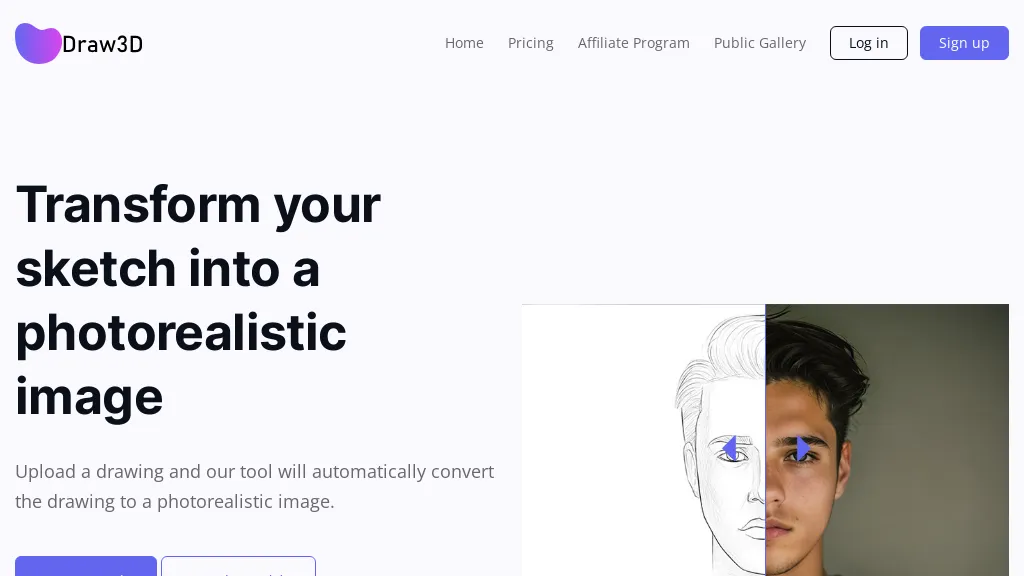
Draw3D converts hand‑drawn sketches into photorealistic images using AI. Users upload a drawing and the tool automatically generates a high‑resolution photo, handling detailed scenes such as landscapes and animal portraits while preserving facial structure.
It also supports sculpture‑to‑photo and photo‑to‑sculpture transformations, giving designers a versatile creative workflow. After generation, images can be upscaled up to 4× without quality loss, with an 8× option planned for future releases. A built‑in editor allows basic filtering and resizing, enabling quick refinement before sharing or printing.
Draw3D tech specs
- Works with
- OpenAI / DALL-E Midjourney
Draw3D pricing
FreemiumVerify on the official pricing page.
View plansDraw3D's key features
-
Convert sketches to photorealistic images
-
Supports detailed sketches
-
Upscales images up to 4x
-
Handles animal face structures
-
Transforms sculptures to photos
-
Simple in‑app image editor
-
Reverse photo-to-sculpture transformation
Draw3D use cases
-
Turn a hand‑drawn landscape sketch into a high‑resolution, photorealistic image for a gallery print, requiring no coding and ready for instant sharing
-
Convert a child’s animal portrait sketch into a lifelike photo for use in a children’s book illustration, with quick in‑app editing to fine‑tune colors and details
-
Upscale a low‑resolution sculpture sketch to 4× resolution for high‑quality 3D printing or VR applications, preserving fine details and textures
Draw3D user reviews
Based on 1 review, 100% of users recommend Draw3D, rated highly for quality results.
Liked for
Would you recommend Draw3D?
Who is Draw3D for?
-
Digital artists
-
Product designers
-
3d modelers
-
Visualizers
-
Creative directors
Draw3D FAQ
Is Draw3D free?
Partly. Draw3D has a free plan with usage limits, and paid plans unlock the full feature set. Plans include Starter at billed/mo $ 9, Basic at billed/mo $ 15 and Most popular at billed/mo $ 15 (yearly save 20%).
What are the best alternatives to Draw3D?
The closest alternatives to Draw3D are picture to drawing, SketchImage.AI, Sketch To Image, Doodle Morph AI and Smart Upscaler. You can compare them side by side in the alternatives section further down this page.
What does Draw3D do with my data?
Draw3D states that customer content may be used to train its models. Its privacy policy states that personal data is not sold or shared for marketing purposes. Data may be shared with third-party service providers that help run the product.
Which AI models does Draw3D use?
Draw3D is built on OpenAI / DALL-E and Midjourney. Which models you can reach may depend on your plan.
Compliance, privacy and billing terms are as stated in each product's own published documentation and have not been independently verified by TopAI.tools.


