
What is Vectorizer.io?
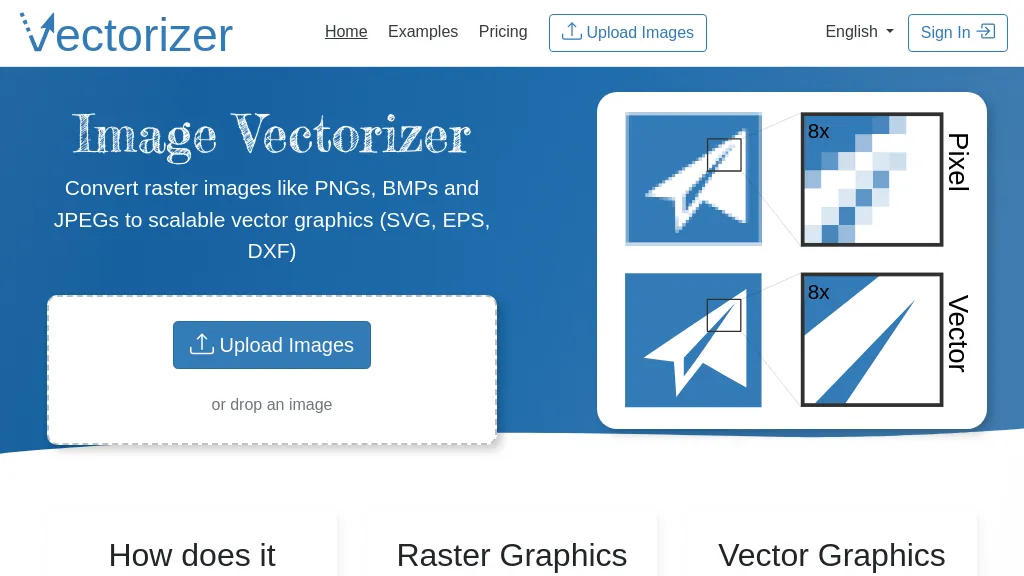
Image Vectorizer converts raster images such as PNG, BMP, and JPEG files into scalable vector graphics formats including SVG, EPS, and DXF. The tool applies AI‑driven noise removal and color simplification to sharpen edges before vectorizing. Vectorization is achieved by translating pixel color data into geometric primitives—lines, circles, and curves—derived from edge detection and brightness similarity.
Resulting vector files maintain quality at any size, making them suitable for logos, t‑shirt designs, tattoos, decals, and billboard graphics. The web interface supports drag‑and‑drop uploads and includes tutorials for beginners and advanced users. The service is aimed at designers, graphic artists, and anyone needing high‑resolution vector outputs from photo‑based images.
Vectorizer.io details
- Jurisdiction
- Germany
- Built for
- Individuals
Vectorizer.io tech specs
- Payment Processors
- Paddle
Vectorizer.io pricing
Subscription- Auto-renewal
- Yes
Verify on the official pricing page.
View plansVectorizer.io's key features
-
Convert raster images to SVG
-
AI noise removal, color simplification
-
Edge-based vectorization to primitives
-
Drag-and-drop image upload
-
API for programmatic access
-
Scalable vector output without loss
Vectorizer.io use cases
-
Transform hand‑drawn sketches of t‑shirt designs into crisp SVG vectors for rapid prototyping, enabling instant mock‑up creation without manual vectorization
-
Turn noisy billboard photographs into high‑resolution vector assets, removing background clutter and simplifying colors to streamline the production of large‑scale print ads
-
Convert scanned tattoo art into clean, scalable vector files, allowing artists to export precise outlines for ink planning and digital portfolios
Vectorizer.io user reviews
Based on 25 reviews, 80% of users recommend Vectorizer.io, rated highly for value for money.
Liked for
Disliked for
Would you recommend Vectorizer.io?
Who is Vectorizer.io for?
-
Visual designers
-
Software developers
-
Digital marketers
-
Web developers
-
Graphic designers
Vectorizer.io FAQ
How much does Vectorizer.io cost?
Vectorizer.io is a paid product with no free plan. Plans include One-week access pass at $4.99 and Monthly subscription at $8.99/mo.
Is Vectorizer.io safe to use?
Vectorizer.io carries the TopAI.tools verified mark, which we award after a manual review of pricing transparency, published terms, public following and working functionality. It has a substantial audience that is independently measured month to month.
Is Vectorizer.io good?
Vectorizer.io has an 80% recommendation rate from 25 reviewers on TopAI.tools. Reviewers rate it highest on value for money and ease of use.
What are the best alternatives to Vectorizer.io?
The closest alternatives to Vectorizer.io are Svgtrace.com, SVG AI, SVGconverter AI, AI Vector.ai and VectorArt.ai. You can compare them side by side in the alternatives section further down this page.
What does Vectorizer.io do with my data?
Its privacy policy states that personal data is not sold or shared for marketing purposes. Data may be shared with third-party service providers that help run the product.
Does Vectorizer.io auto-renew or offer refunds?
Vectorizer.io subscriptions renew automatically until you cancel.
Does Vectorizer.io have an API?
Yes. Vectorizer.io offers an API, so you can call it from your own applications instead of using the interface directly.
Compliance, privacy and billing terms are as stated in each product's own published documentation and have not been independently verified by TopAI.tools.


