
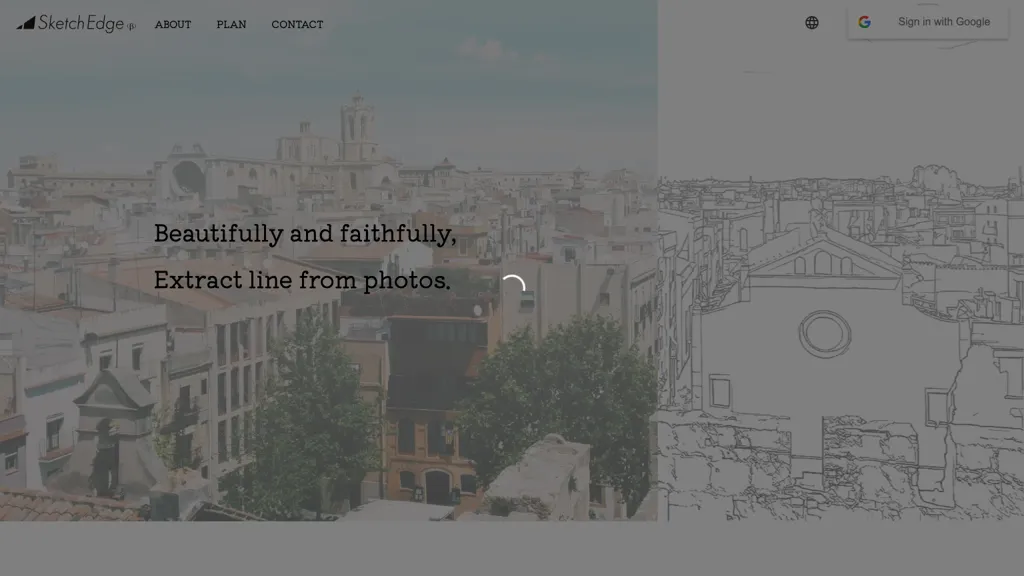
What is SketchEdge?
SketchEdge extracts line drawings from photos and images using AI, accurately capturing contours while rendering soft, hand‑drawn lines. The tool supports designers, manga artists, and illustrators who need background references or material sketches. Users can upload high‑resolution images, adjust line thickness, and export the result as vector (SVG) or raster (PNG) files for seamless integration into design workflows.
SketchEdge pricing
FreemiumSketchEdge offers a free plan with paid upgrades available.
Verify on the official pricing page.
View plansSketchEdge's key features
-
AI-powered line extraction
-
Accurate contour capture
-
Soft, human-like lines
-
Hand-drawn natural style
-
Image-to-line conversion
-
Design, manga, material use
SketchEdge use cases
-
Generate professional comic book panels by uploading high‑resolution photos, fine‑tuning line thickness, and exporting scalable SVG sketches ready for print, all through a streamlined web interface
-
Batch‑process product images into clean hand‑drawn line art to serve as vector references for game designers, then export as PNG for quick iteration in game engines
-
Create stylized line‑drawing mockups for marketing by converting photos into soft sketches, adjusting thickness on the fly, and exporting SVG or PNG for use in catalogs and social media campaigns
SketchEdge user reviews
Would you recommend SketchEdge?
Who is SketchEdge for?
-
Visual designers
-
Digital illustrators
-
Digital artists
-
Concept artists
-
Graphic designers
SketchEdge FAQ
Is SketchEdge free?
Partly. SketchEdge has a free plan with usage limits, and paid plans unlock the full feature set.
What are the best alternatives to SketchEdge?
The closest alternatives to SketchEdge are Draw3D, Vectorizer.io, Sketch To, picture to drawing and Line Art Generator. You can compare them side by side in the alternatives section further down this page.


