
What is Sketch To?
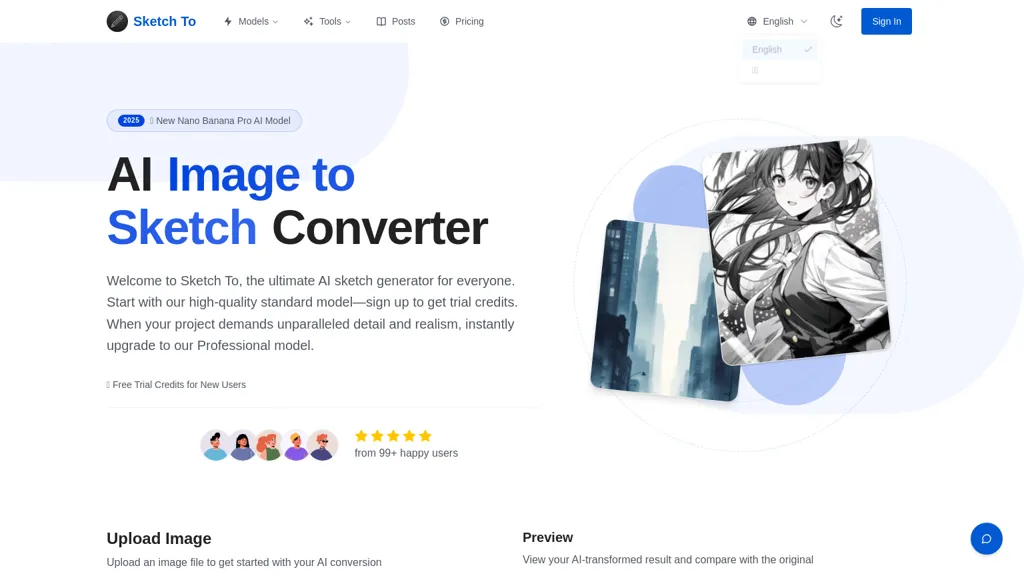
Sketch is an AI image sketch converter that transforms photos into pencil-style sketches and converts sketches back into realistic images using neural networks.It provides two generation models.a standard model for everyday use and a professional model for higher detail, texture and commercial projects.
Features include support for common image formats (JPG, PNG, WebP), drag-and-drop upload, live preview, side-by-side comparison and high-resolution downloads.Cloud-based processing completes conversions in seconds and delivers consistent output suitable for print and client work.
New users receive trial credits for the standard model, and a credit-based option unlocks professional-model generations.Target users include hobbyists, artists, designers, photographers and teams needing image-to-sketch and sketch-to-image workflows for social, editorial and commercial projects.
Typical workflow.upload an image, choose style and model, generate the result, then preview and download.
Sketch To details
- Built for
- Individuals
Sketch To tech specs
- Works with
- OpenAI / GPT Google / Nano Banana Stability AI Black Forest Labs / Flux ByteDance / Seedream
- Cloud
- Google Cloud
- Payment Processors
- Stripe PayPal
Sketch To pricing
Free trialVerify on the official pricing page.
Start free trialSketch To's key features
-
Photo to pencil-style sketch and sketch to realistic image
-
Selectable generation models (standard and professional) for everyday or higher-detail outputs
-
Supports common image formats: JPG, PNG, WebP
-
Drag-and-drop upload with live preview and side-by-side comparison
-
Cloud-based processing for fast (seconds) conversions and high-resolution downloads
Sketch To use cases
-
Create high-resolution pencil sketches from photos for prints, posters, and personalized gifts using sketch's professional models, live preview and fast cloud processing without any design software or extra tools
-
Transform hand-drawn sketches into realistic, photorealistic images for concept art, client mockups or restored artwork using sketch's sketch-to-real model with side-by-side comparison and high-resolution downloads
-
Produce multiple pencil-style variations of product photos, social posts or architectural visuals with instant live preview for client feedback, then export print-ready, high-resolution files via cloud-based conversion
Sketch To user reviews
Based on 6 reviews, 83% of users recommend Sketch To, rated highly for quality results.
Liked for
Disliked for
Would you recommend Sketch To?
Who is Sketch To for?
-
Digital artists
-
Visual designers
-
Creative teams
-
Sketch enthusiasts
-
Image developers
Sketch To FAQ
Is Sketch To free?
Not permanently. Sketch To gives you a free trial, after which a paid plan is required. Plans include Basic at $8.00/mo (billed annually) or $9.99/mo and Pro at $16.00/mo (billed annually) or $19.99/mo.
What are the best alternatives to Sketch To?
The closest alternatives to Sketch To are SketchImage.AI, picture to drawing, Image to Image AI, Canva AI and PromeAI. You can compare them side by side in the alternatives section further down this page.
What does Sketch To do with my data?
Its privacy policy states that personal data is not sold or shared for marketing purposes. Data may be shared with third-party service providers that help run the product.
Which AI models does Sketch To use?
Sketch To is built on OpenAI / GPT, Google / Nano Banana, Stability AI, Black Forest Labs / Flux and ByteDance / Seedream. Which models you can reach may depend on your plan.
Compliance, privacy and billing terms are as stated in each product's own published documentation and have not been independently verified by TopAI.tools.


