
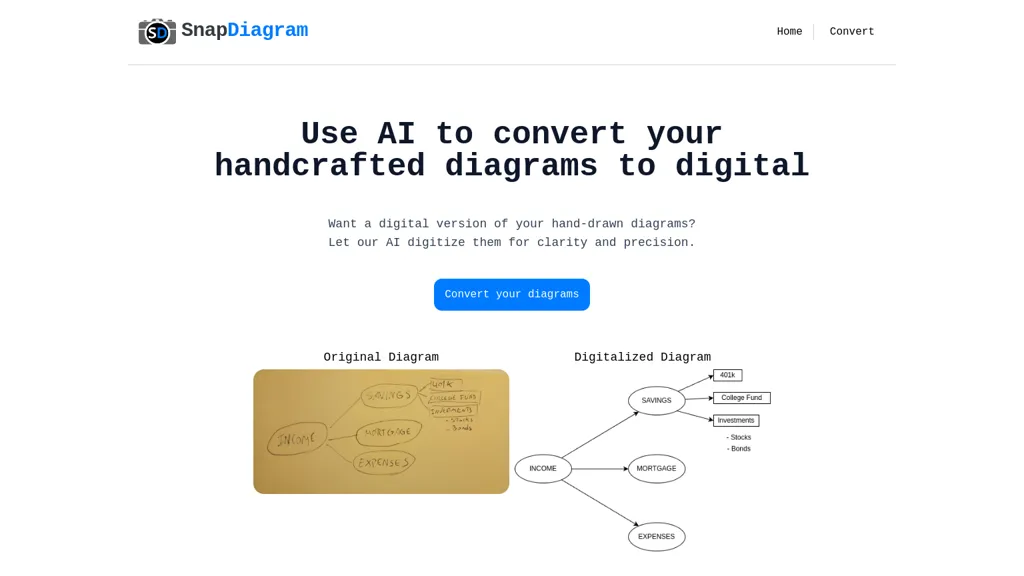
What is SnapDiagram?
SnapDiagram converts hand‑drawn diagrams into clear digital images using AI. It accepts any image format and outputs PNG, JPG, or an editable file that can be refined in common design software. Users can view the conversion process through a tutorial video and then download the result in their preferred format.
The service supports a single free conversion per month and offers paid plans for additional conversions and longer retention. SnapDiagram supports a variety of user groups, from students drafting study notes to professionals preparing technical schematics, providing a quick and accurate digital representation of manual sketches.
SnapDiagram pricing
FreemiumVerify on the official pricing page.
View plansSnapDiagram's key features
-
AI digitizes hand-drawn diagrams
-
Supports all image formats
-
Provides editable digital files
-
Free monthly diagram conversion
-
Pay‑as‑you‑go plans
-
Export to PNG, JPG, editable
SnapDiagram use cases
-
Convert quick sketchy project wireframes into polished PNG mockups for client presentations, saving time and eliminating the need for design software
-
Digitally refine hand‑drawn engineering schematics into editable SVG files for seamless integration into CAD workflows
-
Transform handwritten classroom lesson outlines into crisp digital flowcharts for sharing with remote students
SnapDiagram user reviews
Would you recommend SnapDiagram?
Who is SnapDiagram for?
-
Creative designers
-
Software engineers
-
Project managers
-
Academic educators
-
Business strategists
SnapDiagram FAQ
Is SnapDiagram free?
Partly. SnapDiagram has a free plan with usage limits, and paid plans unlock the full feature set. Plans include Basic at $1 and Pro at $3.
What are the best alternatives to SnapDiagram?
The closest alternatives to SnapDiagram are picture to drawing, Napkin.ai, Draw3D, Vectorizer AI and Doodle Morph AI. You can compare them side by side in the alternatives section further down this page.


