
Top 29 MacGaiver Alternatives in 2026
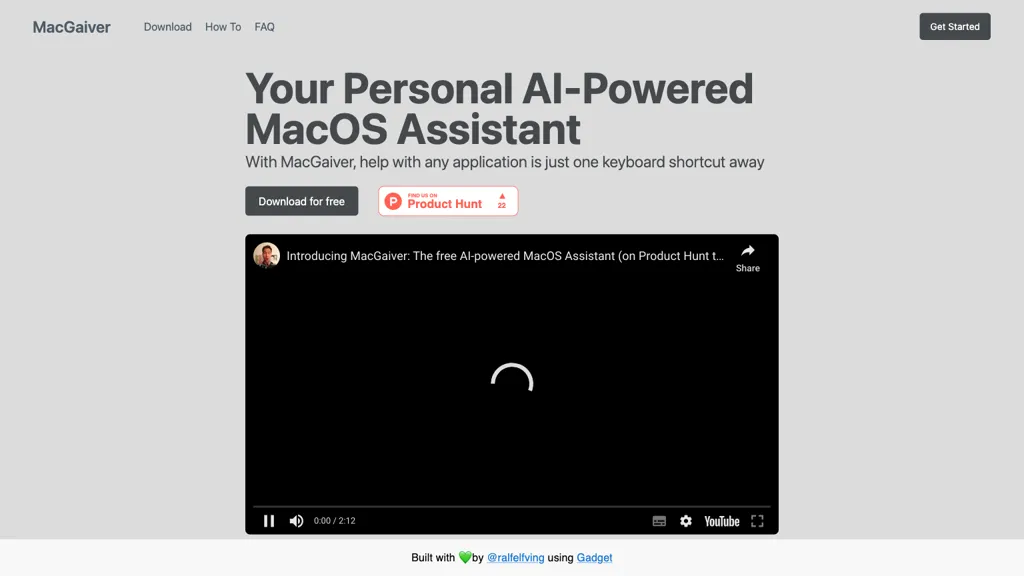
No user reviews yet FreeMacGaiver is a macOS AI assistant that, via a shortcut, captures a screenshot of the active window and sends it to OpenAI’s Vision API to deliver quick text or audio answers within any application.
We've ranked 29 MacGaiver alternatives, including 23 with a free plan. Rankings are based on feature coverage and user feedbacks.
Top-rated alternatives include MacCopilot, Alice App, and Screensnapai.
29 MacGaiver Alternatives & Competitors, Ranked by User Reviews
Click Compare on any tool to compare it side-by-side with MacGaiver.
 #1
MacCopilot
#1
MacCopilot
MacCopilot lets macOS users select any screen area, capture screenshots, and chat with AI models—GPT‑4o, Claude, Gemini, or local Ollama—to receive instant visual analysis, code reviews, design feedback, and contextual insights directly on‑screen. Hotkeys and history improve workflow.
 #2
Alice App
#2
Alice App
Alice is an AI assistant for macOS, Windows, and Linux that launches via hotkey, stores context locally, supports multiple LLMs through API keys, offers keyboard shortcuts, custom commands via Zapier/Make, and handles files, web, images, and visuals for reliable responses.
 #3
Screensnapai
#3
Screensnapai
ScreenSnapAI auto‑renames and tags screenshots on macOS, letting users open an AI chat for instant content explanations. Accessible via menu or shortcut, it organizes images with AI‑generated metadata, speeding knowledge capture and retrieval on Intel and Apple Silicon machines.
 #4
MindMac
#4
MindMac
MindMac is a native macOS client that integrates ChatGPT, Azure OpenAI, Gemini, and Claude on the desktop. It offers inline prompts, a 150‑template library, customizable context modes, shortcuts, keychain storage, and 15 UI languages for developers, researchers, and teams.
 #5
Omnipilot
#5
Omnipilot
Omnipilot is a macOS AI copilot that provides context‑aware typing assistance in any application. It auto‑completes emails, generates Bash commands, offers code suggestions, drafts documents, and creates meeting summaries, reducing typing and context switching.
 #6
ShotSolve
#6
ShotSolve
ShotSolve is a native macOS app that captures screenshots and uses GPT‑4o for instant queries. It offers a clean chat interface with themes, code styling, context controls, secure key storage, and configurable parameters for custom AI interactions.
- Catch deals before they expire
- Unlock tools matched to you
- Show off your AI stacks
Already a member? Sign in
 #7
Omnipilot
#7
Omnipilot
Omnipilot is a macOS AI copilot that types in any app, offering context‑aware email drafting, Bash assistance, and streamlined updates. It supports coding, writing, and data tasks without extra software for developers, writers, and business professionals.
 #8
Enconvo
#8
Enconvo
EnConvo turns macOS apps into AI agents via SmartBar, PopBar, and Companion Orb, offering voice input, live screen and camera sharing, multi‑provider web search, image generation, custom workflows, document chat, offline LLMs, open‑source plugins, and real‑time captions.
 #9
Helper.im
#9
Helper.im
Ai Helper is a cross‑platform desktop client that brings ChatGPT, GPT‑4, and other AI engines to macOS, Windows, and Linux. It lets users chat on webpages, PDFs, or videos via shortcuts and generate content, code, or emails within native apps.
 #10
Voilà
#10
Voilà
Voilà AI Assistant is a cross‑platform browser extension, desktop, and mobile app that uses GPT‑5 to summarize, rewrite, translate, and auto‑reply to emails, chats, PDFs, spreadsheets, and YouTube transcripts, while correcting spelling, grammar, tone and generating images from text.
 #11
Atua
#11
Atua
Atua is a macOS app that lets users trigger AI tasks in app via text, screenshots, or voice. Custom commands fetch or generate responses from chosen LLMs, then write back to Notes, calendars, files, or run scripts—keeping workflow in place.
 #12
HelloAI
#12
HelloAI
HelloAI is an AI chatbot assistant available on the Mac App Store that utilizes advanced AI technology to provide prompt responses to user queries.
 #13
Sidekiiick
#13
Sidekiiick
Sidekick AI tool is a conversational AI tool that provides easy access to ChatGPT on macOS.
 #14
MaxAI.me
#14
MaxAI.me
MaxAI is a Chrome/Edge extension and web app that adds an AI sidebar for instant on‑page queries, delivering responses with cited sources. It supports writing assistance, translation, and summarization of PDFs, videos, and images for research, coding, and marketing.
 #15
SeeingAI
#15
SeeingAI
Seeing AI is a mobile app that uses AI to give real‑time audio descriptions of text, photos, and documents to blind and low‑vision users. It identifies products, colors, and handwritten notes and warns of nearby obstacles, enabling independent daily tasks.
 #16
Inbox AI
#16
Inbox AI
Inbox AI is a voice-driven automation tool for macOS that streamlines email management and task processing. It integrates with Apple Mail for smart actions, supports custom voice assistants, and ensures privacy through on-device processing.
 #17
AnswersAi
#17
AnswersAi
answersai is an AI tool that offers instant solutions to academic questions. Users can capture problems via photo and receive accurate responses, with support for follow-up queries to enhance understanding across various subjects, accessible on mobile and web.
 #18
Vidix
#18
Vidix
Vidix for macOS lets users select text, press a shortcut, and insert AI‑generated responses directly into documents. It supports code‑review workflows, a visual workflow canvas, image assistance, multi‑provider model control, optional local execution, and local logging for privacy.
 #19
XX.AI
#19
XX.AI
XXAI unifies text, image, and video creation in a single desktop app. It offers drafting, rewriting, a prompt library, real‑time AI search, and a copilot that inserts responses across applications, streamlining authorship, design, and marketing workflows.
 #20
Macaify
#20
Macaify
Macaify embeds AI into macOS apps by selecting text and pressing a shortcut, delivering instant results without copy‑paste or app switching. It supports multiple providers, customizable models, chat mode, and advanced agent or knowledge‑base extensions.
 #21
1min.AI
#21
1min.AI
1minAI unifies text, image, audio, and video AI tools in one interface, supporting GPT‑4, Gemini, Claude, and Mistral. It offers generation, editing, translation, and API integration while keeping data private.
 #22
Enclave AI
#22
Enclave AI
Enclave AI runs large language models on Mac and iPhone, keeping all text, voice, and document processing offline. It supports on‑device speech recognition, synthesis, and custom assistants, with local, encrypted conversation history and PDF summarization, ensuring privacy.
 #23
ChatKit
#23
ChatKit
ChatKit is a cross‑platform AI chat app for macOS, Windows, and Linux that connects to OpenAI, Gemini, Azure, and custom models via API keys. It offers prompt templates, chat bookmarks, voice input, text‑to‑speech, file drop, web search, and URL fetching.
 #24
AiAgent.app
#24
AiAgent.app
AI Agent is a web app that allows users to create customized AI agents to perform specific tasks and achieve goals.
 #25
Text Assistant
#25
Text Assistant
Text Assistant is a macOS Ventura app that lets users create, store, and reuse custom prompts for writing tasks. It offers an unlimited prompt library, shortcut support, quick copy/share, and integrates with OpenAI via user API key.
 #26
Kerlig™
#26
Kerlig™
Kerlig is a macOS‑native AI assistant that edits, proofreads, summarizes, and generates content across apps via a hotkey. It supports 350+ cloud and local models, custom presets, and works with PDFs, Word, and web pages.
 #27
boltai.com
#27
boltai.com
BoltAI is a native macOS app that lets users switch between 300+ AI models, including OpenAI, Anthropic, Google Gemini, and local Ollama. It supports multimodal analysis, fine‑grained controls, project management, local storage, and secure cloud sync.
 #28
Blue
#28
Blue
Blue is a macOS app that integrates ChatGPT capabilities for tasks like summarizing and translating, enhancing productivity. It features on-device processing, data privacy, and context-aware assistance through screen analysis, ensuring a seamless workflow for professionals.
 #29
Aurore.ai
#29
Aurore.ai
Aurore.ai is an AI companion that integrates with gaming and productivity workflows, offering real‑time chat, voice commands, screen reading, and contextual suggestions across macOS and Windows to support task execution and strategy planning.
Frequently Asked Questions
Why look for MacGaiver alternatives?
Common reasons users switch from MacGaiver:
- Feature gaps: teams needing specific capabilities like Analyze Screenshots may find a more focused alternative better suited to their workflow.
- Flexibility: exploring alternatives helps find tools that better match your team size, integrations, and budget.
What is the best alternative to MacGaiver?
Based on 1 user review, MacCopilot (100% positive) ranks as the top MacGaiver alternative. MacCopilot lets macOS users select any screen area, capture screenshots, and chat with AI models—GPT‑4o, Claude, Gemini, or local Ollama—to receive in It is available on a Free plan.
How do the top MacGaiver alternatives compare?
| Tool | Pricing | Starting Price | User Rating |
|---|---|---|---|
| MacGaiver this tool | Free | — | — |
| MacCopilot | Free | — | 100% (1) |
| Alice App | Paid | $99 | 66.7% (6) |
| Screensnapai | Freemium | — | — |
| MindMac | Paid | $29 | — |
| Omnipilot | Freemium | — | 100% (1) |
Are there free MacGaiver alternatives?
Yes, 23 free alternatives found in our list: MacCopilot, Screensnapai, Omnipilot. and 20 more — use the pricing filter above to see them all.
What should I look for in a MacGaiver alternative?
- Core capabilities: confirm the tool supports Analyze Screenshots, Generate Answers, Provide Audio.
- Pricing transparency: look for clear free plan, trial period, or tiered pricing — avoid tools that hide costs.
- User reviews: check both the satisfaction percentage and the number of reviews; a high score from few users is less reliable.
- Integrations: verify it connects with your existing stack before committing.
- Support and updates: active development and responsive support are strong signals of a maintained product.
Which MacGaiver alternative has the highest user rating?
MacCopilot has the highest satisfaction score among MacGaiver alternatives, with 100% positive from 1 user review. It is available on a Free plan.
What are MacGaiver alternatives used for?
- Analyze Screenshots
- Generate Answers
- Provide Audio