Top 29 Omnipilot Alternatives in 2026
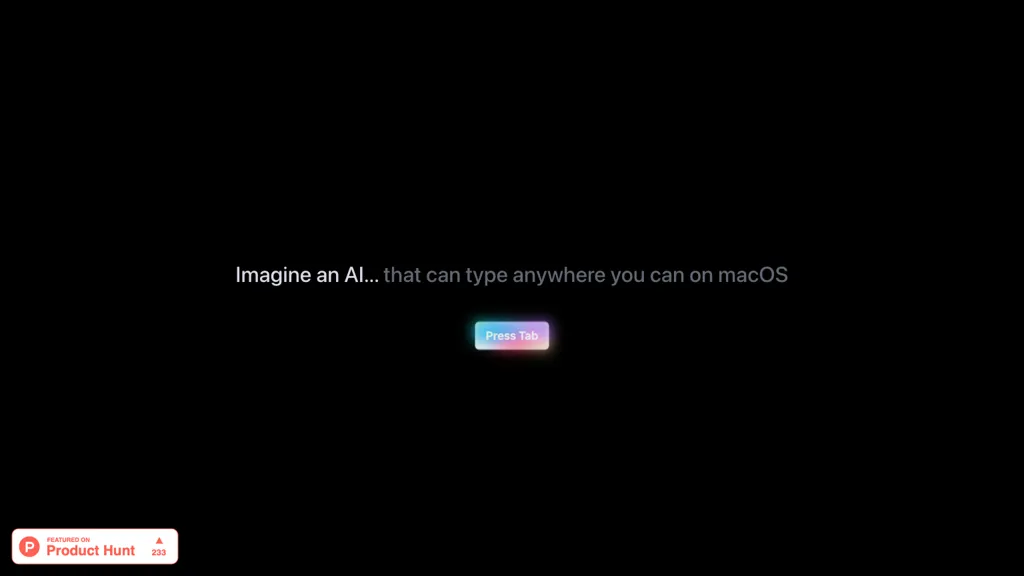
100% positive · 1 user review FreemiumOmnipilot is a macOS AI copilot that provides context‑aware typing assistance in any application. It auto‑completes emails, generates Bash commands, offers code suggestions, drafts documents, and creates meeting summaries, reducing typing and context switching.
We've ranked 29 Omnipilot alternatives, including 24 with a free plan. Rankings are based on feature coverage and user feedbacks.
Top-rated alternatives include Microsoft Copilot, MacCopilot, and InfinipilotAI.
29 Omnipilot Alternatives & Competitors, Ranked by User Reviews
Click Compare on any tool to compare it side-by-side with Omnipilot.
Copilot allows users to ask questions, receive complete answers, research topics, and create content.
#2
MacCopilot
MacCopilot lets macOS users select any screen area, capture screenshots, and chat with AI models—GPT‑4o, Claude, Gemini, or local Ollama—to receive instant visual analysis, code reviews, design feedback, and contextual insights directly on‑screen. Hotkeys and history improve workflow.
#3
InfinipilotAI
InfinipilotAI is a macOS AI co‑pilot that provides autocomplete, style and grammar fixes, real‑time translation, and code review. It supports OpenAI, Claude, Gemini, and local models with optional local processing, text‑to‑speech, and speech‑to‑text.
#4
CopilotKit
Copilotkit accelerates copilot creation with AI features for knowledge retrieval, context understanding, and text editing enhancements. Integrate production-ready copilots swiftly for increased productivity and engagement in your projects.
#5
Copilotly
CoPilot is an AI writing and research assistant that can help with various tasks such as research, writing, and searching. It integrates with Gmail, Twitter, and LinkedIn and boosts productivity up to 20 times.
#6
Alice App
Alice is an AI assistant for macOS, Windows, and Linux that launches via hotkey, stores context locally, supports multiple LLMs through API keys, offers keyboard shortcuts, custom commands via Zapier/Make, and handles files, web, images, and visuals for reliable responses.
- Catch deals before they expire
- Unlock tools matched to you
- Show off your AI stacks
Already a member? Sign in
#7
AI Actions
AI Actions is a powerful tool that provides additional AI-related actions and shortcuts on macOS, including the ability to interact with the ChatGPT API. It requires macOS 13 or higher and is not available in China.
#8
Compose
Compose AI is a Chrome extension that auto‑completes text in any web editor, learning the user’s style to suggest personalized phrases. It runs locally, preserves privacy, and cuts typing time for professionals, students, and creators.
#9
AI Perfect Assistant
AI Perfect Assistant adds ChatGPT, Gemini, Claude, and 60+ LLMs to Office 365 apps, delivering real‑time grammar, style checks, drafting, summarization, translation, and formula generation to streamline writing, analysis, and teamwork across Word, Excel, PowerPoint, Outlook, Teams, and OneNote.
#10
Read AI
Read AI records, transcribes, and summarizes meetings, emails, and chats across Google Meet, Zoom, Teams, and in‑person sessions. It extracts action items, delivers searchable notes, offers contextual answers from integrated data, supports 20+ languages, and meets SOC II, GDPR, HIPAA compliance.
#11
MindMac
MindMac is a native macOS client that integrates ChatGPT, Azure OpenAI, Gemini, and Claude on the desktop. It offers inline prompts, a 150‑template library, customizable context modes, shortcuts, keychain storage, and 15 UI languages for developers, researchers, and teams.
#12
Helper.im
Ai Helper is a cross‑platform desktop client that brings ChatGPT, GPT‑4, and other AI engines to macOS, Windows, and Linux. It lets users chat on webpages, PDFs, or videos via shortcuts and generate content, code, or emails within native apps.
#13
Github Copilot
GitHub Copilot is an AI pair programmer that uses the OpenAI Codex to suggest code and entire functions in real-time.
#14
Kerlig™
Kerlig is a macOS‑native AI assistant that edits, proofreads, summarizes, and generates content across apps via a hotkey. It supports 350+ cloud and local models, custom presets, and works with PDFs, Word, and web pages.
#15
Genspark.ai
Genspark unifies inbox, workflows, and collaboration into one AI workspace, offering a 1‑million‑token context window, voice‑to‑text, auto‑meeting notes, and Chrome extensions for instant summarization and task automation across WhatsApp, Slack, and Teams.
#16
Inbox AI
Inbox AI is a voice-driven automation tool for macOS that streamlines email management and task processing. It integrates with Apple Mail for smart actions, supports custom voice assistants, and ensures privacy through on-device processing.
#17
Alex
Alex is an AI coding assistant for Xcode, providing smart code completion, real-time error fixes, codebase searches, and voice input. It also features an image-to-code generator for Swift UI, ensuring secure, local code operation.
#18
Voilà
Voilà AI Assistant is a cross‑platform browser extension, desktop, and mobile app that uses GPT‑5 to summarize, rewrite, translate, and auto‑reply to emails, chats, PDFs, spreadsheets, and YouTube transcripts, while correcting spelling, grammar, tone and generating images from text.
#19
MaxAI.me
MaxAI is a Chrome/Edge extension and web app that adds an AI sidebar for instant on‑page queries, delivering responses with cited sources. It supports writing assistance, translation, and summarization of PDFs, videos, and images for research, coding, and marketing.
#20
TypeAI
Write with AI in any app using the latest deep learning models.
#21
XX.AI
XXAI unifies text, image, and video creation in a single desktop app. It offers drafting, rewriting, a prompt library, real‑time AI search, and a copilot that inserts responses across applications, streamlining authorship, design, and marketing workflows.
#22
Trae AI
Trae is an adaptive AI-powered IDE that boosts coding efficiency through dynamic task allocation, real-time previews, multimodal understanding of images, tailored code generation, and smart autocompletion, enhancing developer collaboration and workflow.
#23
ParagraphAI
ParagraphAI offers real‑time grammar correction, one‑tap email drafting, and instant summarization of web pages and PDFs. It provides multilingual translation, customizable tone filters, a template library, and an instruction engine for repetitive tasks across mobile, desktop, and Chrome.
#24
Text Assistant
Text Assistant is a macOS Ventura app that lets users create, store, and reuse custom prompts for writing tasks. It offers an unlimited prompt library, shortcut support, quick copy/share, and integrates with OpenAI via user API key.
#25
Command AI
Command AI delivers AI‑powered in‑app assistance, offering product tours, nudges, surveys, and checklists. Its Copilot agent provides real‑time walkthroughs and co‑browsing, while API integration ensures context‑aware responses. The platform supports mobile/web, integrates with 24+ tools, and prioritizes non‑annoying interactions.
#26
Enconvo
EnConvo turns macOS apps into AI agents via SmartBar, PopBar, and Companion Orb, offering voice input, live screen and camera sharing, multi‑provider web search, image generation, custom workflows, document chat, offline LLMs, open‑source plugins, and real‑time captions.
#27
KAI - KeyboardAI
kai is an AI tool for iPhone that enhances creativity and boosts productivity through intelligent assistance integrated into the keyboard. Perfect for emails, texts, and brainstorming, kai revolutionizes the writing experience.
#28
Cheeta
Cheeta is a Mac‑only AI writing assistant that launches as a lightweight widget via a keyboard shortcut. It provides a single workspace for drafting and refining text across apps, with over 50 scenario presets and automatic model selection.
#29
Word Up
AI Keyboard Assistant enhances communication by offering real-time translation, grammar correction, tone refinement, and content generation across platforms. It integrates with popular apps, improving both personal and professional communication efficiency.
Frequently Asked Questions
Why look for Omnipilot alternatives?
Common reasons users switch from Omnipilot:
- Feature gaps: teams needing specific capabilities like generate text may find a more focused alternative better suited to their workflow.
- Flexibility: exploring alternatives helps find tools that better match your team size, integrations, and budget.
What is the best alternative to Omnipilot?
Based on 29 user reviews, Microsoft Copilot (82.8% positive) ranks as the top Omnipilot alternative. Copilot allows users to ask questions, receive complete answers, research topics, and create content. It is available on a Free plan.
How do the top Omnipilot alternatives compare?
| Tool | Pricing | Starting Price | User Rating |
|---|---|---|---|
| Omnipilot this tool | Freemium | — | 100% (1) |
| Microsoft Copilot | Free | — | 82.8% (29) |
| MacCopilot | Free | — | 100% (1) |
| InfinipilotAI | Paid | $20 | 50% (4) |
| CopilotKit | Freemium | — | — |
| Copilotly | Free trial | — | — |
Are there free Omnipilot alternatives?
Yes, 24 free alternatives found in our list: Microsoft Copilot, MacCopilot, CopilotKit. and 21 more — use the pricing filter above to see them all.
What should I look for in a Omnipilot alternative?
- Core capabilities: confirm the tool supports generate text, Write Emails, Generate Commands.
- Pricing transparency: look for clear free plan, trial period, or tiered pricing — avoid tools that hide costs.
- User reviews: check both the satisfaction percentage and the number of reviews; a high score from few users is less reliable.
- Integrations: verify it connects with your existing stack before committing.
- Support and updates: active development and responsive support are strong signals of a maintained product.
Which Omnipilot alternative has the highest user rating?
MacCopilot has the highest satisfaction score among Omnipilot alternatives, with 100% positive from 1 user review. It is available on a Free plan.
What are Omnipilot alternatives used for?
- generate text
- Write Emails
- Generate Commands
- Write Updates