Top 29 Enclave AI Alternatives in 2026
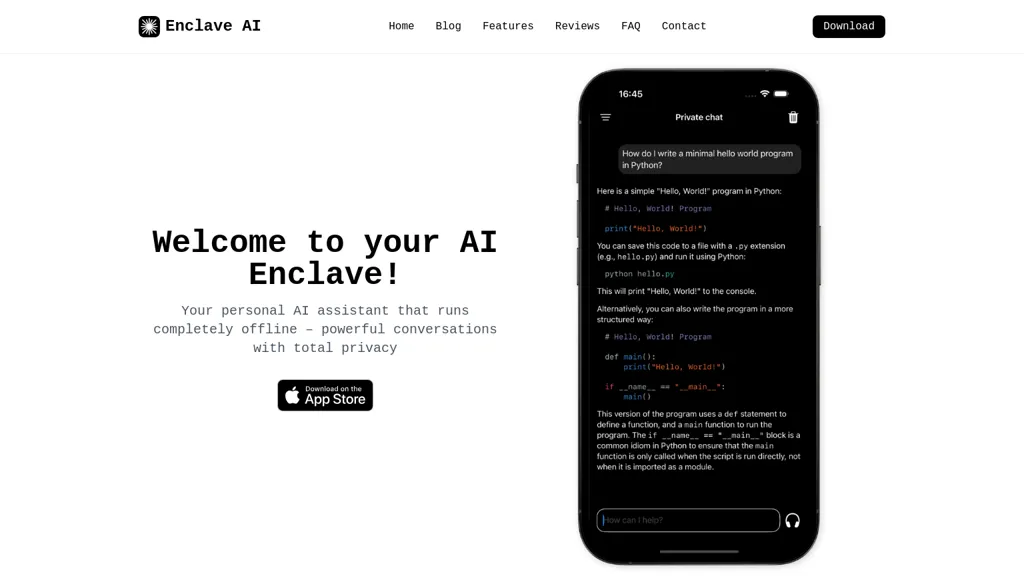
No user reviews yet FreemiumEnclave AI runs large language models on Mac and iPhone, keeping all text, voice, and document processing offline. It supports on‑device speech recognition, synthesis, and custom assistants, with local, encrypted conversation history and PDF summarization, ensuring privacy.
We've ranked 29 Enclave AI alternatives, including 22 with a free plan. Rankings are based on feature coverage and user feedbacks.
Top-rated alternatives include Speechify, Jan, and AI on Device.
29 Enclave AI Alternatives & Competitors, Ranked by User Reviews
Click Compare on any tool to compare it side-by-side with Enclave AI.
#1
Speechify
Speechify converts PDFs, DOCX, EPUB, web pages, and more into natural‑sounding audio on iOS, Android, macOS, Windows, and Chrome. It offers an AI assistant that summarizes documents while you listen, supports voice typing, and allows offline access.
#2
Jan
Jan is an offline ChatGPT alternative for Mac, Windows, and Linux. Enjoy customizable AI assistants, productivity boosts, and secure, exportable data. Integrate with OpenAI equivalent API server and soon-to-come mobile app.
#3
AI on Device
On-Device AI is a local-run assistant for Apple devices, offering offline chat, document searches, and image analysis. It integrates with Siri and provides customizable settings, to-do lists, and reminders for enhanced productivity and data privacy.
NaturalReader AI converts PDFs, Word, ePub, web pages, and OCR text into natural‑sounding audio in 90+ languages. It supports voice cloning, offline playback, mobile and Chrome extension access, and includes captions and dyslexia‑friendly fonts.
#5
superwhisper
Superwhisper converts spoken language into polished text for any app, works offline, supports 100+ languages with English translation, offers customizable tone and formatting, includes AI meeting assistant, and allows video/audio transcription with GPT/Claude/Llama models.
#6
Atomic Chat
Atomic Chat is a fully offline, on-device AI chat app for macOS, Windows, Linux, iOS, and Android that runs 1,000+ LLMs locally with built-in agent support, persistent memory, and privacy-first design. It features TurboQuant optimizations for up to 8x faster attention and lower memory use, with one-click model downloads from Hugging Face.
- Catch deals before they expire
- Unlock tools matched to you
- Show off your AI stacks
Already a member? Sign in
#7
Ollama.ai
Llama is a local AI tool that enables users to create customizable and efficient language models without relying on cloud-based platforms, available for download on MacOS, Windows, and Linux.
#8
Innerai.com
All‑in‑one platform integrating GPT‑4o, Claude, Gemini, and others for unified text, image, video, and document AI. Offers summarizing, translation, prompt templates, workflow tools, quiz creation, SCORM export, web search, subtitles, dubbing. SOC II‑compliant with field‑level encryption and data isolation.
#9
Ask AI
Chat & Ask AI combines web search, image generation, link analysis, document chat, and YouTube summarization in one interface. It offers up‑to‑date answers, multilingual support, file uploads, and a prompt library, powered by GPT‑5.2, Gemini, Claude, and Stable Diffusion XL.
#10
NotebookLM
NotebookLM is an AI-powered research assistant designed to help users summarize and connect information from sources like PDFs, websites, videos, and audio. It offers detailed insights, citations, and an 'Audio Overview' feature for on-the-go engagement.
#11
AIChatOne
AIChatOne is a browser extension and web app that lets users chat with 30+ AI models (GPT‑5, Claude, Gemini, etc.), with real‑time browsing, document upload, voice interaction, encrypted local keys, and searchable chat history.
#12
Skribr
Skribr is an on‑device AI chat app for iPhone, iPad, and Mac that runs three locally stored models—Small, Medium, and Large—providing fast, private, offline natural language processing for coding, writing, and general conversation.
#13
LLMWare.ai
LLMWare AI installs a lightweight client on PCs, providing instant access to 100+ AI models optimized for Intel and Qualcomm hardware. It supports RAG, auto‑tunes weights, runs locally without Wi‑Fi, and offers an admin console for monitoring, scaling, and audit logs.
#14
Voilà
Voilà AI Assistant is a cross‑platform browser extension, desktop, and mobile app that uses GPT‑5 to summarize, rewrite, translate, and auto‑reply to emails, chats, PDFs, spreadsheets, and YouTube transcripts, while correcting spelling, grammar, tone and generating images from text.
#15
Myreader AI
Myreader is an AI reading assistant that accepts PDFs, EPUBs, YouTube videos, and web articles, enabling chat‑based queries, concise summaries, contextual citations, and text‑to‑speech in 50+ voices across 30 languages. Secure cloud storage supports large libraries.
#16
AI Chat for Search
Browser extension that displays conversational AI answers and multi-model comparisons alongside search results, integrates with GPT-4/Claude and major search engines, and adds YouTube summaries, PDF/image/OCR processing and content-generation tools for research and creation.
#17
1min.AI
1minAI unifies text, image, audio, and video AI tools in one interface, supporting GPT‑4, Gemini, Claude, and Mistral. It offers generation, editing, translation, and API integration while keeping data private.
#18
boltai.com
BoltAI is a native macOS app that lets users switch between 300+ AI models, including OpenAI, Anthropic, Google Gemini, and local Ollama. It supports multimodal analysis, fine‑grained controls, project management, local storage, and secure cloud sync.
#19
Read AI
Read AI records, transcribes, and summarizes meetings, emails, and chats across Google Meet, Zoom, Teams, and in‑person sessions. It extracts action items, delivers searchable notes, offers contextual answers from integrated data, supports 20+ languages, and meets SOC II, GDPR, HIPAA compliance.
#20
Alice App
Alice is an AI assistant for macOS, Windows, and Linux that launches via hotkey, stores context locally, supports multiple LLMs through API keys, offers keyboard shortcuts, custom commands via Zapier/Make, and handles files, web, images, and visuals for reliable responses.
#21
Lmstudio.ai
LM Studio runs open‑source large language models locally on Mac (M‑series), Windows, and Linux, enabling private, offline inference. It offers command‑line and headless deployment, server‑side API, SDKs, a model hub, and LM Link for remote model access.
#22
Open Interpreter
Interpreter is a desktop AI agent that lets users edit and create Word, Excel, PDF, and markdown files, instantly fill PDFs, extract data into Excel, convert receipts or transcripts, and run local or cloud models via OpenAI, Anthropic, Groq, or Ollama.
#23
Audioread
Audioread transforms articles, PDFs, emails, URLs, and RSS feeds into natural‑sounding audio in 80+ languages, with adjustable speed, MP3 downloads, and private podcast feeds for cross‑device streaming. It offers AI summaries, privacy mode, Slack integration, and an API for developers.
#24
AI Tutor Pro
Discuss offers real‑time voice AI tutoring across 30 languages, letting students and educators explore business, history, science, and more without sign‑ups. Sessions generate AI Agent Summary Analysis for review, with continual updates and free nonprofit use.
#25
Linnk.AI
Instant Insight Page by Linnk AI simplifies webpage summaries, eliminates clickbait, and delivers direct answers for efficient content consumption. Bridge language barriers, get concise information, and bid farewell to misleading headlines.
#26
MindMac
MindMac is a native macOS client that integrates ChatGPT, Azure OpenAI, Gemini, and Claude on the desktop. It offers inline prompts, a 150‑template library, customizable context modes, shortcuts, keychain storage, and 15 UI languages for developers, researchers, and teams.
#27
AIChatOnline.org
AIChatOnline.org is a browser‑based AI assistant that processes text, images, and documents, aiding writers, researchers, and developers to draft content, refine tone, summarize reports, debug code, and browse over 50k integrated AI tools—all without installation and with session‑only privacy.
#28
Sanctum
Sanctum is a private Mac AI assistant that runs locally, utilizing open-source language models. It secures interactions by keeping data encrypted and on the device, allowing privacy for tasks like PDF summarization and personal health data analysis.
#29
ParagraphAI
ParagraphAI offers real‑time grammar correction, one‑tap email drafting, and instant summarization of web pages and PDFs. It provides multilingual translation, customizable tone filters, a template library, and an instruction engine for repetitive tasks across mobile, desktop, and Chrome.
Frequently Asked Questions
Why look for Enclave AI alternatives?
Common reasons users switch from Enclave AI:
- Feature gaps: teams needing specific capabilities like analyze text may find a more focused alternative better suited to their workflow.
- Flexibility: exploring alternatives helps find tools that better match your team size, integrations, and budget.
What is the best alternative to Enclave AI?
Based on 26 user reviews, Speechify (80.8% positive) ranks as the top Enclave AI alternative. Speechify converts PDFs, DOCX, EPUB, web pages, and more into natural‑sounding audio on iOS, Android, macOS, Windows, and Chrome. It offers an AI assi It is available on a Free trial plan starting from $29/mo.
How do the top Enclave AI alternatives compare?
| Tool | Pricing | Starting Price | User Rating |
|---|---|---|---|
| Enclave AI this tool | Freemium | $9.99/mo | — |
| Speechify | Free trial | $29/mo | 80.8% (26) |
| Jan | Free | — | 100% (2) |
| AI on Device | Free | — | — |
| NaturalReader | Freemium | — | 78.6% (28) |
| superwhisper | Freemium | — | 50% (1) |
Are there free Enclave AI alternatives?
Yes, 22 free alternatives found in our list: Speechify, Jan, AI on Device. and 19 more — use the pricing filter above to see them all.
What should I look for in a Enclave AI alternative?
- Core capabilities: confirm the tool supports analyze text, Generate Voice, Summarize Documents.
- Pricing transparency: look for clear free plan, trial period, or tiered pricing — avoid tools that hide costs.
- User reviews: check both the satisfaction percentage and the number of reviews; a high score from few users is less reliable.
- Integrations: verify it connects with your existing stack before committing.
- Support and updates: active development and responsive support are strong signals of a maintained product.
Which Enclave AI alternative has the highest user rating?
Jan has the highest satisfaction score among Enclave AI alternatives, with 100% positive from 2 user reviews. It is available on a Free plan.
What are Enclave AI alternatives used for?
- analyze text
- Generate Voice
- Summarize Documents
- Automate Tasks
- Translate Voice