
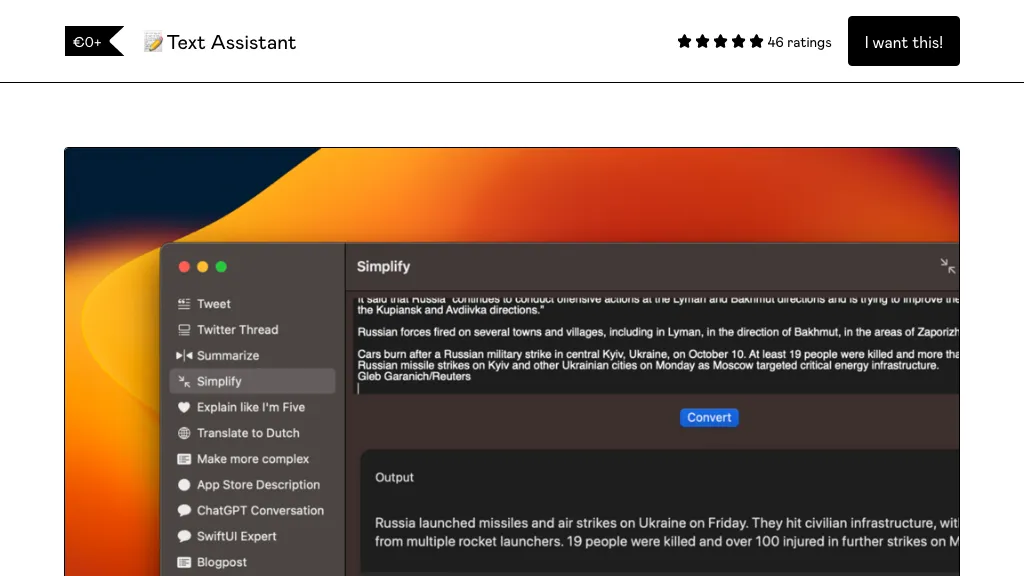
What is Text Assistant?
Text Assistant is an AI‑driven text generation application for macOS Ventura that lets users create, store, and reuse custom prompts for writing tasks such as sales pitches, blog posts, or personal letters. It provides an unlimited prompt library, supports adding symbolic shortcuts, and offers quick copy and share options via URL schemes.
Users can adjust global temperature settings, select GPT models, and later per‑prompt options, while integrating prompts into Safari through an experimental extension. The tool connects directly to OpenAI using a user‑supplied API key, giving access to current GPT models at minimal cost.
Additional features include a gallery of example prompts, keyboard shortcut assignments for individual prompts, a menu bar interface for Ventura, and planned enhancements for cross‑system text handling, per‑prompt token limits, and expanded Safari support.
Text Assistant pricing
FreemiumVerify on the official pricing page.
View plansText Assistant's key features
-
Create custom prompts
-
Unlimited prompt reuse
-
Insert symbols into prompts
-
Quick copy output
-
Share prompts via URL
-
Safari extension support
-
Global temperature and model control
Text Assistant use cases
-
Effortlessly draft personalized emails by selecting a prompt from the unlimited library, then copy or share the AI‑generated text with a single click, saving time on repetitive outreach.
-
Create and manage structured meeting summaries using custom prompts, then export the concise notes to your team via the Safari extension or clipboard.
-
Control GPT responses with adjustable temperature settings in each prompt, enabling writers to fine‑tune creativity for blog drafts, copywriting, or technical documentation.
Text Assistant user reviews
Would you recommend Text Assistant?
Who is Text Assistant for?
-
Content creators
-
Writers
-
Marketing strategists
-
Bloggers
-
Digital marketers
Text Assistant FAQ
Is Text Assistant free?
Partly. Text Assistant has a free plan with usage limits, and paid plans unlock the full feature set. Plans include Purchase (or donation) at name a fair price: €9444 downloads.
What are the best alternatives to Text Assistant?
The closest alternatives to Text Assistant are Prompt Box, AI Prompt Studio, MindMac, Prompt Builder and ChatGPT Prompt Generator. You can compare them side by side in the alternatives section further down this page.
Does Text Assistant have an API?
Yes. Text Assistant offers an API, so you can call it from your own applications instead of using the interface directly.


