
What is Alice App?
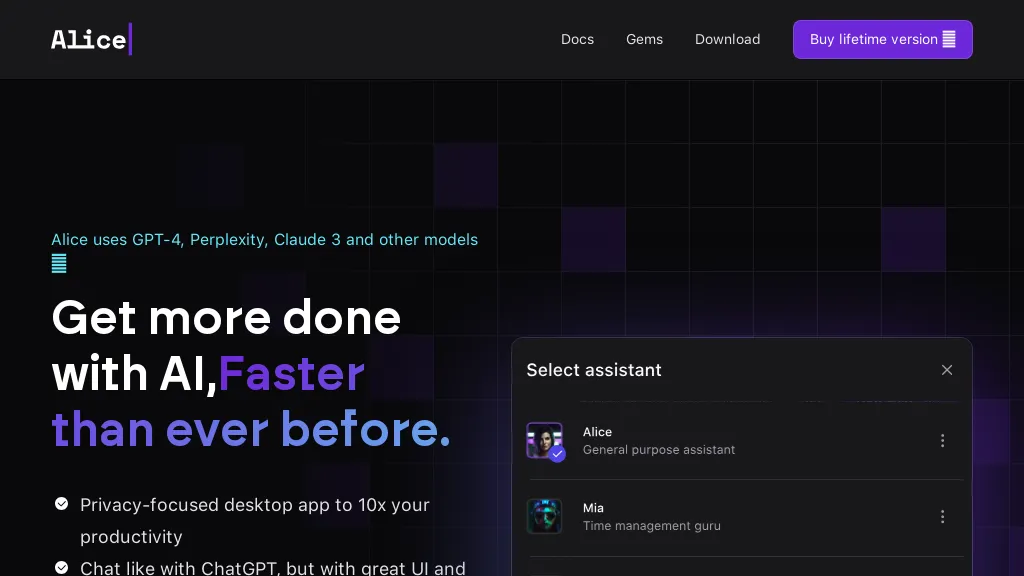
Alice is a native AI assistant for macOS, Windows, and Linux that integrates directly into the operating system, allowing users to launch the assistant with a single hotkey. The app stores conversation context locally, enabling personalized responses based on project documents, notes, and user preferences without repeating instructions.
It supports a wide range of large language models—including GPT‑5, Claude 3.5, Gemini, and others—through API keys, giving users control over cost and performance without subscription fees. Alice can issue keyboard shortcuts to trigger common actions (e.
g., grammar checks, translations, summaries) and create custom commands that tie into external tools via Zapier, Make, or n8n, streamlining workflow automation. The assistant can read and write files, access web content, process images, and generate visuals, all within the native app environment, ensuring faster response times and higher reliability than browser‑based chat services.
By keeping data on the local machine and supporting offline models, the tool provides enhanced privacy for users who handle sensitive information. Alice offers a library of ready‑built assistants and skills, allowing users in content creation, sales, programming, and design to quickly add specialized functionality with one‑click installation.
Alice App details
- Company
- EDUWEB SPÓŁKA Z OGRANICZONĄ ODPOWIEDZIALNOŚCIĄ
- Jurisdiction
- Poland
- Built for
- Businesses and teams
Alice App tech specs
- Works with
- OpenAI / GPT Anthropic / Claude Google / Gemini Meta xAI / Grok
- AI infrastructure
- Groq
- Integrations
- Zapier n8n WordPress
Alice App pricing
Paid- Free trial
- 21 days
- Refund window
- 14 days
Verify on the official pricing page.
View plansAlice App's key features
-
Native OS AI assistant
-
Single-keystroke automation
-
Local processing, no server
-
Keyboard shortcut prompts
-
Voice input and TTS
-
API key integration for multiple models
Alice App use cases
-
Generate quick code snippets and debug explanations from pasted code blocks using local context and a hotkey launch, all without leaving your editor
-
Automate repetitive form-filling and data entry across macOS, Windows, and Linux by creating custom Zapier or Make commands, then trigger them instantly with a keyboard shortcut
-
Create visual summaries of PDFs, images, and web content on the fly, leveraging local AI models and preserving context for future reference
Alice App user reviews
Based on 6 reviews, 67% of users recommend Alice App, rated highly for ease of use.
Liked for
Disliked for
Would you recommend Alice App?
Who is Alice App for?
-
Desktop operators
-
Artificial intelligence engineers
-
Software developers
-
Digital assistants
-
Technology enthusiasts
Alice App FAQ
How much does Alice App cost?
Alice App is a paid product with no free plan. Plans include Official assistant at $5.
Is Alice App safe to use?
Alice App is operated by EDUWEB SPÓŁKA Z OGRANICZONĄ ODPOWIEDZIALNOŚCIĄ, registered in Poland.
What are the best alternatives to Alice App?
The closest alternatives to Alice App are AI Actions, MindMac, Omnipilot, Omnipilot and Helper.im. You can compare them side by side in the alternatives section further down this page.
What does Alice App do with my data?
Its privacy policy states that personal data is sold or shared for marketing purposes. Data may be shared with third-party service providers that help run the product.
Does Alice App auto-renew or offer refunds?
Alice App states a 14-day refund window.
Does Alice App have an API?
Yes. Alice App offers an API, so you can call it from your own applications instead of using the interface directly.
Who made Alice App?
Alice App is built and operated by EDUWEB SPÓŁKA Z OGRANICZONĄ ODPOWIEDZIALNOŚCIĄ, a company registered in Poland.
Which AI models does Alice App use?
Alice App is built on OpenAI / GPT, Anthropic / Claude, Google / Gemini, Meta and xAI / Grok. Which models you can reach may depend on your plan.
What does Alice App integrate with?
Alice App connects with Zapier, n8n and WordPress.
Compliance, privacy and billing terms are as stated in each product's own published documentation and have not been independently verified by TopAI.tools.


