
Top 29 Screensnapai Alternatives in 2026
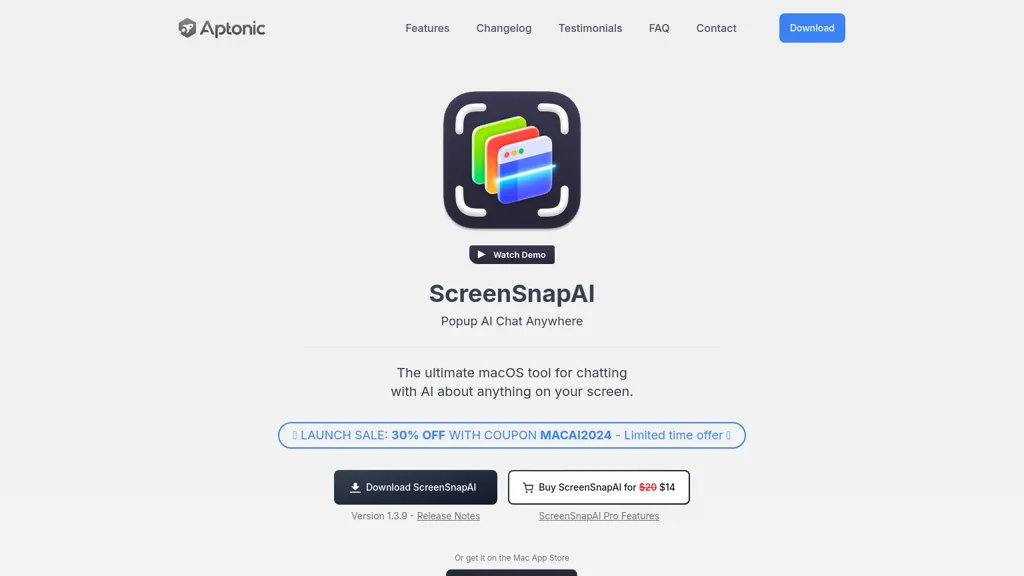
No user reviews yet FreemiumScreenSnapAI auto‑renames and tags screenshots on macOS, letting users open an AI chat for instant content explanations. Accessible via menu or shortcut, it organizes images with AI‑generated metadata, speeding knowledge capture and retrieval on Intel and Apple Silicon machines.
We've ranked 29 Screensnapai alternatives, including 20 with a free plan. Rankings are based on feature coverage and user feedbacks.
Top-rated alternatives include AI Actions, Keep it shot, and Renamer.ai.
29 Screensnapai Alternatives & Competitors, Ranked by User Reviews
Click Compare on any tool to compare it side-by-side with Screensnapai.
 #1
AI Actions
#1
AI Actions
AI Actions is a powerful tool that provides additional AI-related actions and shortcuts on macOS, including the ability to interact with the ChatGPT API. It requires macOS 13 or higher and is not available in China.
 #2
Keep it shot
#2
Keep it shot
Keep It Shot is a macOS app that auto‑generates descriptive names for screenshots, builds a local index for quick keyword search, allows bulk renaming with two clicks, and can revert to original filenames if needed. OCR adds metadata.
 #3
Renamer.ai
#3
Renamer.ai
Renamer.ai is an AI-powered tool that automatically renames and organizes batches of documents, images, and PDFs using customizable templates. It works as a web or desktop app to enforce consistent naming conventions, improve searchability, and streamline digital asset management.
 #4
AI Describe Picture
#4
AI Describe Picture
Describe Image & Picture extracts text, alt descriptions, and HTML snippets from PNG, JPEG, or WEBP files up to 2 MB, converting visuals into editable Markdown or code, auto‑tagging photos, and generating Flux image variants for creators, developers, and marketers.
 #5
MagicShot
#5
MagicShot
MagicShot.ai creates images, videos, and audio from text or photos. It offers AI image generation for product shots, logos, icons, and book covers, and a video generator that animates photos. Editing, avatars, stickers, QR codes, and 3D tools streamline design.
 #6
ShotSolve
#6
ShotSolve
ShotSolve is a native macOS app that captures screenshots and uses GPT‑4o for instant queries. It offers a clean chat interface with themes, code styling, context controls, secure key storage, and configurable parameters for custom AI interactions.
- Catch deals before they expire
- Unlock tools matched to you
- Show off your AI stacks
Already a member? Sign in
 #7
AI Renamer
#7
AI Renamer
AI Renamer automates file renaming by analyzing content, including EXIF data, and offers features like smart recognition, custom rules, and batch processing. It supports various formats and provides both local and cloud processing options for flexibility.
 #8
AI Photo Editor
#8
AI Photo Editor
AI Photo Editor lets users upload up to ten images or generate new ones from text prompts, instantly editing or converting images into short videos. All processing runs client‑side, supporting face completion and consistent character edits for design and work.
 #9
AiSnap
#9
AiSnap
AI Snap applies AI painting techniques to photos and videos, offering a library of styles and one‑tap presets. Users can adjust brush detail, saturation, and composition for quick, on‑the‑fly visual enhancements.
 #10
Remio AI
#10
Remio AI
Remio AI is a personal knowledge hub that auto-captures and organizes ideas from multiple sources, offering AI-driven recommendations and secure, device-based storage. It enhances productivity with smart search, tailored insights, and upcoming features like writing aids and advanced reasoning.
 #11
Amazing AI
#11
Amazing AI
The Amaz AI tool generates text descriptions into images using stable diffusion deep learning on macOS 13.1 or later with Silicon Apple chips, follows Creative ML Openrail-m licensing restrictions, and is currently available in English.
 #12
AI photo sorter
#12
AI photo sorter
AI Photo Organizer classifies images locally with neural networks, enabling drag‑and‑drop uploads, custom categories, and duplicate detection. It generates a script that moves kept photos into chosen folders and deletes others, all processed on the user’s computer.
 #13
Snapcut.ai
#13
Snapcut.ai
Snapcut.ai is an AI-driven video editing tool that transforms long videos into engaging short clips. It identifies key moments, reframes for various platforms, and adds animated captions, streamlining the editing process for social media content creators.
 #14
The Drive
#14
The Drive
Drive AI automates file organization: drag‑and‑drop documents, PDFs, images, audio, and video; auto‑reads content, renames with clear titles, creates nested folders, and supports email attachment sorting, OCR, speaker detection, secure sharing, and natural‑language commands for teams.
 #15
Alice App
#15
Alice App
Alice is an AI assistant for macOS, Windows, and Linux that launches via hotkey, stores context locally, supports multiple LLMs through API keys, offers keyboard shortcuts, custom commands via Zapier/Make, and handles files, web, images, and visuals for reliable responses.
 #16
NeuralBox
#16
NeuralBox
NeuralBox captures photos instantly via camera, lock‑screen widget, or share extension, auto‑imports screenshots, and offers a scanning mode. AI image recognition and OCR enable keyword searches; similarity browsing groups images by visual traits. Files sync locally or in the cloud.
 #17
MindMac
#17
MindMac
MindMac is a native macOS client that integrates ChatGPT, Azure OpenAI, Gemini, and Claude on the desktop. It offers inline prompts, a 150‑template library, customizable context modes, shortcuts, keychain storage, and 15 UI languages for developers, researchers, and teams.
 #18
XX.AI
#18
XX.AI
XXAI unifies text, image, and video creation in a single desktop app. It offers drafting, rewriting, a prompt library, real‑time AI search, and a copilot that inserts responses across applications, streamlining authorship, design, and marketing workflows.
 #19
AI Finder
#19
AI Finder
AI Finder is a macOS file‑management agent that uses GPT to locate documents by content, tags, timestamps, and duplicate status. It supports natural‑language and voice queries, PDF interaction, and local processing for privacy.
 #20
Inbox AI
#20
Inbox AI
Inbox AI is a voice-driven automation tool for macOS that streamlines email management and task processing. It integrates with Apple Mail for smart actions, supports custom voice assistants, and ensures privacy through on-device processing.
 #21
Vidix
#21
Vidix
Vidix for macOS lets users select text, press a shortcut, and insert AI‑generated responses directly into documents. It supports code‑review workflows, a visual workflow canvas, image assistance, multi‑provider model control, optional local execution, and local logging for privacy.
 #22
Camp for macOS
#22
Camp for macOS
Camp is a macOS and iOS screen‑capture app that stores screenshots locally, auto‑tags and titles them, supports keyboard shortcuts, lets users annotate, search by keyword, and pin favorites for quick access.
 #23
Snapshawt
#23
Snapshawt
Snapshawt offers AI face swapping, image enhancement, headshot generation, and text‑to‑image creation through a web interface, enabling quick visual experiments, fast professional portrait production, and streamlined content creation for marketers, creators, and hobbyists.
 #24
SketchImage.AI
#24
SketchImage.AI
SketchImage.ai is an AI tool that enhances basic sketches into high-quality images for artists of all levels. Its intuitive interface refines sketches, turning them into polished and shareable visuals using advanced features.
 #25
StorySnap
#25
StorySnap
SnapStory turns text and images into AI‑generated comics and short videos, offering preset styles, language‑aware image analysis, collaborative editing, export to media formats, and direct social media publishing for designers, marketers, and studios.
 #26
Sidekiiick
#26
Sidekiiick
Sidekick AI tool is a conversational AI tool that provides easy access to ChatGPT on macOS.
 #27
Enconvo
#27
Enconvo
EnConvo turns macOS apps into AI agents via SmartBar, PopBar, and Companion Orb, offering voice input, live screen and camera sharing, multi‑provider web search, image generation, custom workflows, document chat, offline LLMs, open‑source plugins, and real‑time captions.
 #28
Bulk Rename Utility
#28
Bulk Rename Utility
Web‑based AI bulk renamer that processes files locally, interpreting natural‑language instructions for batch renaming, numbering, or pattern rules. Supports Windows, macOS, and browsers via the File System Access API, offering preview, instant execution, and photo tagging by date or event.
 #29
Helper.im
#29
Helper.im
Ai Helper is a cross‑platform desktop client that brings ChatGPT, GPT‑4, and other AI engines to macOS, Windows, and Linux. It lets users chat on webpages, PDFs, or videos via shortcuts and generate content, code, or emails within native apps.
Frequently Asked Questions
Why look for Screensnapai alternatives?
Common reasons users switch from Screensnapai:
- Feature gaps: teams needing specific capabilities like Organize Images may find a more focused alternative better suited to their workflow.
- Flexibility: exploring alternatives helps find tools that better match your team size, integrations, and budget.
What is the best alternative to Screensnapai?
AI Actions ranks as the top Screensnapai alternative. AI Actions is a powerful tool that provides additional AI-related actions and shortcuts on macOS, including the ability to interact with the ChatGPT A It is available on a Free plan.
How do the top Screensnapai alternatives compare?
| Tool | Pricing | Starting Price | User Rating |
|---|---|---|---|
| Screensnapai this tool | Freemium | — | — |
| AI Actions | Free | — | — |
| Keep it shot | Subscription | $8/mo | — |
| Renamer.ai | Free trial | — | 50% (4) |
| AI Describe Picture | Freemium | — | 100% (1) |
| MagicShot | Paid | — | 100% (1) |
Are there free Screensnapai alternatives?
Yes, 20 free alternatives found in our list: AI Actions, Renamer.ai, AI Describe Picture. and 17 more — use the pricing filter above to see them all.
What should I look for in a Screensnapai alternative?
- Core capabilities: confirm the tool supports Organize Images, Automate Taggings, Generate Tags.
- Pricing transparency: look for clear free plan, trial period, or tiered pricing — avoid tools that hide costs.
- User reviews: check both the satisfaction percentage and the number of reviews; a high score from few users is less reliable.
- Integrations: verify it connects with your existing stack before committing.
- Support and updates: active development and responsive support are strong signals of a maintained product.
Which Screensnapai alternative has the highest user rating?
AI Describe Picture has the highest satisfaction score among Screensnapai alternatives, with 100% positive from 1 user review. It is available on a Freemium plan.
What are Screensnapai alternatives used for?
- Organize Images
- Automate Taggings
- Generate Tags
- Analyze Images