Best VideoWatermarkRemover AI Alternatives in 2026
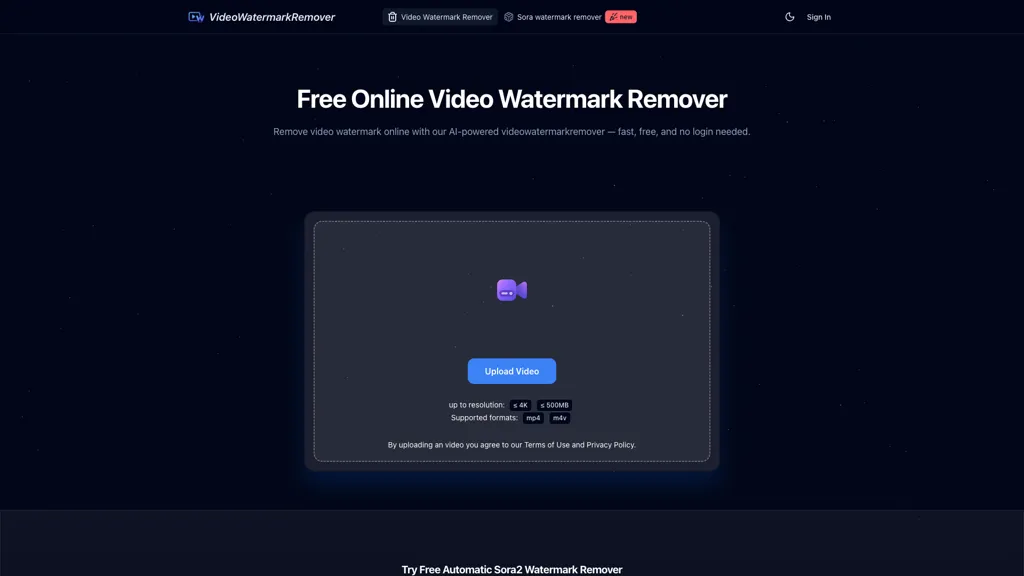
33.3% positive · 3 user reviews FreeVideoWatermarkRemover AI is an online tool that uses AI to automatically detect and remove static or moving watermarks from your videos in seconds. It processes files up to 4K and 500MB with encrypted, secure handling and requires no installation or login.
We've ranked 29 VideoWatermarkRemover AI alternatives, including 20 with a free plan. Rankings are based on feature coverage and user feedbacks.
Top-rated alternatives include Unwatermark AI, Watermark Remover, and VideoWatermarkRemove.
29 VideoWatermarkRemover AI Alternatives & Competitors, Ranked by User Reviews
Click Compare on any tool to compare it side-by-side with VideoWatermarkRemover AI.
#1
Unwatermark AI
Unwatermark is a web tool that removes watermarks, logos, and text from images and videos using AI. It offers automatic and manual removal modes, batch processing, and supports multiple formats while ensuring user privacy.
#2
Watermark Remover
WatermarkRemover.io uses AI to erase watermarks from images, videos, and PDFs while preserving quality. It supports batch uploads, command‑line, web, API, and plugin integration for workflows, with secure, compliant data handling.
#3
VideoWatermarkRemove
VideoWatermarkRemove is an AI-powered online tool that intelligently removes watermarks, logos, and text from videos. It analyzes surrounding pixels to erase unwanted elements while preserving the original video quality.
#4
Dewatermark AI
DeWatermark uses AI to remove watermarks, logos, text, emojis, and timestamps from photos, videos, PDFs, and images. It applies inpainting, offers a manual brush for edits, and batch processes up to 50 files on mobile and desktop.
#5
Video Watermark Remover
AI Video Watermark Remover uses AI-driven pixel restoration to automatically detect and remove watermarks, logos, text, and timestamps from short videos (up to 10 minutes/500 MB), preserving resolution and visual continuity for downloadable output.
#6
videowatermarkremover.org
videowatermarkremover.org is a web-based AI tool that removes watermarks, logos, text, and unwanted objects from video files while preserving original resolution and detail. It supports batch processing, API integration, and works across common video formats for content creators, marketers, and teams.
- Personalized recommendations
- Custom collections
- Save favorites
Already a member? Sign in
#7
Video Water Mark Remover
AI Video Watermark Remover removes watermarks, logos, timestamps, subtitles and unwanted objects from MP4/MOV/M4V/MKV (up to 500 MB/10 minutes) using automated detection, optional manual selection and AI inpainting for artifact-free, fast GPU processing.
#8
removesorawatermark.video
removesorawatermark.video is a tool that instantly removes Sora's watermark from shared videos via a public link, delivering a clean MP4. It supports batch processing and API access for high-volume workflows, preserving the original video's quality.
#9
Vmake Video Enhancer
Vmake AI Video Enhancer upsamples MP4, MOV, AVI, etc. to 2K/4K/AI 4K+, removes artifacts, improves low‑light, reduces noise, and offers watermark/text removal, background elimination, and subtitle generation, giving creators, e‑commerce, and gamers sharper, cleaner videos.
#10
Sora Watermark Remover
Sora Watermark Remover is a browser-based tool that removes watermarks from Sora videos via a share link. It processes files in the cloud and delivers a watermark-free download while preserving original quality.
#11
Edit Videos Online
The AI-enhanced Online Video Editor provides smooth, registration-free editing with advanced features like AI background removal and auto caption generation. It supports multiple formats, enables easy audio/image insertion, and requires no software download.
#12
Sora Watermark Remover - Flikflik
Free Sora Watermark Remover is a tool for erasing watermarks from videos, while Fliflik Karaoke Maker is a browser-based tool that removes vocals from songs to create karaoke tracks and instrumentals.
#13
Wave.Video
Wave.video is an all-in-one AI video editing and creation platform that allows users to create, edit, and distribute videos, offering features such as online editing, live streaming, thumbnail maker, and customizable live streaming studios.
#14
SaveSora
SaveSora is a web-based tool that uses AI to remove the Sora watermark from publicly accessible videos. It processes links in seconds to deliver clean, high-resolution MP4 downloads while preserving the original video quality.
#15
Wondershare Uniconverter
Wondershare UniConverter is an AI‑powered all‑in‑one tool that converts, enhances, compresses, records, and edits video and audio. It supports 1,000+ formats, delivers ultra‑fast conversions, upscales to 4K/8K, adds subtitles, removes backgrounds, and preserves metadata for creators and SMBs.
#16
Sora Watermark Remover-
Sora Watermark Remover uses a Sora share URL to strip visible watermarks from public Sora videos without uploads, preserving original resolution, audio and frame rate, offering lossless export, browser compatibility, and fast GPU-accelerated processing.
#17
Background Remover
AI Background Remover deletes backgrounds from JPG, PNG, WebP images while preserving resolution, handling up to 500 at once. Users can replace with color, gallery, or upload; ideal for designers, marketers, and e‑commerce workflows.
#18
Winxvideo
Winxvideo AI enhances videos and audio, upscaling to 4K/8K/HDR, stabilizing and interpolating frames while reducing noise. It offers batch GPU‑accelerated conversion, editing tools, 60 fps screen recording, and AI photo restoration for creators and educators.
#19
Remove Watermark - MarkGone
Remove Watermarks - MarkGone is an AI tool that automatically removes logos, text, and stamps from images and videos. It supports batch uploads for popular formats and preserves visual details with minimal artifacts.
#20
AIRemover
AIRemover.org is a web-based AI tool that removes on-screen text, subtitles, logos, and watermarks from videos and images with automatic detection or manual selection. It preserves background detail and resolution, allowing fast preview and download without frame-by-frame editing.
#21
RemoveFrom.Video
removefrom.video uses AI video inpainting to remove watermarks, logos, text, subtitles and unwanted objects from MP4, MOV and WEBM files. Drag-and-drop upload, automatic detection and manual masking with cloud processing that preserves motion and lighting.
#22
Removal.ai
Removal.AI instantly isolates foreground subjects from .jpg and .jpeg images, offering preview, high‑resolution downloads, background replacement, manual eraser, API integration, batch processing, and professional editing support. Ideal for photographers, designers, marketers, and e‑commerce sites needing consistent product imagery.
#23
HitPaw Online Video Enhancer
Upload video files (MP4, MOV, MKV, M4V, AVI) and apply AI models—Face, Animation, Denoise, Low‑Light, Colorize—to improve clarity, reduce noise, brighten dark scenes, or add color. Preview changes, upscale to 4K, then download without watermarks.
#24
AI Image Enhancer
AI‑powered Image Enhancer Online upsizes and restores photos and videos to 4K/8K, applies style filters, face/background edits, and batch drag‑and‑drop processing. It serves hobbyists, photographers, designers, and marketers seeking quick, high‑quality image improvements.
#25
Remove text from video - AIAI
remove-text-from-video - aiai is an AI-powered tool that removes watermarks, logos, subtitles, and on-screen text from videos by automatically tracking and inpainting over them while preserving original resolution.
#26
Removebackgroundai
RemoveBackgroundAI.com is a web‑based AI that deletes image and video backgrounds from JPEG, PNG, GIF, MP4, MOV files up to 234 MB, offering transparent or solid colors. It supports batch processing, multiple output formats (PNG, WebP, MP4), and a multilingual interface.
#27
Background remover from photo by Hitpaw
HitPaw Online Background Remover uses AI to delete backgrounds in seconds, supporting single or up to 50‑image batch uploads. It offers transparent, black, or template backgrounds, realistic shadows, and works on Windows, macOS, iOS, Android, and browsers.
#28
jpgRM
AI Image Magic Cleanup uses a 2026 GAN to automatically erase backgrounds or unwanted objects from photos. Users mark areas with a brush, then the tool refines and fills the space with matching background detail, delivering quick results on mobile.
#29
ImageToVideo AI
ImageToVideo AI converts JPG, PNG, or WebP images into MP4 videos. Users can crop, resize to social‑media ratios, choose speed/quality presets, apply 50+ templates, add AI music, and edit motion via a prompt editor—all watermark‑free.
Frequently Asked Questions
Why look for VideoWatermarkRemover AI alternatives?
Common reasons users switch from VideoWatermarkRemover AI:
- User satisfaction: VideoWatermarkRemover AI holds a 33.3% positive rating — some users report unmet expectations.
- Feature gaps: teams needing specific capabilities like Remove watermarks may find a more focused alternative better suited to their workflow.
- Flexibility: exploring alternatives helps find tools that better match your team size, integrations, and budget.
What is the best alternative to VideoWatermarkRemover AI?
Based on 17 user reviews, Unwatermark AI (64.7% positive) ranks as the top VideoWatermarkRemover AI alternative. Unwatermark is a web tool that removes watermarks, logos, and text from images and videos using AI. It offers automatic and manual removal modes, batc It is available on a Free trial plan.
How do the top VideoWatermarkRemover AI alternatives compare?
| Tool | Pricing | Starting Price | User Rating |
|---|---|---|---|
| VideoWatermarkRemover AI this tool | Free | — | 33.3% (3) |
| Unwatermark AI | Free trial | — | 64.7% (17) |
| Watermark Remover | Subscription | — | 85.7% (21) |
| VideoWatermarkRemove | Freemium | — | 60% (5) |
| Dewatermark AI | Free | $10/mo | 78.3% (23) |
| Video Watermark Remover | Free trial | $5 | — |
Are there free VideoWatermarkRemover AI alternatives?
Yes, 20 free alternatives found in our list: Unwatermark AI, VideoWatermarkRemove, Dewatermark AI. and 17 more — use the pricing filter above to see them all.
What should I look for in a VideoWatermarkRemover AI alternative?
- Core capabilities: confirm the tool supports Remove watermarks, Process videos, Automate batch processing.
- Pricing transparency: look for clear free plan, trial period, or tiered pricing — avoid tools that hide costs.
- User reviews: check both the satisfaction percentage and the number of reviews; a high score from few users is less reliable.
- Integrations: verify it connects with your existing stack before committing.
- Support and updates: active development and responsive support are strong signals of a maintained product.
Which VideoWatermarkRemover AI alternative has the highest user rating?
Remove Watermark - MarkGone has the highest satisfaction score among VideoWatermarkRemover AI alternatives, with 100% positive from 5 user reviews. It is available on a Freemium plan.
What are VideoWatermarkRemover AI alternatives used for?
- Remove watermarks
- Process videos
- Automate batch processing
- Analyze video
- Optimize video quality