
What is Remove Watermark - MarkGone?
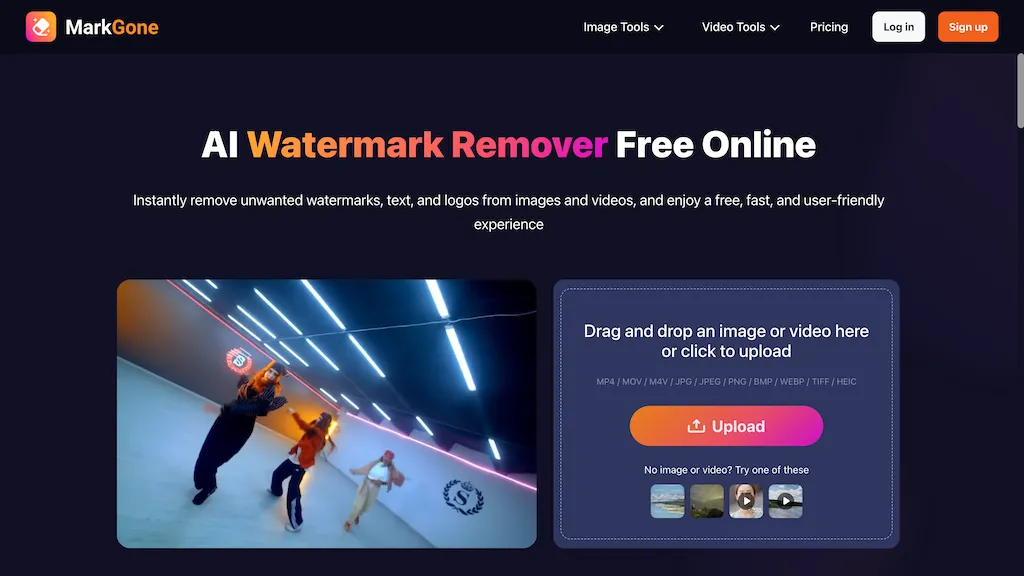
MarkGone is an AI watermark remover for images and videos that removes logos, text, stamps and other marks to remove watermarks online.It serves as an image watermark remover and video watermark remover, including TikTok watermark removal and on-screen text erasure across frames.
Supported formats include MP4, MOV, M4V, JPG, JPEG, PNG, BMP, WEBP, TIFF and HEIC, with drag-and-drop and batch upload workflows.Automated processing with optional manual editing preserves color, edges and visual detail to minimize visible artifacts.
Target users include social media managers, video editors, photographers and content creators preparing visuals for reuse, editing or archival.Uploaded files are processed securely and exported as ready-to-edit media.
Remove Watermark - MarkGone details
- Company
- MarkGone
- Built for
- Individuals
Remove Watermark - MarkGone tech specs
- Works with
- OpenAI / Sora
Remove Watermark - MarkGone pricing
FreemiumVerify on the official pricing page.
View plansRemove Watermark - MarkGone's key features
-
AI-based watermark removal for images and videos (logos, text, stamps, other marks)
-
Frame-consistent on-screen text erasure and TikTok watermark removal across video frames
-
Supports MP4, MOV, M4V, JPG, JPEG, PNG, BMP, WEBP, TIFF and HEIC formats
-
Drag-and-drop interface with batch upload workflow
-
Automated processing with optional manual editing that preserves color, edges and visual detail to minimize artifacts
Remove Watermark - MarkGone use cases
-
Remove timestamps, logos and unwanted stamps from personal photos and family videos using MarkGone’s drag-and-drop batch processing with optional manual edits, producing color-accurate, ready-to-edit image and video files.
-
Prepare client or licensed media for post-production by removing watermarks and on-screen text from images and footage in bulk while preserving edges and color so editors can seamlessly import assets into Photoshop, Premiere or other tools.
-
Anonymize screenshots and training datasets by erasing logos, sensitive on-screen text and stamps across frames and formats, using MarkGone’s AI to generate clean, consistent files for internal reports, presentations or research
Remove Watermark - MarkGone user reviews
Based on 5 reviews, 100% of users recommend Remove Watermark - MarkGone, rated highly for value for money.
Liked for
Would you recommend Remove Watermark - MarkGone?
Who is Remove Watermark - MarkGone for?
-
Content creators
-
Graphic designers
-
E-commerce sellers
-
Digital marketers
-
Product designers
Remove Watermark - MarkGone FAQ
Is Remove Watermark - MarkGone free?
Partly. Remove Watermark - MarkGone has a free plan with usage limits, and paid plans unlock the full feature set. Plans include Pay as you go (300 credits) at us$11.99, Pay as you go (600 credits) at us$21.99, Free plan at us$0.00/creditus$29.99 billed yearly and Pro plan (1200 credits/year) at us$29.99.
Is Remove Watermark - MarkGone safe to use?
Remove Watermark - MarkGone is operated by MarkGone. It has a substantial audience that is independently measured month to month.
What are the best alternatives to Remove Watermark - MarkGone?
The closest alternatives to Remove Watermark - MarkGone are Unwatermark AI, videowatermarkremover.org, Dewatermark AI, VideoWatermarkRemove and VideoWatermarkRemover AI. You can compare them side by side in the alternatives section further down this page.
What does Remove Watermark - MarkGone do with my data?
Its privacy policy states that personal data is not sold or shared for marketing purposes. Data may be shared with third-party service providers that help run the product.
Who made Remove Watermark - MarkGone?
Remove Watermark - MarkGone is built and operated by MarkGone.
Which AI models does Remove Watermark - MarkGone use?
Remove Watermark - MarkGone is built on OpenAI / Sora. Which models you can reach may depend on your plan.
Compliance, privacy and billing terms are as stated in each product's own published documentation and have not been independently verified by TopAI.tools.


