
Top 29 SmartEdit Alternatives in 2026
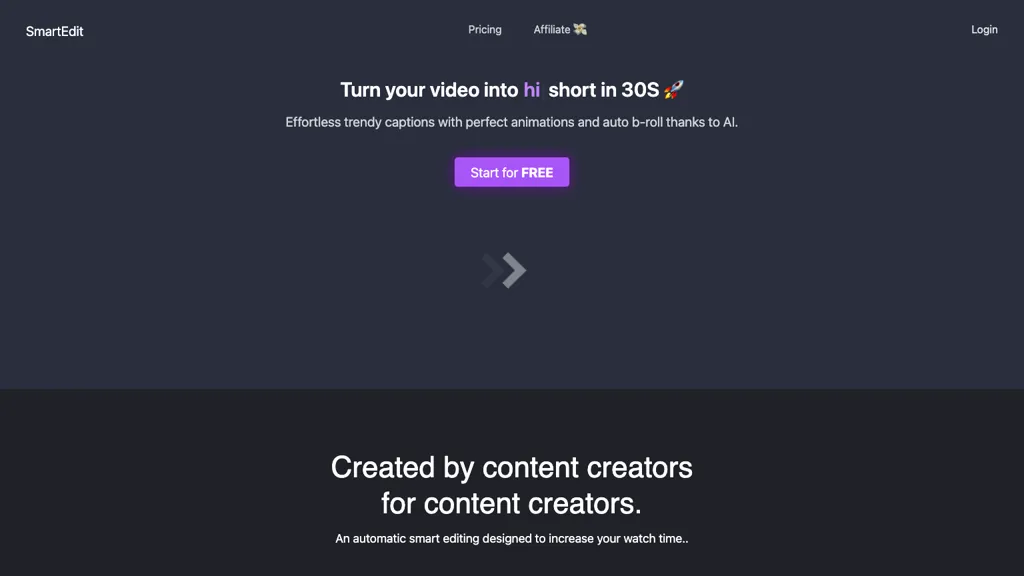
50% positive · 1 user review FreemiumSmartEdit transforms full videos into trend‑aligned short clips in under 30 s, adding AI captions, emoji, keyword highlights, and auto‑zoom/B‑roll. It offers 15‑language transcription, multilingual translation, customizable branding, and exports full‑HD 60‑fps or directly to Premiere Pro and DaVinci Resolve.
We've ranked 29 SmartEdit alternatives, including 17 with a free plan. Rankings are based on feature coverage and user feedbacks.
Top-rated alternatives include Vizard, SNAPVID, and AI Video Cut.
29 SmartEdit Alternatives & Competitors, Ranked by User Reviews
Click Compare on any tool to compare it side-by-side with SmartEdit.
 #1
Vizard
#1
Vizard
Vizard.ai automatically transcribes footage, spots highlights, and creates TikTok, Reels, and Shorts‑ready clips with one click. It provides text trimming, timeline precision, vertical resizing, multilingual captions, brand templates, collaborative workspaces, and API integration.
 #2
SNAPVID
#2
SNAPVID
SNAPVID.AI automates cutting long videos into 30‑second clips, removes filler pauses, adds multi‑language subtitles, offers 4K output, AI‑generated B‑roll, audio cleanup, and batch processing with a credit‑based monthly reset for creators.
 #3
AI Video Cut
#3
AI Video Cut
AI Video Cut uses prompt‑based AI to transform long videos into short, platform‑optimized clips. It auto‑detects faces, crops frames, adds multilingual captions, and supports multiple aspect ratios for fast, high‑quality content creation.
 #4
AutoCaption
#4
AutoCaption
Auto Caption AI instantly generates subtitles in 99+ languages, preserving full HD 1080p/60 fps video quality. Editors can adjust fonts, colors, placement, and use ready‑made or custom templates, with one‑click emoji insertion to enhance captions.
 #5
Submagic
#5
Submagic
Submagic automates short‑form video editing, offering multilingual captions, text‑based trimming, AI‑powered features like auto‑zoom and eye‑contact correction, and direct multi‑platform publishing up to 4K@60fps, cutting editing time by up to 90%.
 #6
Short AI
#6
Short AI
Short AI automates short video creation for TikTok, YouTube Shorts, and Instagram, converting long videos into clips. It extracts key moments, adds captions, and supports multi-language script generation and automated social media scheduling.
- Catch deals before they expire
- Unlock tools matched to you
- Show off your AI stacks
Already a member? Sign in
 #7
Minvo 2.0
#7
Minvo 2.0
Minvo automates video editing and social media scheduling, converting long videos into short clips, images, and subtitles. Features include AI clip extraction, B‑roll insertion, multi‑language translation, animated captions, branding templates, and cross‑platform posting with performance analytics.
 #8
Nemovideo
#8
Nemovideo
Nemovideo is an AI video editor that automates short-form content creation by generating trend-based scripts, storyboards, and auto-editing clips. Its tools include automated highlight selection, voiceovers, captions, and a talking-head editor for rapid production of social media videos.
 #9
Translate.Video
#9
Translate.Video
Translate.video automates video localization: it transcribes, generates subtitles, and dubs content in 75+ languages using voice cloning from a 50‑second clip. Users can edit captions, export SRT/VTT/MP4, and integrate plugins for Photoshop, Illustrator, and Figma.
 #10
Opus Clip
#10
Opus Clip
OpusClip is an AI-powered video tool that transforms long videos into shareable short clips with one click. It uses AI to identify compelling moments, generate captions, and optimize for social media.
 #11
SendShort
#11
SendShort
SendShort automatically converts long‑form videos into short‑form clips for TikTok, YouTube Shorts, and Instagram Reels. It adds faceless visuals, voiceovers, subtitles, translations, AI‑picked B‑roll, transitions, and lets users schedule multi‑platform publishing and export in 1080p or 2K.
 #12
Shorts Generator ai
#12
Shorts Generator ai
Shorts Generator AI converts text or links into ready‑to‑post vertical videos for YouTube, TikTok, and Instagram. It auto‑creates scripts, selects visuals, compiles clips in under a minute, and offers export options, auto‑publishing, and quick repurposing of existing content.
 #13
Makefilm
#13
Makefilm
Makefilm is an AI tool for generating 9:16 TikTok and short-form vertical videos from text or images using templates, batch creation, a 16M asset library, AI voiceovers in 50+ languages, auto-subtitles, drag-and-drop editing, and export presets.
 #14
Spikes Studio
#14
Spikes Studio
Spikes Studio automates video editing, turning raw footage into platform‑ready clips for TikTok, Instagram Reels, and YouTube Shorts. It detects high‑impact moments, adds multilingual captions, auto‑resizes, schedules posts, tracks analytics, and supports team collaboration.
 #15
VideoGen.io
#15
VideoGen.io
VideoGen is a browser‑based AI video platform that lets teams create studio‑quality videos in minutes using structured workflows, 200+ voices in 50+ languages, one‑click translation and captioning, and collaborative workspaces for fast, cost‑effective production.
 #16
Cliptalk
#16
Cliptalk
Cliptalk turns text, images, or website content into ready‑to‑publish short‑form videos, automating editing, captions, B‑roll, and voice creation. It supports multiple languages, voice styles, and natural‑language editing for quick publishing.
 #17
Videohighlight
#17
Videohighlight
Video Highlight delivers AI‑driven summaries, searchable transcripts, and timestamped key points for YouTube, Vimeo, Dailymotion, and private files in 37+ languages. It supports annotations, exports to Notion, Word, Markdown, CSV, Readwise, and enables collaborative sharing.
 #18
FastCut
#18
FastCut
FastCut uses AI to transform raw footage into short‑form videos for TikTok, Reels, Shorts, and social ads. It trims clips, removes silence, adds captions, selects B‑rolls, and provides music and overlays, cutting editing time by up to 90%.
 #19
Qlip.ai
#19
Qlip.ai
Qlip automatically extracts short, vertical or square clips from longer videos, preserving focus on key moments. It applies brand templates, generates speech‑to‑text transcripts with speaker tags, and offers an API for clip creation, aspect‑ratio conversion, subtitle burning, and transcription.
 #20
Scribewave AI
#20
Scribewave AI
Scribewave converts audio and video up to 5 GB and 5 hours into accurate transcripts in over 90 languages. The platform offers real‑time editing, export to Word, Docs, SRT/VTT, subtitle burning, AI‑generated summaries, chapter markers, and GDPR‑compliant European data storage.
 #21
Prodshort.com
#21
Prodshort.com
Prodshort.com is an AI tool that automates the creation of short meeting clips from Google Meet, Zoom, and Teams recordings. It uses AI transcription and engagement detection to flag key moments, offers a timeline editor for quick segment selection, and generates word-level animated captions optimized for TikTok, Instagram, and LinkedIn.
 #22
HeyGen
#22
HeyGen
HeyGen automatically produces 1080p/4K videos from text, images, or audio, adding voiceovers, subtitles, and brand‑aligned styles. It supports avatar animation, photo‑to‑video, and multilingual translation with lip‑sync, enabling quick, localized visual content for marketing, training, and social media.
 #23
AIImageToVideo Pro
#23
AIImageToVideo Pro
AIImageToVideo Pro is an AI tool that transforms static images and text prompts into short videos using models like Veo and Kling, offering control over motion, duration, and resolution. It features editing for text overlays and captions, with export options for creating watermark-free content for social media and marketing.
 #24
TemVideo
#24
TemVideo
TemVideo is an AI video maker that automates the creation of vertical ads and UGC-style content from images, clips, or scripts. It features digital twin presenters, multi-language localization, and templates to help brands scale production without filming or editing skills.
 #25
ChatCut
#25
ChatCut
ChatCut is a browser and ChatGPT-plugin video editor that uses transcript-based editing to remove fillers, trim and reorder talking-head footage, assemble coherent cuts, generate motion graphics, B-roll, captions (100+ languages) and AI music, and export timelines.
 #26
ClipTrend.ai
#26
ClipTrend.ai
ClipTrend.ai is an AI video generator that instantly remixes trending TikTok and YouTube formats using viral effect templates and multi-model support (Kling, VEO 3.1, WAN 2.7). Creators can upload a selfie or reference media, apply zero-prompt templates or URL-to-action extraction, and export watermark-free, commercial-license MP4s for short-form platforms.
 #27
Video Transcriber AI
#27
Video Transcriber AI
Video Transcriber AI is a tool that instantly converts videos from MP4, YouTube, or Zoom into text. It offers speaker recognition and accuracy modes for transcriptions up to 1GB, with no sign-up required.
 #28
Klap.app
#28
Klap.app
Klap automatically extracts key moments from long videos, reframes them for vertical formats, adds multilingual subtitles, and lets you customize branding. Upload files or YouTube links, then share or schedule ready‑to‑publish clips across TikTok, Instagram, LinkedIn, and YouTube.
 #29
AICut
#29
AICut
aicut.pro automates short‑form video creation for YouTube Shorts, TikTok, and Instagram Reels. It offers ready‑made viral templates, prompt cloning, AI voice‑overs, background swaps, image generation, auto‑posting, and a community forum for support.
Frequently Asked Questions
Why look for SmartEdit alternatives?
Common reasons users switch from SmartEdit:
- User satisfaction: SmartEdit holds a 50% positive rating — some users report unmet expectations.
- Feature gaps: teams needing specific capabilities like Generate Videos may find a more focused alternative better suited to their workflow.
- Flexibility: exploring alternatives helps find tools that better match your team size, integrations, and budget.
What is the best alternative to SmartEdit?
Based on 23 user reviews, Vizard (82.6% positive) ranks as the top SmartEdit alternative. Vizard.ai automatically transcribes footage, spots highlights, and creates TikTok, Reels, and Shorts‑ready clips with one click. It provides text trim It is available on a Freemium plan.
How do the top SmartEdit alternatives compare?
| Tool | Pricing | Starting Price | User Rating |
|---|---|---|---|
| SmartEdit this tool | Freemium | $8/mo | 50% (1) |
| Vizard | Freemium | — | 82.6% (23) |
| SNAPVID | Subscription | $16/mo | — |
| AI Video Cut | Freemium | — | 50% (2) |
| AutoCaption | Subscription | $14/mo | — |
| Submagic | Free | $1.33/mo | 60% (15) |
Are there free SmartEdit alternatives?
Yes, 17 free alternatives found in our list: Vizard, AI Video Cut, Submagic. and 14 more — use the pricing filter above to see them all.
What should I look for in a SmartEdit alternative?
- Core capabilities: confirm the tool supports Generate Videos, Translate Voice, Add Text.
- Pricing transparency: look for clear free plan, trial period, or tiered pricing — avoid tools that hide costs.
- User reviews: check both the satisfaction percentage and the number of reviews; a high score from few users is less reliable.
- Integrations: verify it connects with your existing stack before committing.
- Support and updates: active development and responsive support are strong signals of a maintained product.
Which SmartEdit alternative has the highest user rating?
Translate.Video has the highest satisfaction score among SmartEdit alternatives, with 100% positive from 1 user review. It is available on a Freemium plan starting from $29/mo.
What are SmartEdit alternatives used for?
- Generate Videos
- Translate Voice
- Add Text
- Enhance Videos
- Analyze Audio