
What is Prodshort.com?
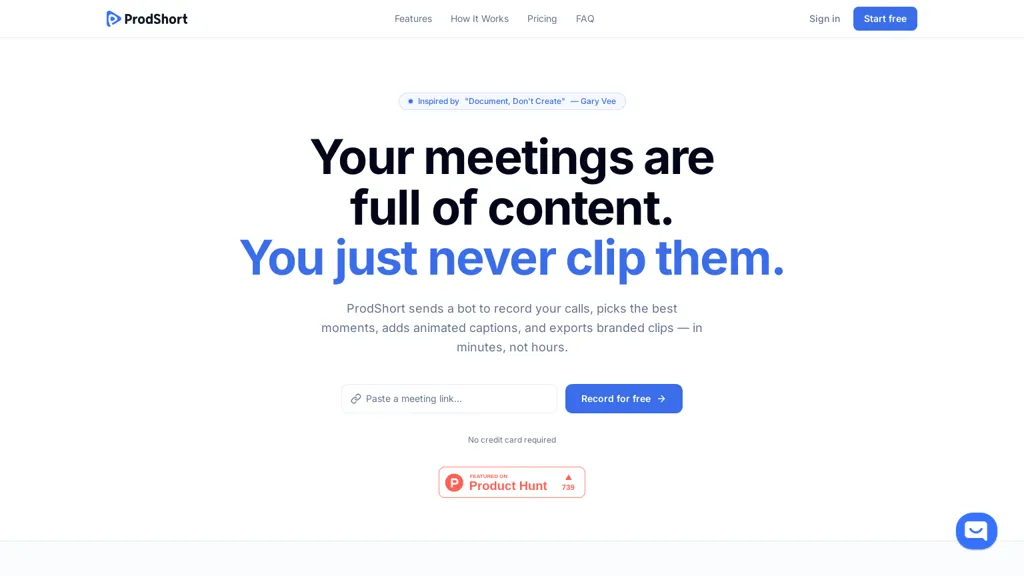
prodshort automates creation of short meeting clips from Google Meet, Zoom, and Microsoft Teams recordings.
It can join scheduled meetings via a bot, record through a browser extension, or accept manual uploads.
AI transcription and engagement detection flag key moments and a timeline editor enables quick scrubbing and segment selection.
Word-level animated captions are auto-generated and editable, with platform-specific caption formatting for TikTok, Instagram, and LinkedIn.
Branding controls let users apply logos, color palettes, templates, and speaker layouts so clips match team identity.
Exports are high-quality 1080p vertical MP4 files optimized for social platforms and can be published directly or queued to connected accounts.
Designed for creators, marketers, founders, and teams who repurpose calls into short-form video content with minimal manual editing.
Prodshort.com details
- Company
- Bengeekly LLC
- Jurisdiction
- United States
- Built for
- Individuals
Prodshort.com pricing
Free trial- Refund window
- 14 days
- Auto-renewal
- Yes
Verify on the official pricing page.
Start free trialProdshort.com's key features
-
Automated creation of short meeting clips from Google Meet, Zoom, and Microsoft Teams recordings
-
Multiple ingestion methods: bot joins scheduled meetings, browser extension recording, or manual uploads
-
AI transcription and engagement detection that flag key moments with a timeline editor for scrubbing and segment selection
-
Word-level animated captions auto-generated and editable, with platform-specific caption formatting (TikTok, Instagram, LinkedIn)
-
Branding controls (logos, color palettes, templates, speaker layouts) and high-quality 1080p vertical MP4 exports optimized for social with direct publishing or queuing to connected accounts
Prodshort.com use cases
-
Create social-ready highlight reels of customer demos and product walkthroughs from Zoom, Meet, or Teams recordings using AI transcription and engagement detection, add animated word-level captions and custom branding, and export 1080p vertical videos ready for Instagram Reels and TikTok
-
Turn internal meetings into bite-sized updates by automatically clipping key decisions, action items and top discussion moments, edit captions and timestamps in the built-in editor, then publish directly to Slack, Confluence or your LMS
-
Create polished marketing clips from webinars and customer interviews by letting the tool join live meetings or uploading recordings, refine cuts and animated captions with the editor, apply brand colors and logos, and publish high-quality vertical videos to YouTube Shorts and LinkedIn
Prodshort.com user reviews
Would you recommend Prodshort.com?
Who is Prodshort.com for?
-
Content creators
-
Founders
-
Team leaders
-
Content educators
-
Social media enthusiasts
Prodshort.com FAQ
Is Prodshort.com free?
Not permanently. Prodshort.com gives you a free trial, after which a paid plan is required. Plans include Builder at $49/mo and Chronicler at $99/mo.
Is Prodshort.com safe to use?
Prodshort.com is operated by Bengeekly LLC, registered in United States.
What are the best alternatives to Prodshort.com?
The closest alternatives to Prodshort.com are tl;dv, Opus Clip, Happy Scribe, Tactiq and Short AI. You can compare them side by side in the alternatives section further down this page.
What does Prodshort.com do with my data?
Its privacy policy states that personal data is not sold or shared for marketing purposes. Data may be shared with third-party service providers that help run the product.
Does Prodshort.com auto-renew or offer refunds?
Prodshort.com subscriptions renew automatically until you cancel. It states a 14-day refund window.
Who made Prodshort.com?
Prodshort.com is built and operated by Bengeekly LLC, a company registered in United States.
Compliance, privacy and billing terms are as stated in each product's own published documentation and have not been independently verified by TopAI.tools.


