
What is Klap.app?
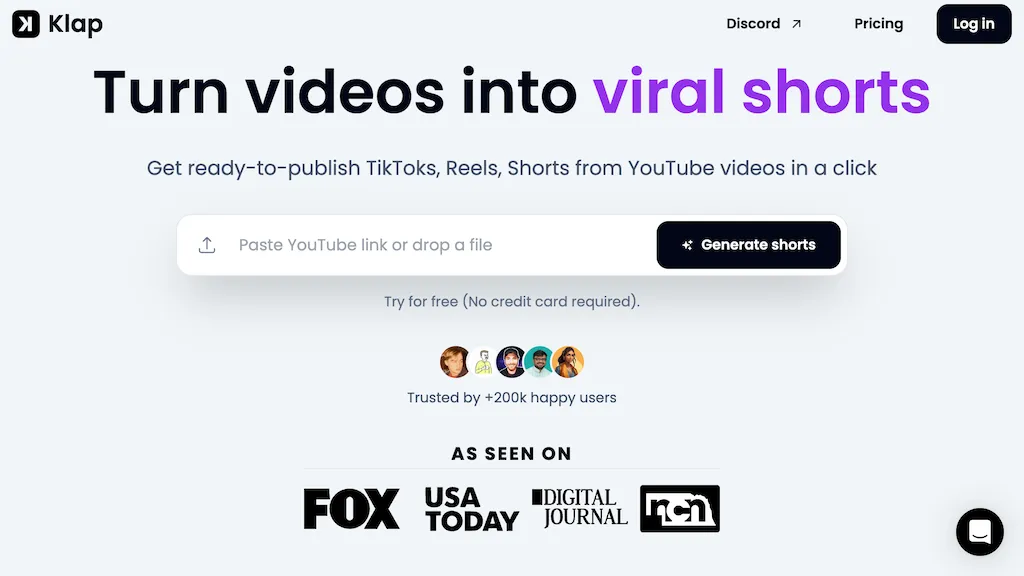
Klap, an AI‑powered video editing platform that automatically extracts key moments from long videos and generates vertical clips for TikTok, Instagram Reels, YouTube Shorts, and other social media formats in a single click.
The tool applies intelligent reframing to keep the focal point, produces accurate subtitles and caption suggestions in 52 languages, and allows customization of fonts, colors, and logos to match brand identity.
Users can upload video files or paste YouTube URLs, after which Klap creates multiple ready‑to‑publish clips that can be shared or scheduled directly to TikTok, Instagram, LinkedIn, and YouTube.
By automating clipping, reframing, captioning, and scheduling, creators and marketers save editing time and maintain a consistent short‑form content cadence across channels.
🖼️ Smart Framing - Always focus on the point of interest (face recognition & bg blur).
💬 Dynamic Captions - Generate engaging and responsive subtitles.
Klap.app details
- Company
- ZIGG
- Jurisdiction
- France
- Built for
- Individuals
- Stated compliance
- GDPR
Compliance as stated in Klap.app's own published documentation.
Klap.app tech specs
- Integrations
- Discord
Klap.app pricing
PaidKlap.app's key features
-
One-click clip conversion to shorts
-
AI topic extraction for clips
-
Auto reframing focused subjects
-
AI-generated captions and subtitles
-
Custom fonts, colors, logos
-
Publish and schedule social posts
-
52-language transcription support
Klap.app use cases
-
Transform a 2‑hour conference recording into 30‑second vertical shorts with subtitles in Spanish, French, and Mandarin, ready to be scheduled on TikTok, Instagram Reels, and LinkedIn, all without manual trimming or captioning.
-
Repurpose a month of live‑streamed Q&A sessions into bite‑size, brand‑customized clips for YouTube Shorts and IGTV, automatically adding multilingual subtitles and preserving key moments for higher engagement.
-
Turn a long‑form interview into a series of vertical micro‑videos with brand overlays and auto‑generated subtitles, then schedule them across social platforms for consistent cross‑channel promotion.
Klap.app user reviews
Based on 4 reviews, 100% of users recommend Klap.app, rated highly for ease of use.
Liked for
Would you recommend Klap.app?
Klap.app playbooks
1Step-by-step guides to get the most out of Klap.app
Who is Klap.app for?
-
Content creators
-
Digital marketers
-
Social media managers
-
Video editors
-
App developers
Klap.app FAQ
How much does Klap.app cost?
Klap.app is a paid product with no free plan. Plans include Monthly at $14, Pro at $39 and Pro+ at $94.
Is Klap.app safe to use?
Klap.app states GDPR compliance in its own published documentation. Klap.app is operated by ZIGG, registered in France. It has a substantial audience that is independently measured month to month.
What are the best alternatives to Klap.app?
The closest alternatives to Klap.app are Short AI, Ssemble, Vizard, Flowjin and 2Short.Ai. You can compare them side by side in the alternatives section further down this page.
Does Klap.app auto-renew or offer refunds?
Klap.app states a 30-day refund window.
Does Klap.app have an API?
Yes. Klap.app offers an API, so you can call it from your own applications instead of using the interface directly.
Who made Klap.app?
Klap.app is built and operated by ZIGG, a company registered in France.
What does Klap.app integrate with?
Klap.app connects with Discord.
Compliance, privacy and billing terms are as stated in each product's own published documentation and have not been independently verified by TopAI.tools.


