
Top 29 Gantt Chart AI Alternatives in 2026
No user reviews yet FreemiumGanttChart.AI generates full project timelines from plain‑English descriptions, auto‑setting dates, dependencies, and milestones. Users edit tasks, durations, dependencies, assign members in a web editor, and integrate with Google Sheets or export to Excel, CSV, or JSON.
We've ranked 29 Gantt Chart AI alternatives, including 27 with a free plan. Rankings are based on feature coverage and user feedbacks.
Top-rated alternatives include ChartAI, AI graph maker, and PresentationsAI.
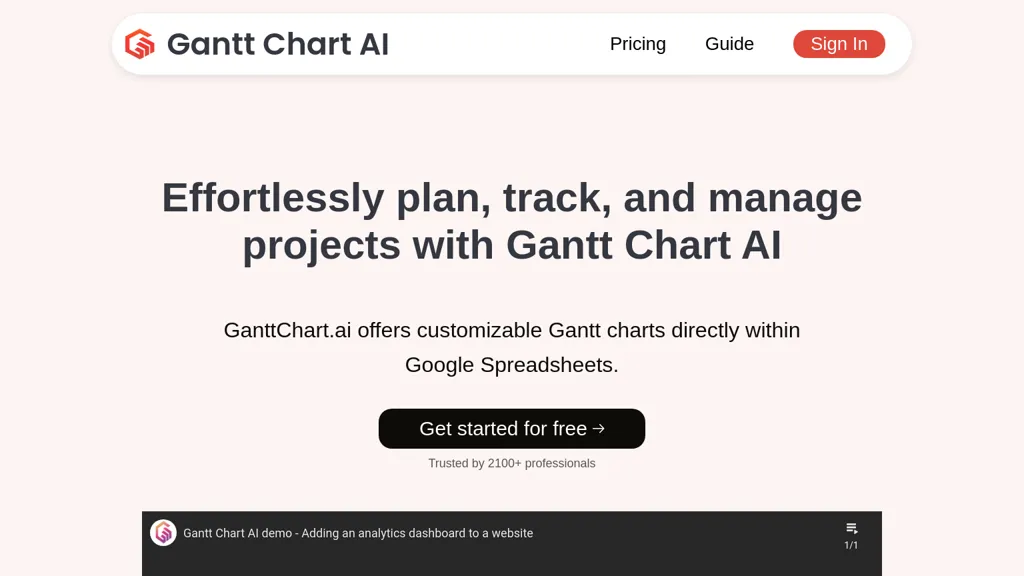
29 Gantt Chart AI Alternatives & Competitors, Ranked by User Reviews
Click Compare on any tool to compare it side-by-side with Gantt Chart AI.
 #1
ChartAI
#1
ChartAI
ChartAI auto‑creates diverse visualizations—mind maps, flowcharts, timelines, Gantt charts, ER diagrams, etc.—by converting data into polished diagrams. It offers templates, quick start, and dataset generation, aiding analysts, researchers, educators, and managers.
 #2
AI graph maker
#2
AI graph maker
Free AI Graph Maker enables users to create interactive charts and graphs, including bar, pie, and line charts. It supports Gantt charts, flowcharts, and mind maps, facilitating effective data visualization for various sectors like education and finance.
 #3
PresentationsAI
#3
PresentationsAI
Presentations.AI automatically turns text prompts into fully formatted slide decks, including charts, infographics, timelines, and roadmaps. It applies consistent branding, exports to PowerPoint, supports multilingual collaboration, and offers engagement analytics for content refinement.
 #4
edraw ai
#4
edraw ai
Edraw.ai is an AI-driven platform for visual collaboration, offering a variety of diagram types and real-time editing. It enhances productivity by facilitating teamwork, streamlining workflows, and improving visual documentation across diverse industries.
 #5
ChartGen.ai
#5
ChartGen.ai
ChartGen.ai is an AI chart generator that converts CSV/Excel data or pasted text into presentation-ready visualizations using plain-English prompts. It supports numerous chart types, offers live data sync, and exports in multiple formats with enterprise-grade security.
 #6
Napkin.ai
#6
Napkin.ai
Napkin AI automatically converts pasted or uploaded text into diagrams, charts, flowcharts, and mind maps. Users can customize icons, styles, connectors, and colors, then export to PPT, PNG, PDF or SVG. It supports 60+ languages and real‑time collaboration.
- Catch deals before they expire
- Unlock tools matched to you
- Show off your AI stacks
Already a member? Sign in
 #7
Graphy.app
#7
Graphy.app
Graphy transforms raw data from Google Sheets, CSV, Excel, or APIs into AI‑generated charts, auto‑highlighting insights. It supports multiple chart types, branding, annotations, real‑time updates, and export/embed options for marketing, finance, and consulting teams.
 #8
GeniePM
#8
GeniePM
GeniePM automates creation of user stories, tasks, and detailed descriptions from input, ready for development. It supports real‑time collaborative editing and integrates with Jira, Trello, Slack, reducing documentation workload and boosting team productivity.
 #9
spreadsheetdaddy.com
#9
spreadsheetdaddy.com
Spreadsheet Daddy is an AI add‑on for Google Sheets and Excel that automates formula creation, data analysis, and chart generation. It offers ready‑made templates for budgets, invoices, inventory, and projects, and supports natural‑language queries via GPT.
 #10
Flowchartai.tech
#10
Flowchartai.tech
Converts text, images, PDFs and spreadsheets into editable diagrams—flowcharts, decision trees, UML, mindmaps, org charts and Gantt—by parsing processes into steps, decisions and loops, offering auto-layout, collaborative editing and PNG/SVG/PDF export.
 #11
Nifty
#11
Nifty
Nifty is a project management tool that integrates task management, roadmaps, and Gantt charts, facilitating team collaboration, automated data capture, and customizable workflows to enhance productivity and streamline project tracking across various disciplines.
 #12
Trevorai.com
#12
Trevorai.com
Trevor AI synchronizes tasks and calendar events from Todoist, Google Calendar, Outlook, Microsoft To‑Do, and Google Tasks. Its AI generates schedules, predicts durations, offers focus mode, chat‑based task management, and daily progress reports to improve task completion.
 #13
Piktochart
#13
Piktochart
Piktochart is an AI‑powered visual creation platform that turns text into infographics, charts, and videos within seconds. It offers templates, a brand kit, collaborative editing, interactive graphics, and export options for print and digital use.
 #14
dypt
#14
dypt
Web‑based task manager that creates hierarchical tasks with unlimited depth. AI auto‑breaks large tasks into subtasks, estimates time, extracts actions from images, supports deadlines, calendar views, collaboration, bulk editing, command palette, markdown, dependencies, recurring tasks, and real‑time keyboard‑only search.
 #15
SlidesAI
#15
SlidesAI
SlidesAI generates slide decks directly in Google Slides and PowerPoint from text or prompts, auto‑selecting layouts, headings, bullet points, and images. It supports 100+ languages, 150 templates, and an AI image generator for quick, polished presentations.
 #16
MyMap.AI
#16
MyMap.AI
MyMap turns text prompts into mind maps, flowcharts, SWOT, timelines, and database schemas on an infinite canvas. It auto‑generates and places nodes with real‑time AI context awareness, letting users drag, connect, and reorganize for brainstorming and planning.
 #17
Storylist
#17
Storylist
Storylist automatically turns simple project descriptions into structured user stories, offering time estimates, GitHub sync, shared boards, and public links for clear communication. It helps non‑technical founders, solo entrepreneurs, and freelance developers streamline planning and reduce miscommunication.
 #18
Infograph.app
#18
Infograph.app
AI Infographic Generator converts text and data into customizable graphics like infographics and flowcharts. With over 500 templates and multi-language support, it enables editing and downloading in multiple formats, all while supporting 4K resolution.
 #19
AI Infographic Generator
#19
AI Infographic Generator
InfographAI converts text, URLs, PDFs, Word docs, and spreadsheets into AI-generated infographics. It extracts key points, auto-places charts and visuals, offers customizable templates and a drag-and-drop editor, and exports PNG or PDF for reports and social media.
 #20
History timeline generator
#20
History timeline generator
History Timeline Generator creates chronological lists of key dates and events for people, companies, countries, or topics based on a user prompt. It produces clear, factual timelines that save time for educators, researchers, and analysts.
 #21
Diagramming
#21
Diagramming
Diagramming AI generates and edits flowcharts, UML, and architecture diagrams across Mermaid, PlantUML, GraphViz, D2, and Excalidraw using natural‑language prompts. AI chat refines designs, auto‑corrects syntax, and converts text to interactive visuals with templates, versioned collaboration, and exportable SVG/PNG/URLs.
 #22
Chronicle AI
#22
Chronicle AI
Chronicle converts notes, outlines, meetings or existing decks into complete slide decks with generated slides, charts, diagrams and visuals; offers a freeform editing canvas, brand templates, collaboration and permissions, export options, integrations, and enterprise-grade controls.
 #23
CostGPT
#23
CostGPT
CostGPT generates full project roadmaps from an idea, providing estimates, feature lists, dependencies, sitemaps, micro‑user stories, and sprint milestones. It offers AI‑chat proposals, cost refinements, and developer matching based on 2000+ project data.
 #24
Make Infographic AI
#24
Make Infographic AI
MakeInfographic.ai converts text prompts into structured infographics using templates (timelines, comparisons, processes, etc.), selectable visual styles and aspect ratios, exports channel-specific variations for social, presentations, and educational materials with inline editing.
 #25
Thinktask
#25
Thinktask
ThinkTask uses ChatGPT to auto‑create and assign tasks from notes, match team members by skill, and display real‑time progress and dependencies in a unified workspace. It visualizes team activity, task types, and cost estimates for streamlined project oversight.

GenPPT AI is an AI-powered presentation generator that creates complete, editable slide decks from text prompts, notes, or uploaded files. It automates design, generates visuals and charts, and exports to multiple formats to streamline professional presentation creation.
 #27
AI Diagram Generator
#27
AI Diagram Generator
dg diagram-generator converts text prompts into structured diagrams — flowcharts, UML, ER, network, Gantt and infographics — offers quick drafts, 4K renders, editable Mermaid export, style templates, and Pro web grounding with layout-aware rendering.
 #28
AI Presentation Maker
#28
AI Presentation Maker
AI Presentation Maker is an online tool that uses generative AI to create professional presentations in three simple steps: input topic, define audience, and outline goals. It offers customizable themes, templates, and stock images, with the ability to refine presentations in PowerPoint or Google Slides.
 #29
timehero.com
#29
timehero.com
TimeHero automatically schedules tasks and projects across calendars and tools, pulling items from Gmail, Slack, Asana, and 1,000+ apps. It adapts to changes, flags deadlines, tracks time, and delivers real‑time capacity reports for managers.
Frequently Asked Questions
Why look for Gantt Chart AI alternatives?
Common reasons users switch from Gantt Chart AI:
- Feature gaps: teams needing specific capabilities like Generate Presentations may find a more focused alternative better suited to their workflow.
- Flexibility: exploring alternatives helps find tools that better match your team size, integrations, and budget.
What is the best alternative to Gantt Chart AI?
Based on 2 user reviews, ChartAI (50% positive) ranks as the top Gantt Chart AI alternative. ChartAI auto‑creates diverse visualizations—mind maps, flowcharts, timelines, Gantt charts, ER diagrams, etc.—by converting data into polished diagram It is available on a Free plan.
How do the top Gantt Chart AI alternatives compare?
| Tool | Pricing | Starting Price | User Rating |
|---|---|---|---|
| Gantt Chart AI this tool | Freemium | — | — |
| ChartAI | Free | — | 50% (2) |
| AI graph maker | Freemium | — | 50% (1) |
| PresentationsAI | Freemium | — | 66.7% (30) |
| edraw ai | Free trial | — | 64.7% (17) |
| ChartGen.ai | Freemium | — | 80% (5) |
Are there free Gantt Chart AI alternatives?
Yes, 27 free alternatives found in our list: ChartAI, AI graph maker, PresentationsAI. and 24 more — use the pricing filter above to see them all.
What should I look for in a Gantt Chart AI alternative?
- Core capabilities: confirm the tool supports Generate Presentations, generate spreadsheets, Organize Tasks.
- Pricing transparency: look for clear free plan, trial period, or tiered pricing — avoid tools that hide costs.
- User reviews: check both the satisfaction percentage and the number of reviews; a high score from few users is less reliable.
- Integrations: verify it connects with your existing stack before committing.
- Support and updates: active development and responsive support are strong signals of a maintained product.
Which Gantt Chart AI alternative has the highest user rating?
GeniePM has the highest satisfaction score among Gantt Chart AI alternatives, with 100% positive from 1 user review. It is available on a Free plan.
What are Gantt Chart AI alternatives used for?
- Generate Presentations
- generate spreadsheets
- Organize Tasks
- Automate Timelines
- Analyze Projects