
What is ChartGen.ai?
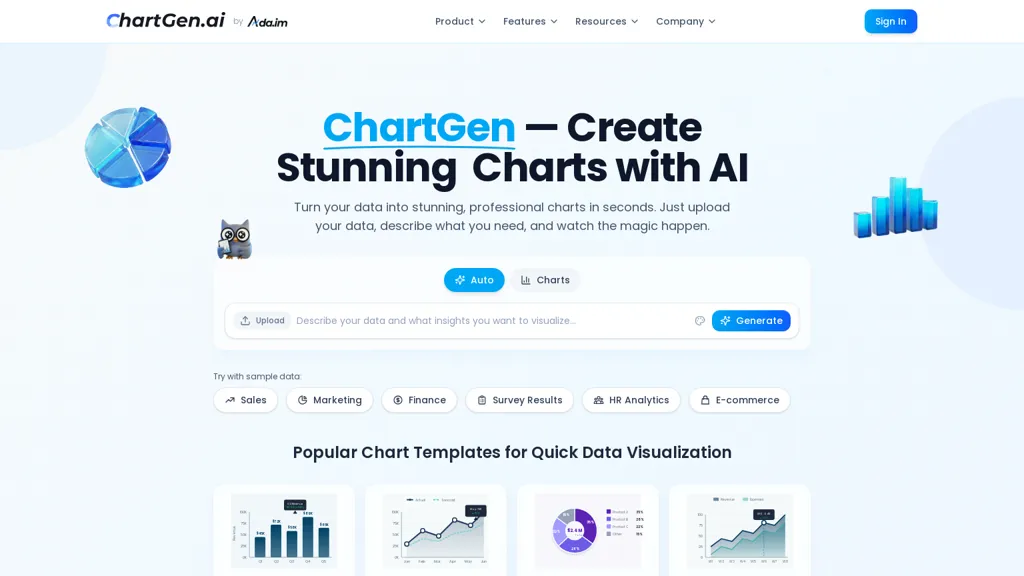
Chartgen is an AI chart generator that converts CSV, Excel (.xlsx/.xls) or pasted data into presentation-ready visualizations using plain-English prompts.It supports bar, line, pie, area, scatter, heatmap, combo, waterfall and funnel charts, plus templates and 12 color themes for consistent styling.
Charts export to PNG, SVG and PDF in multiple sizes and can be embedded in presentations, reports and dashboards.Live data synchronization keeps charts updated from connected sources and one-click downloads streamline workflows.
Security features include SOC 2 compliance and end-to-end encryption for enterprise use.Typical use cases include business reporting, marketing analytics, academic figures and social media visuals, reducing manual charting and design effort.
ChartGen.ai details
- Company
- Deep Analysis Pte. Ltd.
- Jurisdiction
- Singapore
- Built for
- Individuals
- Stated compliance
- SOC 2, GDPR, CCPA
Compliance as stated in ChartGen.ai's own published documentation.
ChartGen.ai pricing
FreemiumChartGen.ai offers a free plan with paid upgrades available.
- Free trial
- 7 days
- Auto-renewal
- Yes
Verify on the official pricing page.
View plansChartGen.ai's key features
-
Convert CSV, Excel (.xlsx/.xls) or pasted data into presentation-ready visualizations via plain-English prompts
-
Support for bar, line, pie, area, scatter, heatmap, combo, waterfall and funnel charts
-
Templates and 12 color themes for consistent styling
-
Export to PNG, SVG and PDF in multiple sizes and embed charts in presentations, reports and dashboards
-
Live data synchronization with connected data sources
ChartGen.ai use cases
-
Create investor-ready visuals from messy Excel or CSV data using Chartgen's plain‑English prompts and presentation templates, apply brand color themes and export high-resolution PNG/SVG/PDF for pitch decks without manual charting
-
Build operational dashboards that sync with live data using Chartgen, automatically update charts from CSV/Excel or connected sources, schedule snapshot exports for weekly reports and keep sensitive data protected with enterprise-grade security and access controls
-
Convert survey, research or financial datasets into publication-quality charts using Chartgen's wide range of chart types and customizable templates, iterate quickly via natural-language instructions and export vector SVG/PDF for print or web distribution
ChartGen.ai user reviews
Based on 5 reviews, 80% of users recommend ChartGen.ai, rated highly for value for money.
Liked for
Disliked for
Would you recommend ChartGen.ai?
Who is ChartGen.ai for?
-
Data analysts
-
Product managers
-
E-commerce sellers
-
Content marketers
-
Financial analysts
ChartGen.ai FAQ
Is ChartGen.ai free?
Partly. ChartGen.ai has a free plan with usage limits, and paid plans unlock the full feature set.
Is ChartGen.ai safe to use?
ChartGen.ai states SOC 2, GDPR and CCPA compliance in its own published documentation. ChartGen.ai is operated by Deep Analysis Pte. Ltd., registered in Singapore. It has a substantial audience that is independently measured month to month.
What are the best alternatives to ChartGen.ai?
The closest alternatives to ChartGen.ai are AI graph maker, Bricks, Excel Dashboard Ai, Piktochart and ChartAI. You can compare them side by side in the alternatives section further down this page.
What does ChartGen.ai do with my data?
ChartGen.ai states that customer content is not used to train its models. Its privacy policy states that personal data is not sold or shared for marketing purposes. Data may be shared with third-party service providers that help run the product.
Does ChartGen.ai auto-renew or offer refunds?
ChartGen.ai subscriptions renew automatically until you cancel.
Who made ChartGen.ai?
ChartGen.ai is built and operated by Deep Analysis Pte. Ltd., a company registered in Singapore.
Compliance, privacy and billing terms are as stated in each product's own published documentation and have not been independently verified by TopAI.tools.


