
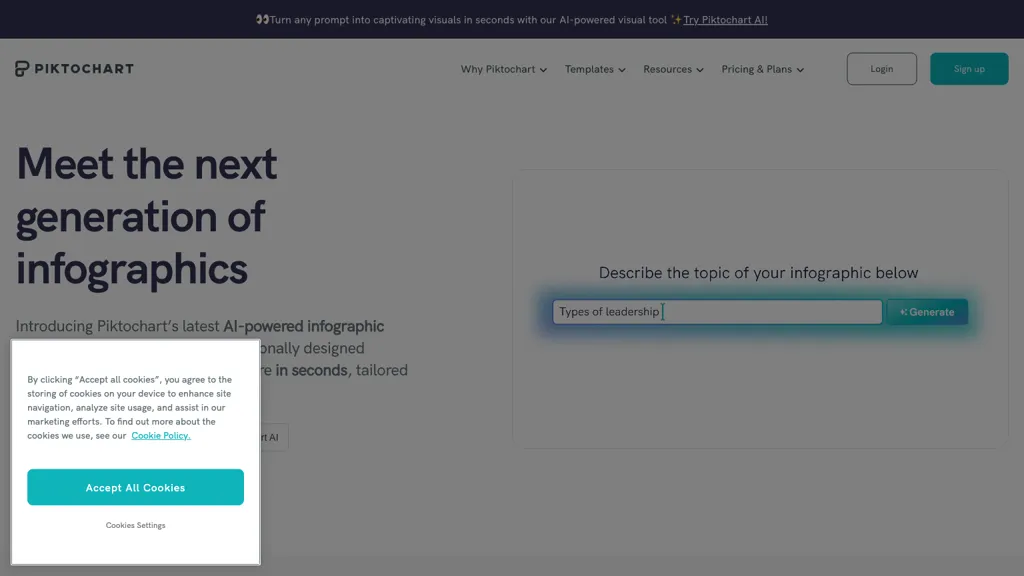
What is Piktochart?
Piktochart is an online visual creation platform that integrates AI design generation, enabling users to produce infographics, charts, diagrams, and social media graphics from text prompts in seconds.
It offers a suite of AI image tools—generator, upscaler, background remover, restorer, and text remover—for quick asset creation and editing.
The platform includes templates for infographics, presentations, reports, and print media, and a brand kit that stores fonts, colors, and logos to keep designs consistent.
Collaborative features let teams share, comment, and revise visual assets within a single workspace, supporting real‑time teamwork.
Video tools allow creation of short videos with AI models that render realistic motion and lighting, exportable in multiple aspect ratios for YouTube, TikTok, and other platforms.
Users can embed interactive maps, flowcharts, and data visualizations, and export designs in print‑ready or digital formats.
Piktochart details
- Jurisdiction
- Delaware
- Built for
- Businesses and teams
- Stated compliance
- GDPR
Compliance as stated in Piktochart's own published documentation.
Piktochart tech specs
- Works with
- OpenAI / Sora Google / Veo Google / Nano Banana
- Integrations
- Microsoft Teams
Piktochart pricing
FreemiumPiktochart offers a free plan with paid upgrades available.
- Auto-renewal
- Yes
Verify on the official pricing page.
View plansPiktochart's key features
-
AI Icon Generator
-
AI Image Upscaling
-
Multi-Aspect Video Creation
-
Interactive Map Builder
-
Collaborative Design Workspace
-
Brand Asset Management
-
AI Diagram Creation
Piktochart use cases
-
Create a stakeholder-ready marketing data report with interactive charts and brand‑aligned visuals using Piktochart's AI‑powered templates
-
Design an engaging employee onboarding flowchart in minutes, collaborating in real‑time and maintaining consistent branding
-
Produce a shareable social media campaign infographic that integrates video snippets and interactive elements for higher audience engagement
Piktochart user reviews
Based on 20 reviews, 80% of users recommend Piktochart, rated highly for ease of use.
Liked for
Disliked for
Would you recommend Piktochart?
Who is Piktochart for?
-
Graphic designers
-
E-commerce sellers
-
Marketing marketers
-
Content creators
-
Business owners
Piktochart FAQ
Is Piktochart free?
Partly. Piktochart has a free plan with usage limits, and paid plans unlock the full feature set.
Is Piktochart safe to use?
Piktochart states GDPR compliance in its own published documentation. Piktochart carries the TopAI.tools verified mark, which we award after a manual review of pricing transparency, published terms, public following and working functionality. It has a substantial audience that is independently measured month to month.
Is Piktochart good?
Piktochart has an 80% recommendation rate from 20 reviewers on TopAI.tools. Reviewers rate it highest on ease of use and value for money.
What are the best alternatives to Piktochart?
The closest alternatives to Piktochart are Infograph.app, Text to Infographic, VDraw AI, Make Infographic AI and Canva AI. You can compare them side by side in the alternatives section further down this page.
What does Piktochart do with my data?
Piktochart states that customer content may be used to train its models. Its privacy policy states that personal data is not sold or shared for marketing purposes. Data may be shared with third-party service providers that help run the product.
Does Piktochart auto-renew or offer refunds?
Piktochart subscriptions renew automatically until you cancel.
Which AI models does Piktochart use?
Piktochart is built on OpenAI / Sora, Google / Veo and Google / Nano Banana. Which models you can reach may depend on your plan.
What does Piktochart integrate with?
Piktochart connects with Microsoft Teams.
Compliance, privacy and billing terms are as stated in each product's own published documentation and have not been independently verified by TopAI.tools.


