
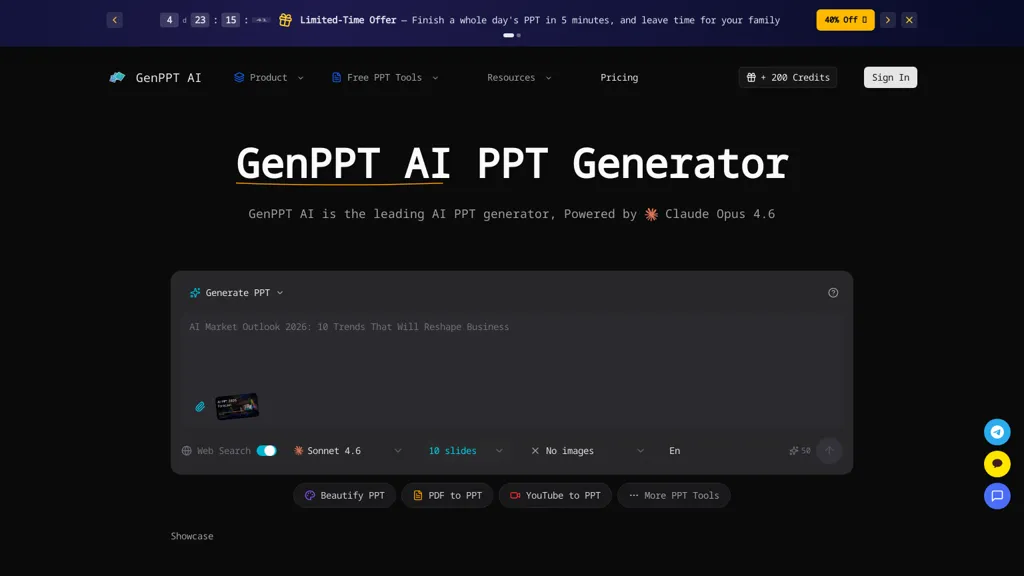
What is GenPPT AI?
Genppt AI - an AI PPT generator that creates complete slide decks from text prompts, uploaded notes, or existing files.It converts Word, PDF, and web content into editable PPTX files and supports export for Google Slides and Keynote.
The tool applies automated layouts, template-based styling, image suggestions, and chart generation to streamline slide design.genppt ai can reformat and enhance existing presentations, produce detailed speaker notes and talking points, and support multilingual output.
Target users include business teams, educators, marketers, and content creators who need faster slide production, consistent branding, and data visualizations.Real-time preview and in-browser editing enable quick revisions and ready-to-share PowerPoint exports.
GenPPT AI details
- Built for
- Individuals
GenPPT AI tech specs
- Works with
- Anthropic / Claude Google / Nano Banana
GenPPT AI pricing
FreemiumVerify on the official pricing page.
View plansGenPPT AI's key features
-
Generates complete slide decks from text prompts, uploaded notes, or existing files
-
Converts Word, PDF, and web content into editable PPTX and exports to Google Slides and Keynote
-
Applies automated layouts, template-based styling, image suggestions, and chart generation
-
Reformats and enhances existing presentations
-
Produces detailed speaker notes and talking points and supports multilingual output
GenPPT AI use cases
-
Create investor-ready pitch decks from a business plan or text prompt using genppt's automated layouts, chart generation and speaker notes, then polish slides in-browser and export to PowerPoint, Google Slides or Keynote for investor meetings
-
Convert long reports, Word documents or PDFs into concise, editable slide decks with genppt's document-to-slides converter, auto-generated charts and multilingual speaker notes to present to global stakeholders
-
Turn bullet notes or web content into training or webinar slide decks using genppt's templates, images and automated layouts, finalize edits in-browser and export slides and handouts for seamless delivery
GenPPT AI user reviews
Based on 8 reviews, 88% of users recommend GenPPT AI, rated highly for ease of use.
Liked for
Disliked for
Would you recommend GenPPT AI?
Who is GenPPT AI for?
-
Content creators
-
Design agencies
-
Product managers
-
Marketers
-
Educators
GenPPT AI FAQ
Is GenPPT AI free?
Partly. GenPPT AI has a free plan with usage limits, and paid plans unlock the full feature set. Plans include Starter at $9.5/mo, Standard at $23.9/mo and Premium at $47.9/mo.
What are the best alternatives to GenPPT AI?
The closest alternatives to GenPPT AI are PresentationsAI, PPT.AI, Autoppt, AI PPT Maker and SlidesAI. You can compare them side by side in the alternatives section further down this page.
What does GenPPT AI do with my data?
Its privacy policy states that personal data is not sold or shared for marketing purposes. Data may be shared with third-party service providers that help run the product.
Which AI models does GenPPT AI use?
GenPPT AI is built on Anthropic / Claude and Google / Nano Banana. Which models you can reach may depend on your plan.
Compliance, privacy and billing terms are as stated in each product's own published documentation and have not been independently verified by TopAI.tools.


 ClearMirror
The web search feature is a game changer for making this process quick and easy to use