
Top 29 videowatermarkremover.org Alternatives in 2026
No user reviews yet Free trialvideowatermarkremover.org is a web-based AI tool that removes watermarks, logos, text, and unwanted objects from video files while preserving original resolution and detail. It supports batch processing, API integration, and works across common video formats for content creators, marketers, and teams.
We've ranked 29 videowatermarkremover.org alternatives, including 23 with a free plan. Rankings are based on feature coverage and user feedbacks.
Top-rated alternatives include VideoWatermarkRemove, Watermark Remover, and Dewatermark AI.
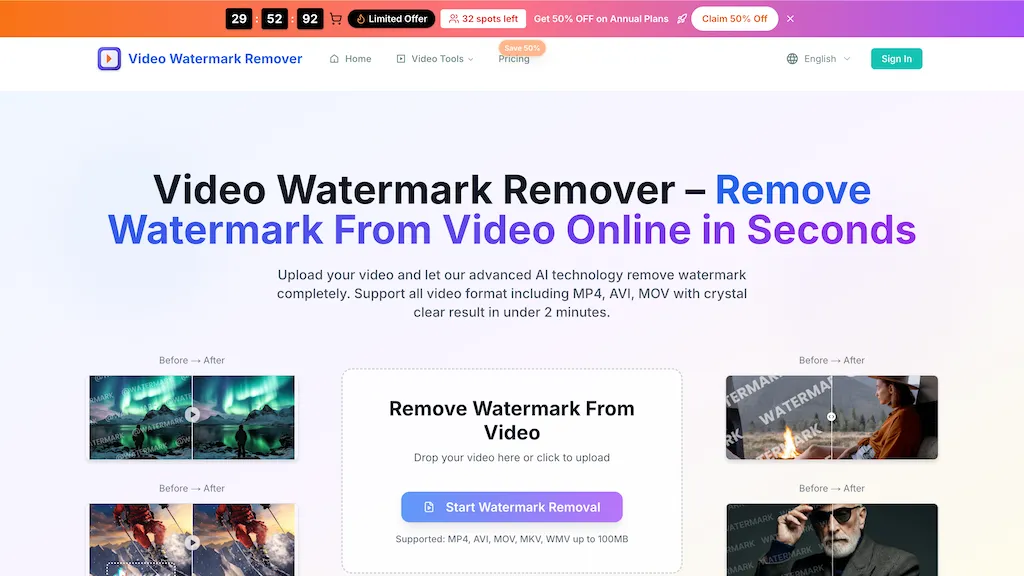
29 videowatermarkremover.org Alternatives & Competitors, Ranked by User Reviews
Click Compare on any tool to compare it side-by-side with videowatermarkremover.org.
 #1
VideoWatermarkRemove
#1
VideoWatermarkRemove
VideoWatermarkRemove is an AI-powered online tool that intelligently removes watermarks, logos, and text from videos. It analyzes surrounding pixels to erase unwanted elements while preserving the original video quality.
 #2
Watermark Remover
#2
Watermark Remover
WatermarkRemover.io uses AI to erase watermarks from images, videos, and PDFs while preserving quality. It supports batch uploads, command‑line, web, API, and plugin integration for workflows, with secure, compliant data handling.
 #3
Dewatermark AI
#3
Dewatermark AI
DeWatermark uses AI to remove watermarks, logos, text, emojis, and timestamps from photos, videos, PDFs, and images. It applies inpainting, offers a manual brush for edits, and batch processes up to 50 files on mobile and desktop.
 #4
RemoveFrom.Video
#4
RemoveFrom.Video
removefrom.video uses AI video inpainting to remove watermarks, logos, text, subtitles and unwanted objects from MP4, MOV and WEBM files. Drag-and-drop upload, automatic detection and manual masking with cloud processing that preserves motion and lighting.
 #5
VideoWatermarkRemover AI
#5
VideoWatermarkRemover AI
VideoWatermarkRemover AI is an online tool that uses AI to automatically detect and remove static or moving watermarks from your videos in seconds. It processes files up to 4K and 500MB with encrypted, secure handling and requires no installation or login.
 #6
Video Watermark Remover
#6
Video Watermark Remover
AI Video Watermark Remover uses AI-driven pixel restoration to automatically detect and remove watermarks, logos, text, and timestamps from short videos (up to 10 minutes/500 MB), preserving resolution and visual continuity for downloadable output.
- Catch deals before they expire
- Unlock tools matched to you
- Show off your AI stacks
Already a member? Sign in
 #7
Video Water Mark Remover
#7
Video Water Mark Remover
AI Video Watermark Remover removes watermarks, logos, timestamps, subtitles and unwanted objects from MP4/MOV/M4V/MKV (up to 500 MB/10 minutes) using automated detection, optional manual selection and AI inpainting for artifact-free, fast GPU processing.
 #8
Remove Watermark - MarkGone
#8
Remove Watermark - MarkGone
Remove Watermarks - MarkGone is an AI tool that automatically removes logos, text, and stamps from images and videos. It supports batch uploads for popular formats and preserves visual details with minimal artifacts.
 #9
RemoveSoraWatermark
#9
RemoveSoraWatermark
RemoveSoraWatermark is an AI tool that instantly removes the Sora watermark from any video link. It delivers high-quality, watermark-free videos without any loss in quality, ensuring your privacy as files are never stored.
 #10
Remove text from video - AIAI
#10
Remove text from video - AIAI
remove-text-from-video - aiai is an AI-powered tool that removes watermarks, logos, subtitles, and on-screen text from videos by automatically tracking and inpainting over them while preserving original resolution.
 #11
Background Remover
#11
Background Remover
AI Background Remover deletes backgrounds from JPG, PNG, WebP images while preserving resolution, handling up to 500 at once. Users can replace with color, gallery, or upload; ideal for designers, marketers, and e‑commerce workflows.
 #12
ObjectRemover
#12
ObjectRemover
ObjectRemover uses AI to erase unwanted people, stickers, logos, text, and clutter from images. Drag‑and‑drop JPG, PNG, or WebP files up to 10 MB, preview edits, and download watermark‑free results in seconds with high‑quality output.
 #13
PicWish
#13
PicWish
PicWish AI Photo Editor automates image enhancement, background removal, and watermark deletion. It processes batches of up to 30 files, offering resizing, lighting, upscaling, AI Designer prompts, Face Cutout, and single‑click unblur/sharpen. Available on Windows, macOS, iOS, Android, and browser.
 #14
Removebackgroundai
#14
Removebackgroundai
RemoveBackgroundAI.com is a web‑based AI that deletes image and video backgrounds from JPEG, PNG, GIF, MP4, MOV files up to 234 MB, offering transparent or solid colors. It supports batch processing, multiple output formats (PNG, WebP, MP4), and a multilingual interface.
 #15
Removal.ai
#15
Removal.ai
Removal.AI instantly isolates foreground subjects from .jpg and .jpeg images, offering preview, high‑resolution downloads, background replacement, manual eraser, API integration, batch processing, and professional editing support. Ideal for photographers, designers, marketers, and e‑commerce sites needing consistent product imagery.
 #16
Vmake Video Enhancer
#16
Vmake Video Enhancer
Vmake AI Video Enhancer upsamples MP4, MOV, AVI, etc. to 2K/4K/AI 4K+, removes artifacts, improves low‑light, reduces noise, and offers watermark/text removal, background elimination, and subtitle generation, giving creators, e‑commerce, and gamers sharper, cleaner videos.
 #17
Remover AI
#17
Remover AI
removerai.io is a web-based AI tool that automatically removes backgrounds from images, preserving fine details like hair and edges. It requires no installation, allows manual refinements, and exports high-resolution transparent PNGs for e-commerce, design, and marketing.
 #18
Remaker AI
#18
Remaker AI
remaker ai offers web and mobile AI image and video editing for creators and teams, including upscaling, background removal, object erasing, face swap, text-to-image, lip-sync, batch processing and templates for short-form social content.
 #19
AIRemover
#19
AIRemover
AIRemover.org is a web-based AI tool that removes on-screen text, subtitles, logos, and watermarks from videos and images with automatic detection or manual selection. It preserves background detail and resolution, allowing fast preview and download without frame-by-frame editing.
 #20
jpgRM
#20
jpgRM
AI Image Magic Cleanup uses a 2026 GAN to automatically erase backgrounds or unwanted objects from photos. Users mark areas with a brush, then the tool refines and fills the space with matching background detail, delivering quick results on mobile.
 #21
removesorawatermark.video
#21
removesorawatermark.video
removesorawatermark.video is a tool that instantly removes Sora's watermark from shared videos via a public link, delivering a clean MP4. It supports batch processing and API access for high-volume workflows, preserving the original video's quality.
 #22
Pixflux.AI
#22
Pixflux.AI
Pixflux.ai is a browser-based AI photo editing tool that improves image quality through features like background removal, watermark erasure, object removal, and enhancement, while also supporting batch processing and transparent background generation.
 #23
Background remover from photo by Hitpaw
#23
Background remover from photo by Hitpaw
HitPaw Online Background Remover uses AI to delete backgrounds in seconds, supporting single or up to 50‑image batch uploads. It offers transparent, black, or template backgrounds, realistic shadows, and works on Windows, macOS, iOS, Android, and browsers.
 #24
ImgKits
#24
ImgKits
ImgKits is an AI-powered image and video processing tool that enables background removal, object replacement, and photo enhancement while preserving quality. It supports batch processing for JPG, PNG, and WEBP formats, offering features like watermark removal, upscaling, and unblurring.
 #25
iPurix
#25
iPurix
iPurix is an AI-based watermark remover that allows users to upload various image formats and efficiently eliminate watermarks. It supports batch processing, maintains image quality, and ensures privacy through automatic file deletion within 24 hours.
 #26
Vmake.ai
#26
Vmake.ai
Vmake automates UGC and viral video cloning, producing product, fitness, and real‑estate clips with AI editing tools—watermark removal, background swap, noise suppression, upscaling. It auto‑generates captions, hooks, thumbnails, supports batch processing, and offers a teleprompter for polished delivery.
 #27
Wondershare Uniconverter
#27
Wondershare Uniconverter
Wondershare UniConverter is an AI‑powered all‑in‑one tool that converts, enhances, compresses, records, and edits video and audio. It supports 1,000+ formats, delivers ultra‑fast conversions, upscales to 4K/8K, adds subtitles, removes backgrounds, and preserves metadata for creators and SMBs.
 #28
GStory.ai
#28
GStory.ai
GStory.ai is an AI-powered creative suite for video and photo editing. Its core features include automated subtitle generation, background removal, and tools for enhancing image quality and removing watermarks.
 #29
AIImageToVideo Pro
#29
AIImageToVideo Pro
AIImageToVideo Pro is an AI tool that transforms static images and text prompts into short videos using models like Veo and Kling, offering control over motion, duration, and resolution. It features editing for text overlays and captions, with export options for creating watermark-free content for social media and marketing.