
What is Bulk Rename Utility?
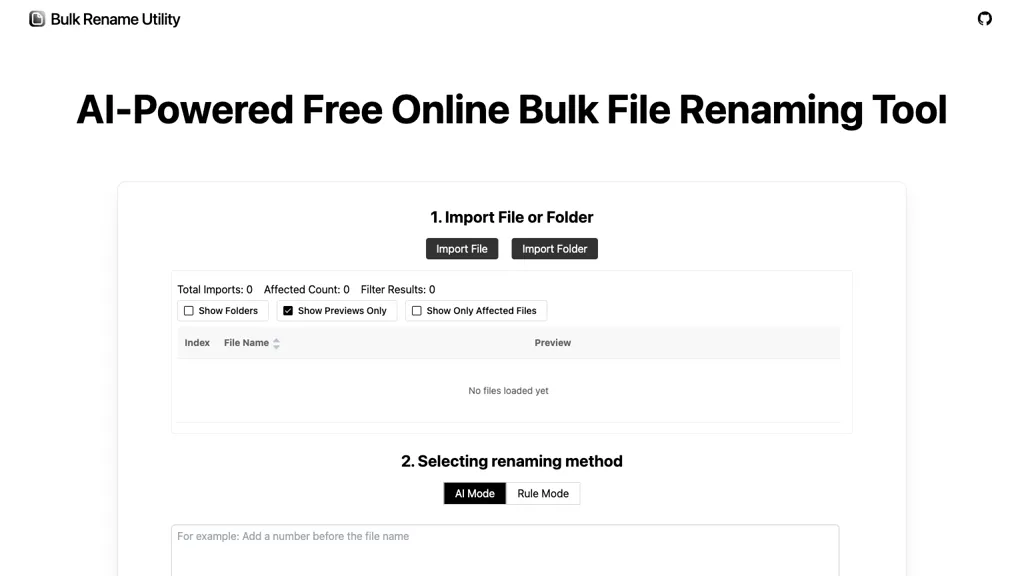
AI Bulk Rename Utility is a web‑based solution that processes file names locally, using AI to interpret natural‑language instructions and apply batch renaming, sequential numbering, or pattern rules without uploading data.
It supports Windows, macOS, and browsers that implement the File System Access API, making it suitable for developers, office staff, and photographers who need quick, accurate renaming of large collections.
The AI mode automatically detects context, while the rule mode offers regex and JavaScript customization for advanced users.
A built‑in photo renamer tags images by date, event, or sequence, helping photographers keep albums organized.
The interface includes preview and instant execution, allowing users to verify changes before applying them.
Bulk Rename Utility pricing
FreeThis tool is free to use, with no credit card required.
Verify on the official pricing page.
Get started freeBulk Rename Utility's key features
-
AI natural language file renaming
-
Smart batch renaming prefixes and dates
-
Local file organization via AI
-
Photo renamer by date event sequence
-
Regex and JS rule mode
-
100% client-side processing
-
Browser-based no installation
Bulk Rename Utility use cases
-
Effortlessly rename and organize your digital photo libraries by automatically tagging images with the exact capture date or event name using natural‑language commands, eliminating manual input and ensuring consistent naming across Windows, macOS, and browsers
-
Streamline your software development workflow by batch renaming and reformatting thousands of source code files—such as adding version prefixes, converting camelCase to snake_case, or appending build numbers—directly within the browser, saving time and reducing errors
-
Efficiently prepare large media asset collections for publishing by applying complex regex patterns or sequential numbering to thousands of video and audio files, previewing changes instantly before committing, all while maintaining full offline processing on your local machine
Bulk Rename Utility user reviews
Would you recommend Bulk Rename Utility?
Who is Bulk Rename Utility for?
-
Tech enthusiasts
-
Data analysts
-
File administrators
-
System developers
-
Hardware engineers
Bulk Rename Utility FAQ
Is Bulk Rename Utility free?
Yes. Bulk Rename Utility is free to use and does not require a credit card.
What are the best alternatives to Bulk Rename Utility?
The closest alternatives to Bulk Rename Utility are Renamer.ai, Renomee AI, LocalFile.io, The Drive and FileZen. You can compare them side by side in the alternatives section further down this page.
What does Bulk Rename Utility do with my data?
Bulk Rename Utility states that customer content is not used to train its models. Its privacy policy states that personal data is not sold or shared for marketing purposes. Data may be shared with third-party service providers that help run the product.
Compliance, privacy and billing terms are as stated in each product's own published documentation and have not been independently verified by TopAI.tools.


