
Top 29 FlowCraft Alternatives in 2026
No user reviews yet Free trialFlowcraft is an AI tool that simplifies diagram creation with various types like flow diagrams and mindmaps, catering to both beginners and professionals. It offers easy customization, sharing capabilities, and requires no design skills.
We've ranked 29 FlowCraft alternatives, including 23 with a free plan. Rankings are based on feature coverage and user feedbacks.
Top-rated alternatives include Flowchartai.tech, ChartAI, and edraw ai.
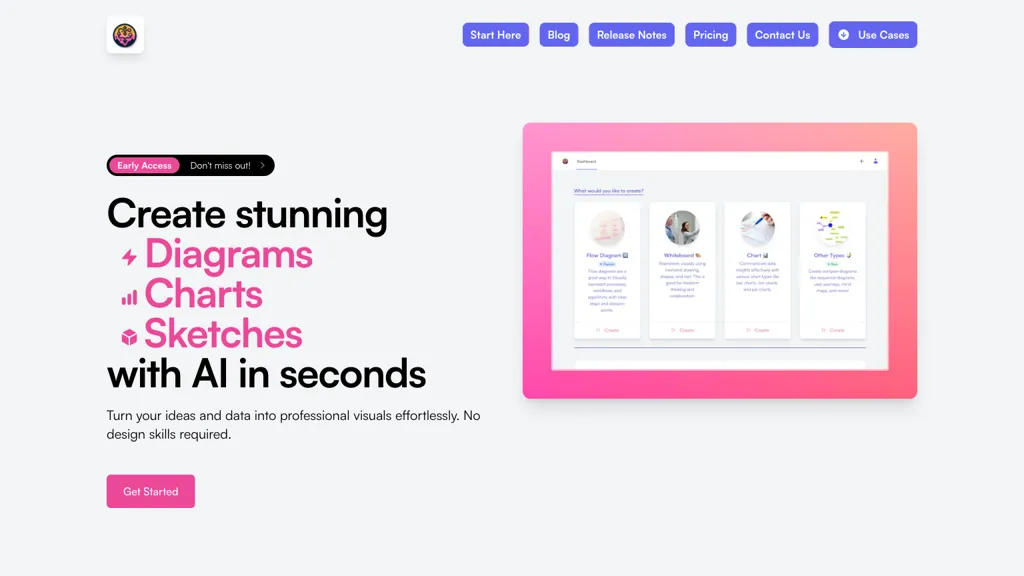
29 FlowCraft Alternatives & Competitors, Ranked by User Reviews
Click Compare on any tool to compare it side-by-side with FlowCraft.
 #1
Flowchartai.tech
#1
Flowchartai.tech
Converts text, images, PDFs and spreadsheets into editable diagrams—flowcharts, decision trees, UML, mindmaps, org charts and Gantt—by parsing processes into steps, decisions and loops, offering auto-layout, collaborative editing and PNG/SVG/PDF export.
 #2
ChartAI
#2
ChartAI
ChartAI auto‑creates diverse visualizations—mind maps, flowcharts, timelines, Gantt charts, ER diagrams, etc.—by converting data into polished diagrams. It offers templates, quick start, and dataset generation, aiding analysts, researchers, educators, and managers.
 #3
edraw ai
#3
edraw ai
Edraw.ai is an AI-driven platform for visual collaboration, offering a variety of diagram types and real-time editing. It enhances productivity by facilitating teamwork, streamlining workflows, and improving visual documentation across diverse industries.
 #4
Edraw Software
#4
Edraw Software
Edraw Software is a versatile diagramming tool that enables users to create flowcharts, mind maps, and organizational charts with ease. Its drag-and-drop functionality, collaboration features, and support for multiple file formats enhance productivity and integration.
 #5
aiflowchart
#5
aiflowchart
AI Flowchart is a diagram generation tool that creates various visual formats, such as flowcharts and pie charts, from different data sources. It offers customization options and an iterative recreation feature for enhanced diagram design efficiency.
 #6
MyMap.AI
#6
MyMap.AI
MyMap turns text prompts into mind maps, flowcharts, SWOT, timelines, and database schemas on an infinite canvas. It auto‑generates and places nodes with real‑time AI context awareness, letting users drag, connect, and reorganize for brainstorming and planning.
- Catch deals before they expire
- Unlock tools matched to you
- Show off your AI stacks
Already a member? Sign in
 #7
Infograph.app
#7
Infograph.app
AI Infographic Generator converts text and data into customizable graphics like infographics and flowcharts. With over 500 templates and multi-language support, it enables editing and downloading in multiple formats, all while supporting 4K resolution.
 #8
Napkin.ai
#8
Napkin.ai
Napkin AI automatically converts pasted or uploaded text into diagrams, charts, flowcharts, and mind maps. Users can customize icons, styles, connectors, and colors, then export to PPT, PNG, PDF or SVG. It supports 60+ languages and real‑time collaboration.
 #9
Diagramming
#9
Diagramming
Diagramming AI generates and edits flowcharts, UML, and architecture diagrams across Mermaid, PlantUML, GraphViz, D2, and Excalidraw using natural‑language prompts. AI chat refines designs, auto‑corrects syntax, and converts text to interactive visuals with templates, versioned collaboration, and exportable SVG/PNG/URLs.
 #10
AI Diagram Generator
#10
AI Diagram Generator
dg diagram-generator converts text prompts into structured diagrams — flowcharts, UML, ER, network, Gantt and infographics — offers quick drafts, 4K renders, editable Mermaid export, style templates, and Pro web grounding with layout-aware rendering.
 #11
VisFlow
#11
VisFlow
Visflow allows users to create interactive flowcharts and mind maps incorporating multimedia elements. Its drag-and-drop functionality supports real-time collaboration across devices while ensuring data remains local, making it ideal for creatives and educators focused on visual thinking.
 #12
AI graph maker
#12
AI graph maker
Free AI Graph Maker enables users to create interactive charts and graphs, including bar, pie, and line charts. It supports Gantt charts, flowcharts, and mind maps, facilitating effective data visualization for various sectors like education and finance.
 #13
EdrawMax.com
#13
EdrawMax.com
EdrawMax Online is a cloud diagramming platform with 210+ diagram types, including flowcharts, UML, and Gantt charts. It offers drag‑and‑drop editing, real‑time collaboration, 20,000 free templates, 26,000 symbols, and AI tools for diagram, chart, and PPT generation, OCR, and copy‑writing.
 #14
draft1.ai
#14
draft1.ai
AI Diagram Generator creates diverse diagrams like UML, ER, and cloud architecture quickly from user input. It offers customizable templates, compatibility with draw.io, and a user-friendly interface, making it ideal for software architects and developers.
 #15
Flowstep.ai
#15
Flowstep.ai
Flowstep is an AI design assistant for UI/UX teams that accelerates prototyping and layout generation, manages design systems and component libraries, supports collaborative editing, version control, role-based access, responsive templates, and developer-ready exports.
 #16
Cloudairy
#16
Cloudairy
Cloudairy is a cloud-based collaborative workspace with AI-powered diagramming and project management tools. It enables real-time teamwork with flowcharts, mind maps, Kanban boards, and automated documentation for streamlined workflows.
 #17
VDraw AI
#17
VDraw AI
vdraw is an AI tool that transforms text and multimedia into customizable infographics and graphics. It simplifies data visualization, allowing users to create engaging visuals for various platforms without requiring advanced design skills.
 #18
RapidChart.ai
#18
RapidChart.ai
RapidChart is an AI-driven UML diagram generator that allows software developers and architects to create various diagrams quickly, including UML, C4 model, and neural network visualizations, using an infinite canvas and intelligent auto-layout features.
 #19
ConceptMap AI
#19
ConceptMap AI
Concept Map AI is a free mind mapping tool that enables users to create visual concept maps quickly through AI interaction. It supports educational purposes, project planning, brainstorming, and process mapping, enhancing clarity, collaboration, and operational efficiency.
 #20
Diaflow
#20
Diaflow
Diaflow is a no-code platform for creating generative AI applications, enhancing team productivity through automated workflows, 24/7 AI support, and seamless integration with external databases for data-driven operations and informed decision-making.
 #21
Code to Flow
#21
Code to Flow
Code to Flowchart converts source code into interactive flowcharts, sequence, and class diagrams for Python, JavaScript, Java, C++, and TypeScript. It visualizes logic paths, loops, and conditionals, supports export to SVG/PNG/PDF, and prioritizes privacy with no code storage.
 #22
Piktochart
#22
Piktochart
Piktochart is an AI‑powered visual creation platform that turns text into infographics, charts, and videos within seconds. It offers templates, a brand kit, collaborative editing, interactive graphics, and export options for print and digital use.
 #23
Flowith
#23
Flowith
Flowith is a canvas-based agentic workspace which offers free 🍌Nano Banana Pro and other effective models.
 #24
Sketch2scheme
#24
Sketch2scheme
Sketch2scheme uses AI to convert hand‑drawn flowcharts and textual descriptions into clean digital diagrams. It auto‑detects nodes, aligns them, and lets users tweak via a visual editor or Mermaid code. Export to PNG, SVG, PDF, or diagrams.net.
 #25
AI-Flow
#25
AI-Flow
AI-Flow is a no‑code platform enabling creators to build and run AI workflows via drag‑and‑drop, integrating models from OpenAI, StabilityAI, Anthropic, and Replicate for batch image, video, and content summarization.
 #26
EdrawMax AI
#26
EdrawMax AI
EdrawMax AI is a cross-platform diagramming tool that converts text commands and code into flowcharts, mind maps, and other visuals with real-time previews. It automates diagram creation through OCR, style unification, and one-click edits, supporting 25,000+ templates for team collaboration across desktop, web, and mobile.
 #27
Make Infographic AI
#27
Make Infographic AI
MakeInfographic.ai converts text prompts into structured infographics using templates (timelines, comparisons, processes, etc.), selectable visual styles and aspect ratios, exports channel-specific variations for social, presentations, and educational materials with inline editing.
 #28
Splotch
#28
Splotch
Splotch is a free AI flowchart generator that converts textual workflows into interactive diagrams, facilitating easy visualization, collaboration, and communication for teams in various fields, including product management, marketing, and e-commerce.
 #29
FunBlocks AI
#29
FunBlocks AI
FunBlocks AI converts topics, notes, PDFs, and videos into visual mind maps using models like First Principles and SWOT. Users can export maps to AI‑generated docs, slides, or Markdown, and switch between GPT, Claude, Gemini, and DeepSeek within one workflow.